BALETRAK PLUS® Monitor-Controller Diagnostic and Setup ModesThere are two types of channelled programs:
Setup Channels are used to:
NOTE: Diagnostic procedures are located in the Service-Baler section. Diagnostic Channels are used to:
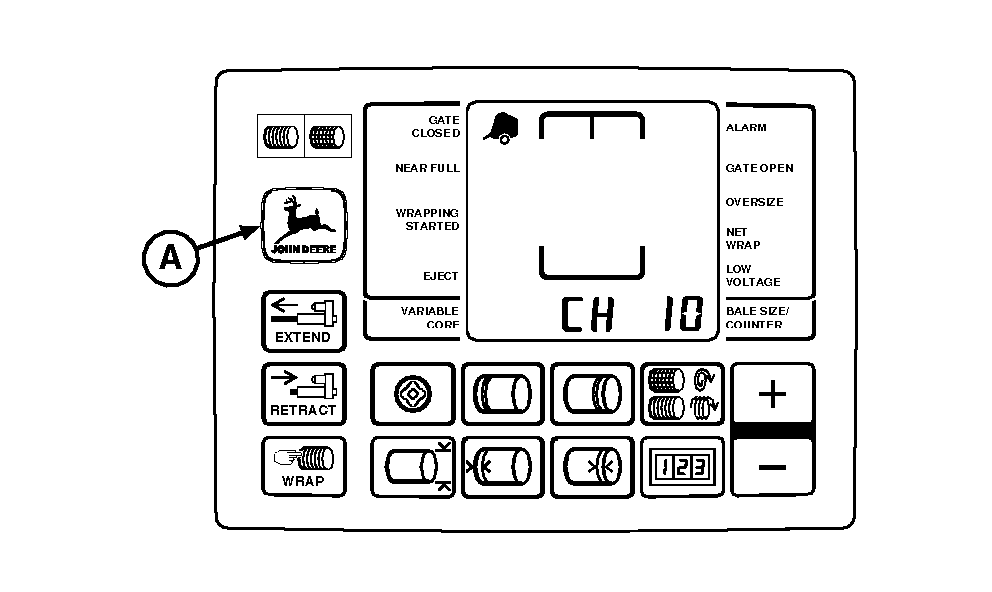
To enter Diagnostic and Setup Channels: 1. Turn tractor key to ON position. Do not start tractor engine. Press and hold DEERE key (A). Set selector switch to TWINE or NET symbol to turn monitor-controller ON.2. Continue to hold DEERE key (A) and press PLUS key until desired channel appears in digital display. Release key to see the current value for this channel. To change channels, press and hold DEERE key (A) and use the PLUS and MINUS keys to access other channels. |
|
|
BALETRAK PLUS is a registered trademark of Deere & Company | AG,OUO6017,1620 -19-03NOV99-1/1 |