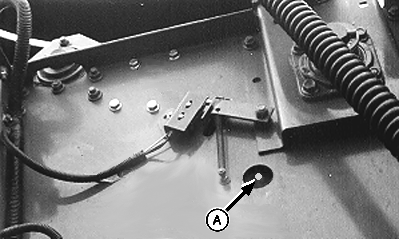
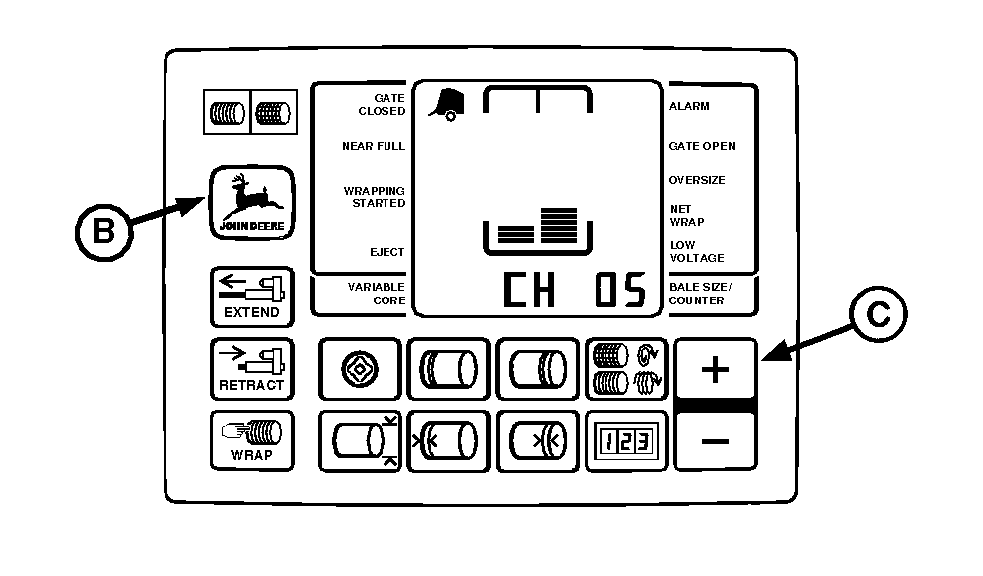
Adjusting Bale Diameter Sensor (Channel 05-With Sound)1. Lock gate in closed position.2. Start tractor engine. IMPORTANT: Baler access hole is an open hole and not one with a cap screw. 3. Using tractor selector valve, raise belt tension arm until calibration hole (A) in tension arm is centered in baler access hole. NOTE: If calibration hole in tension arm goes past baler access hole while raising tension arm, lower tension arm and repeat step 3 as necessary. 4. Engage tractor parking brake and/or place transmission in "Park". 5. Shut off tractor engine. 6. Turn tractor key to ON position. Do not start tractor engine. 7. Press and hold DEERE key (B) while setting selector switch toward TWINE or NET symbol to turn monitor-controller ON. 8. Continue to hold DEERE key (B) and press PLUS key (C) until "CH 05" appears in digital display. Release DEERE key (B) and view bale size sensor number. 9. Loosen mounting hardware and rotate sensor (D) fully clockwise. Rotate sensor counterclockwise until "208" is displayed and a steady tone sounds. NOTE: If "208" is exceeded while rotating sensor counterclockwise or while tightening screws, rotate sensor clockwise and repeat steps 9 and 10 as necessary. 10. Tighten sensor mounting screws. 11. To check adjustment:
|
|

AG,OUO6017,1752 -19-12NOV99-1/2 |
Lower belt tension arm using tractor selector valve. Unlock gate. |
|
AG,OUO6017,1752 -19-12NOV99-2/2 |