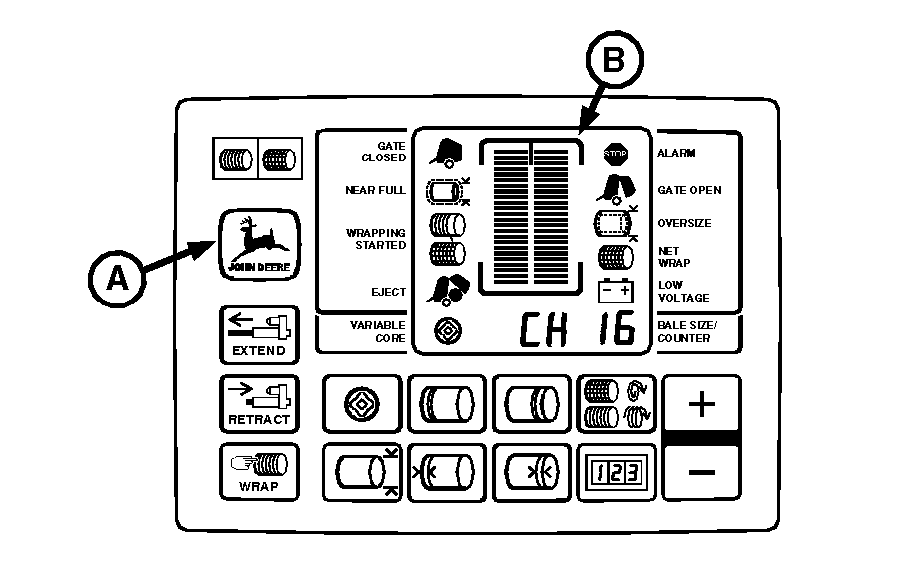
Testing Liquid Crystal Display (LCD) Panel (Channel 16)Use the following test procedure to check if a segment of the LCD panel has failed. 1. Turn tractor key to ON position. Do not start tractor engine.2. Press and hold DEERE key (A) while setting selector switch to TWINE or NET symbol to turn monitor-controller ON. 3. Continue to hold DEERE key (A) and press PLUS key until "CH 16" appears in digital display. 4. Release keys and view entire LCD panel (B). Make sure all segments and indicators are displayed. If not, see your John Deere dealer. 5. Set monitor-controller selector switch to OFF (centered) position. Turn tractor key to OFF position. Remove key. |
|
AG,OUO6017,1757 -19-12NOV99-1/1 |