Checking Cutoff Indicator Channel Travel
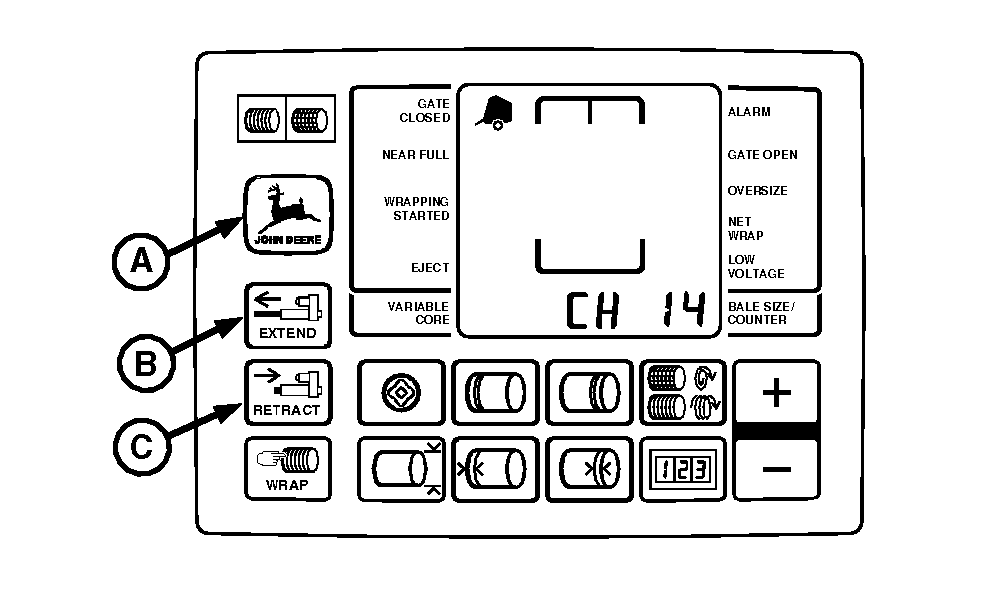
IMPORTANT: Current overload protection to net actuator is bypassed when using channel 14. Extended use of channel 14 may cause actuator damage. NOTE: Cutoff indicator channel must have minimum of 6 mm (1/4 in.) of travel for correct switch operation. 1. Turn tractor key to ON position. Do not start tractor engine. Press and hold DEERE key (A). Set selector switch to NET symbol to turn monitor-controller ON. "CH 01" will appear in the digital display. 2. Continue to hold DEERE key and press PLUS key to advance to "CH 14". Release DEERE key. 3. Press and hold EXTEND key (B) or RETRACT key (C) to move knife to the home (forward) position. 4. Set monitor-controller selector switch to OFF (centered) position. Turn tractor key to OFF position. Remove key. Disconnect monitor-controller power plug from tractor convenience outlet. |
|
 CAUTION:
Be careful when working around the knife. It is sharp. Wear gloves when handling knife.
CAUTION:
Be careful when working around the knife. It is sharp. Wear gloves when handling knife.

AG,OUO6040,468 -19-22OCT99-1/2 |
|
5.
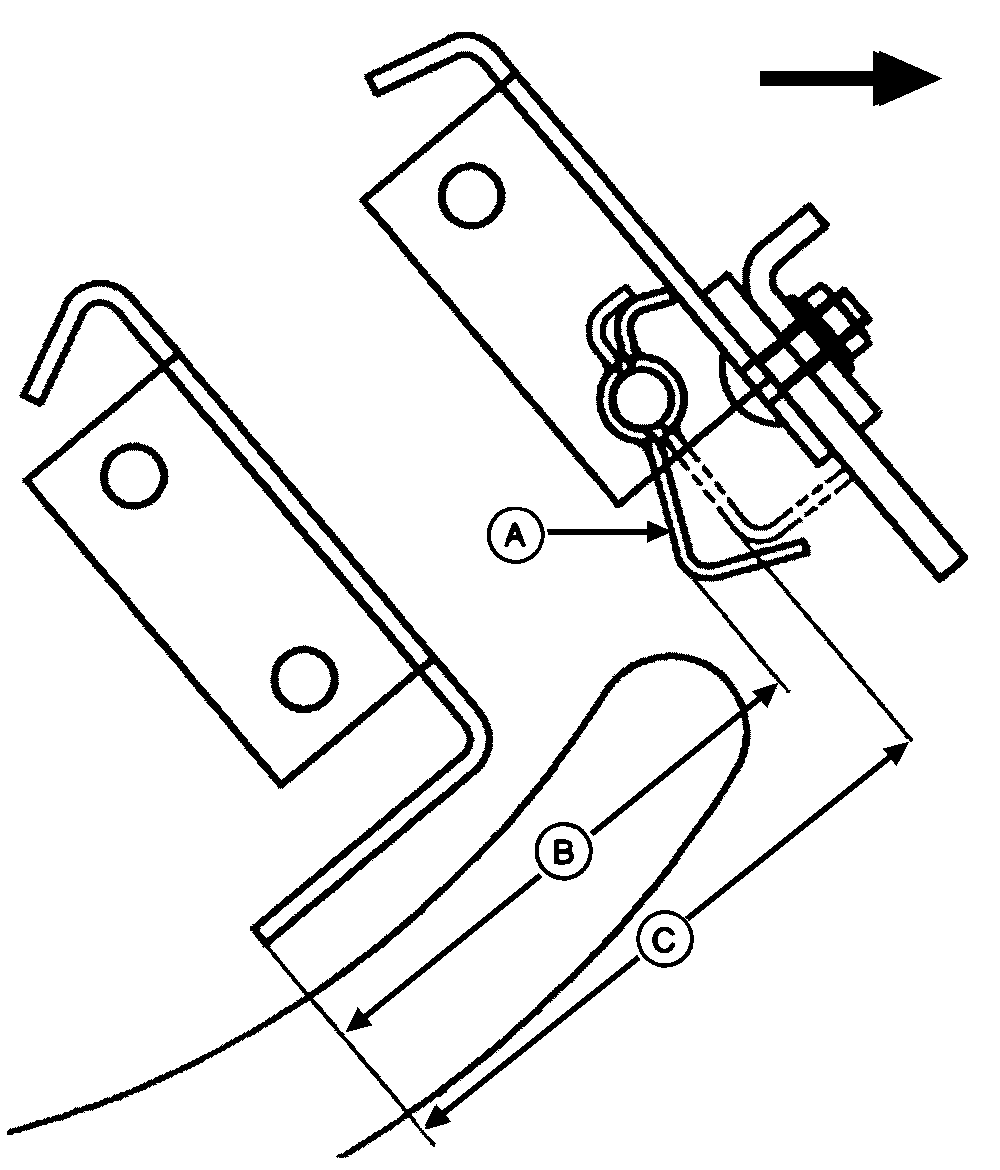
Open net wrap cover. Measure distance (C) with ruler (channel in forward position).
6. Connect monitor-controller power plug to tractor convenience outlet. Turn tractor key to ON position. Press and hold DEERE key while turning monitor-controller selector switch to NET. "CH 01" will appear in the digital display. 7. Continue to hold DEERE key and press PLUS key to advance to "CH 14". Release DEERE key. 8. Press and hold EXTEND or RETRACT key to move knife to the rear position. 9. Set monitor-controller selector switch to OFF (centered) position. Turn tractor key to OFF position. Remove key. Disconnect monitor-controller power plug from tractor convenience outlet. 10. Measure distance (B) with ruler (channel in rear position). The difference between (B and C) should be according to specifications. Specification
If travel is less then specification, channel may be bent (bowed toward front of baler). Straighten or replace channel. (See STRAIGHTEN CUTOFF INDICATOR CHANNEL in this section.) |
|
AG,OUO6040,468 -19-22OCT99-2/2 |