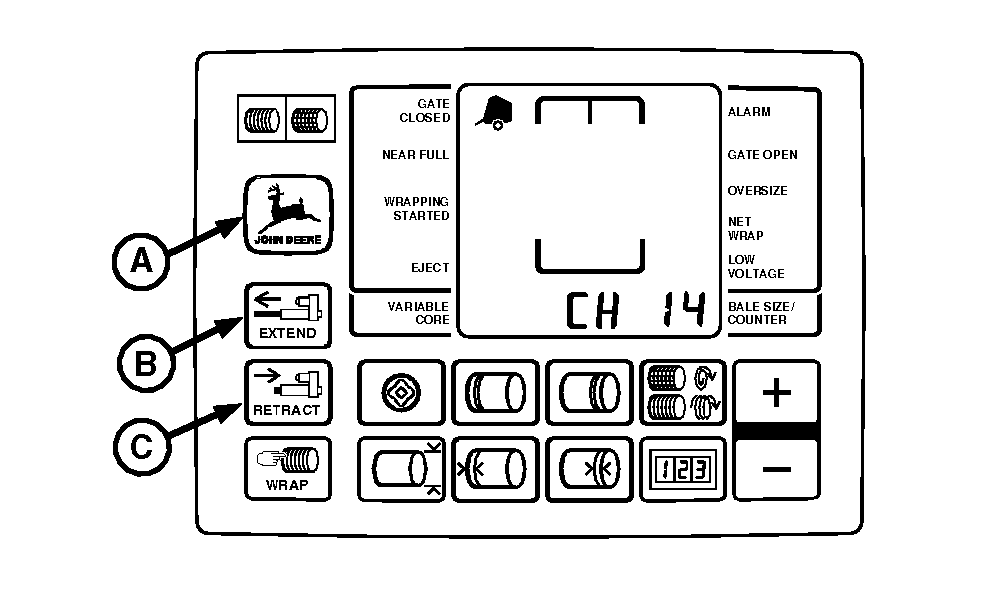
Removing and Installing Net Wrap KnifeIMPORTANT: Current overload protection to net actuator is bypassed when using channel 14. Extended use of channel 14 may cause actuator damage. 1. Turn tractor key to ON position. Press and hold DEERE key (A) while turning monitor selector switch to NET. "CH 01" will appear in the digital display. 2. Continue to hold DEERE key and press PLUS key to advance to "CH 14". Release DEERE key. 3. Press and hold RETRACT key (C) to move knife to the rear position. 4. Turn tractor key to OFF position and remove key. Turn off monitor.
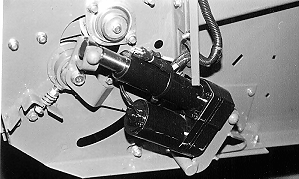
5. Disconnect net actuator wiring connector. 6. Open net wrap cover. |
|
 CAUTION:
To avoid personal injury from unexpected knife movement, disconnect net actuator wiring and connector.
CAUTION:
To avoid personal injury from unexpected knife movement, disconnect net actuator wiring and connector.
AG,OUO6040,471 -19-22OCT99-1/2 |
|
7. Remove two round-head bolts and nuts (A) on each end of knife (B). Remove knife from knife arms (C). 8. Repair or replace if necessary. 9. Install knife (B) with beveled surface down and knife under the knife arms (C). IMPORTANT: Round head of bolts MUST be up. This will prevent the hardware from tearing the net wrap material. 10. Install round-head bolts and nuts (A) so the round heads are up. Tighten to specifications. Specification
IMPORTANT: Tie band, conduit, and connectors must not interfere with switch or switch arm movement. 11. Connect net actuator wiring connector. IMPORTANT: Make sure to move net wrap knife fully forward to "home" position. If baler is operated with knife at the rear position, net will feed continuously during baling. 12. Turn tractor key to ON position. 13. Press WRAP key on monitor to move knife fully forward to the "home" position. 14. Turn tractor key to OFF position. Turn off monitor. 15. Close net wrap cover. |
|

AG,OUO6040,471 -19-22OCT99-2/2 |