Removing and Installing Net Wrap Knife1. Turn tractor key to ON position. Do not start tractor engine. 2. Move manual override switch to RETRACT position to move actuator to the rear position.
3. Turn tractor key to OFF position. Remove key. Disconnect net wrap controller power plug from tractor convenience outlet. 4. Open net wrap cover. |
 CAUTION:
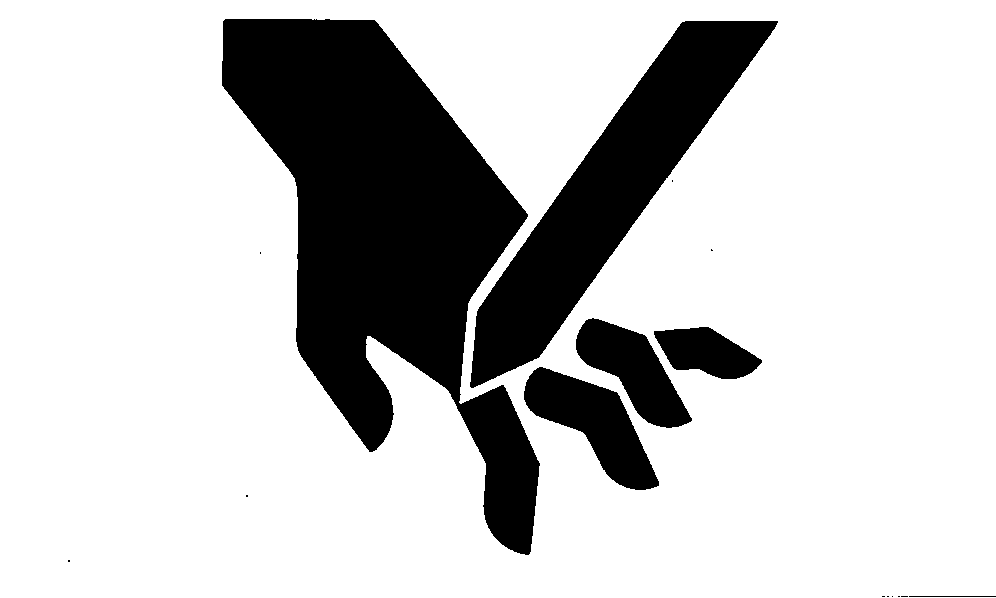
To avoid personal injury from unexpected knife movement, disconnect net actuator wiring and connector.
CAUTION:
To avoid personal injury from unexpected knife movement, disconnect net actuator wiring and connector.
AG,OUO1078,9 -19-11OCT99-1/3 |
|
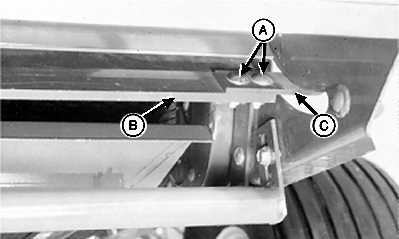
5. Note position of knife cutting edge for reinstallation. 6. Remove two round head bolts and nuts (A) on each end of knife (B). Remove knife from knife arms (C). 7. Repair or replace if necessary. 8. Install knife, with beveled surface down, under knife arms (C). IMPORTANT: Round head of bolts MUST be up. This will prevent the hardware from tearing the net wrap material. 9. Install round-head bolts and nuts (A) so the round heads are up. Tighten to specifications. Specification
IMPORTANT: Tie band, conduit, and connectors must not interfere with switch or switch arm movement. Be sure to cycle net knife to home position after completing service. If this procedure is not followed, net will be fed continuously during the next bale. 10. Connect net wrap controller power plug to tractor convenience outlet. Turn tractor key to ON position. 11. Momentarily press WRAP switch to move knife to the home (forward) position. 12. Turn tractor key to OFF position. Remove key. Disconnect net wrap controller power plug from tractor convenience outlet. |
|
AG,OUO1078,9 -19-11OCT99-2/3 |
|
13. Check and adjust feed roll brake and knife arm stop. (See CHECKING AND ADJUSTING NET WRAP FEED ROLL BRAKE and ADJUSTING NET WRAP KNIFE ARM STOP in this section.) |
AG,OUO1078,9 -19-11OCT99-3/3 |