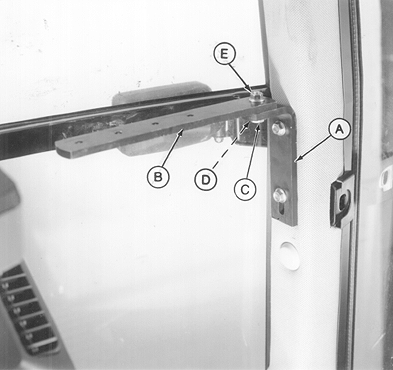
Installing BALE WATCH™ Monitor in COMFORTGARD™ Cab1. Remove the top two plugs from the lower right-hand front cab post. 2. Install angle (A) to cab post. Fasten with two flange-head cap screws. 3. Install monitor strap (B) to angle (A). Fasten with cap screw (C), washer (D) and flange nut (E). 4. Place monitor pivot bracket (factory installed) on top of mounting bracket and attach using M6 x 16 cap screw. 5. Route harness along right-hand side of cab, away from operation levers, to rear of side console. |
|
|
BALE WATCH is a trademark of Deere & Company | AG,OUO6017,1418 -19-05OCT99-1/2 |
|
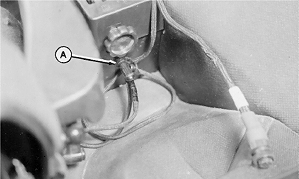
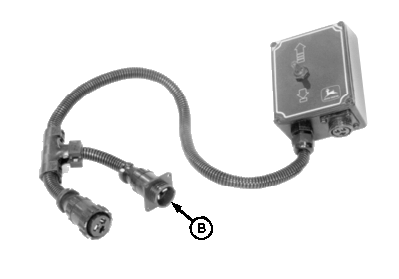
6. Connect BALE WATCH™ harness power plug to either tractor convenience outlet (A) or connector (B), if equipped with electric twine or net wrap controller. 7. Route baler plug through back wall of cab at a convenient location or drill a 44 mm (1-3/4 in.) diameter hole in rear wall, if required.
|
|
AG,OUO6017,1418 -19-05OCT99-2/2 |