Digital Display - Clock Adjustment
AGCPTJD0351-UN-10JUL13
AGCPTJD0352-UN-10JUL13
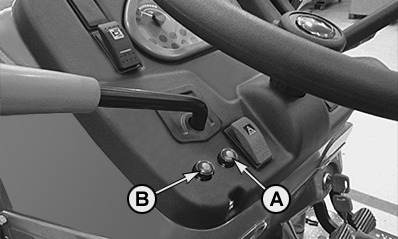
A - Program Button
B - Clock Adjustment Button
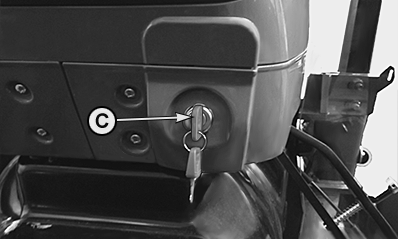
C - Key Switch
- Turn key switch to first position (engine not running), push button (B) until clock mode is shown on the dashboard panel.
- Keep button (B) pressed for more than 3 seconds to gain access to hour setup function.
AGCPTJD0350-UN-10JUL13
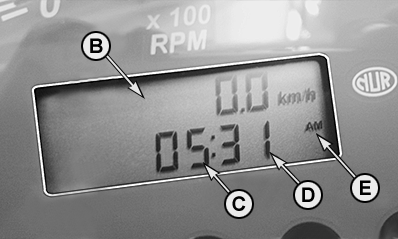
B - Dashboard
C - Hour
D - Minutes
E - 12/24h mode
Time Setting:- Hours flashing.
- Push clock adjustment button to set correct hour (C).
- Keep clock adjustment button pressed to gain access to minutes setup function.
- Minutes flashing
- Push clock adjustment button to set correct minutes (D).
- Choose between 12/24h mode (E) and keep clock adjustment button pressed for more than 3 seconds to complete the setup procedure.
|
OULXBER,00022E2-19-20141107 |