iTEC - Delete Sequence
-
LX1045725-UN-16AUG10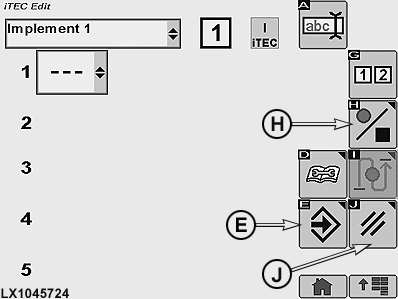
LX1045724-UN-17AUG10E - Save/Enter Softkey
H - Softkey for Start/End Recording of Sequence
J - Cancel Softkey
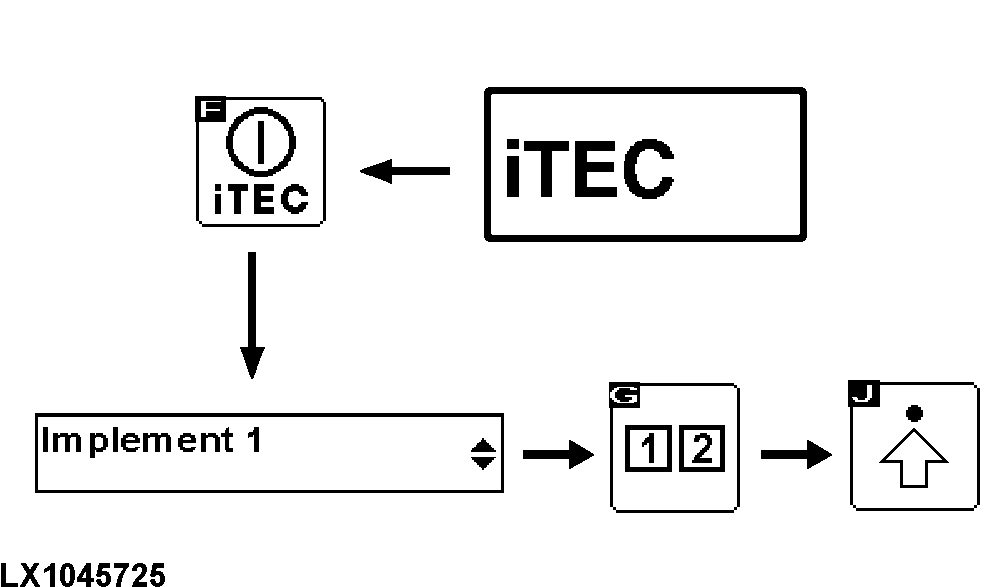
Select the iTEC home page and then press the iTEC ON/OFF softkey. For more information, see iTEC - Home Page, Enter Program Mode in this Section. -
Make sure that iTEC is switched on. At the same time, the iTEC indicator light lights up on the instrument panel.
-
Navigate to drop-down box (1, implement selection) and select desired implement.
-
Use the sequence softkey to select Sequence 1 or 2. When the sequence has been selected, the relevant display appears.
-
Select softkey for Advance Settings.
-
Select softkey (H; start/end recording of sequence) and confirm twice.
-
Select softkey (E) to delete the sequence or softkey (J) to cancel the process.
|
OULXA64,000269F-19-20101124 |