iTEC - Perform Programmed Sequences

LX1045739-UN-18AUG10
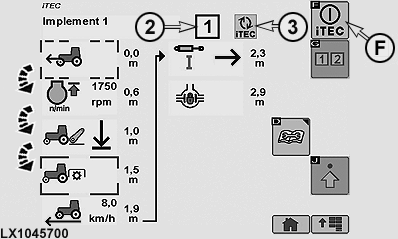
LX1045700-UN-19AUG10
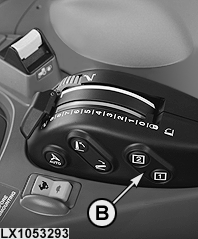
LX1053293-UN-19SEP11
Switch - without CommandARM
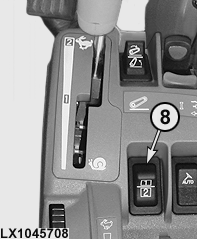
LX1045708-UN-22JUL10
Switch - with CommandARM
2 - Sequence Display
3 - iTEC Display - Sequence is Currently Executing
8 - Sequence Switch
F - iTEC ON/OFF Softkey
NOTE: While a sequence is being performed, a function can be actuated manually at any time without the performance of the sequence being interrupted. Functions that are actuated manually are ignored by iTEC during performance of a sequence. The relevant alert appears on the icon for this function.
NOTE: If a programmed sequence is to be performed, the transmission must not be in Park position. Tractor must be driven at a speed of at least 0.5 km/h (0.31 mph).
If a PTO function is included in a sequence, the PTO must be engaged manually at the PTO switch (first time only).
Before performing sequences that include SCV functions, the relevant levers must be moved to their neutral positions.
-
Access the iTEC home page.
-
Select iTEC ON/OFF softkey (F) to switch on iTEC.
-
Navigate to drop-down box (1, implement selection) and select desired implement.
-
To start the desired sequence, use sequence switch (8) to select 1 or 2. The relevant sequence display (2) appears on the iTEC page and the relevant sequence number lights up on the instrument panel, as does the iTEC indicator light.
iTEC display (3) indicates that the sequence is active. The function to be performed next is represented on the iTEC page by a frame round it. Once the work process has been concluded, the frame changes to the next function.
When a sequence has finished, the display changes to the next sequence.
The operator can intervene at any time while the sequence is executing.
The affected function is ignored for the rest of the sequence.
IMPORTANT: To cancel a sequence immediately, use sequence switch (8) to select a different sequence (e.g. 2 instead of 1).
|
OULXA64,00026A1-19-20110919 |