TIA - Operating Tractor-Implement Automation
-
LX1046226-UN-22JUN11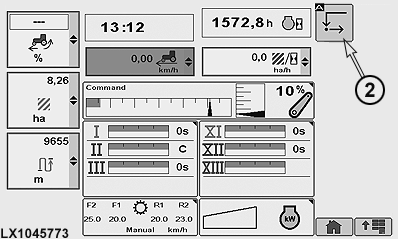
LX1045773-UN-20DEC10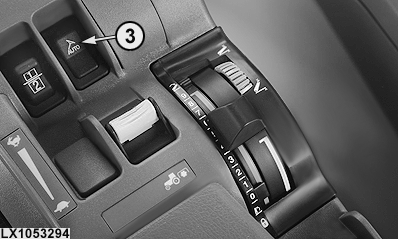
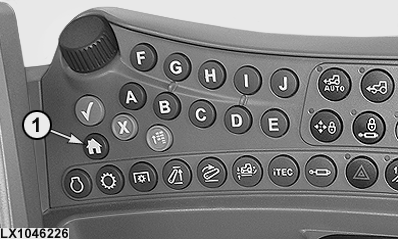
LX1053294-UN-22SEP111 - Button for CommandCenter™ Home Page
2 - TIA Softkey
3 - AutoTrac™ Switch
Connect the TIA-compatible implement(s) to the tractor using the ISOBUS connection. -
Press button (1) and access the CommandCenter™ home page. If necessary, set up the TIA softkey (2) on the CommandCenter™ home page and assign it to TIA.
NOTE: See also CommandCenter™ - Configuring Home Page in CommandCenter™ and Additional Instruments section.
-
In the main menu, select either TIA softkey (2) or AutoTrac™ switch (3).
NOTE: The implement prescribes exactly how the it is to be operated in TIA.
-
Unknown Implement Number previously displayed in Tractor-Implement Automation Activation page component list changes to the specific Implement name.
-
Follow implement Operator's Manual instructions to operate implement.
|
OULXA64,00026BD-19-20110919 |