CommandCenter™ - Check the TouchScreen
RXA0110764-UN-09SEP10
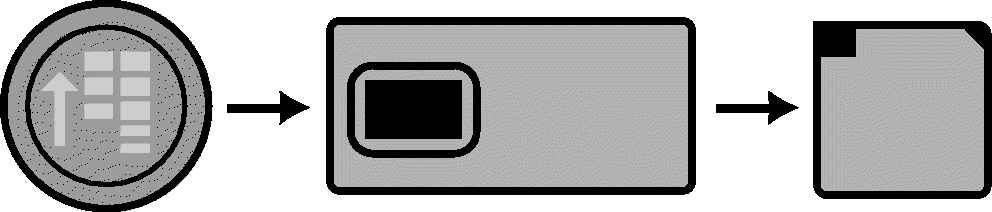
Display → Test
RXA0106107-UN-20AUG10
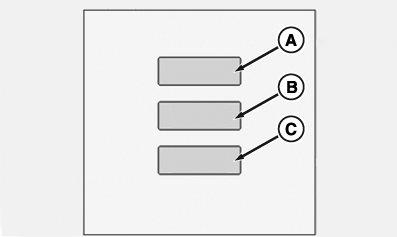
Display→ Diagnostic→ Test
RXA0106632-UN-11AUG10
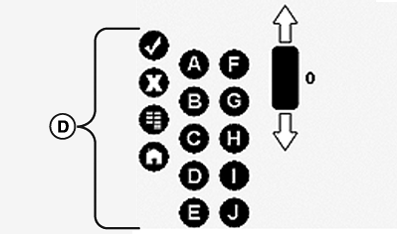
TouchScreen Control, Test
RXA0106634-UN-03MAR10
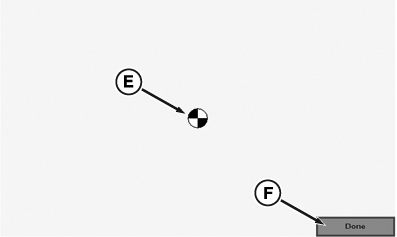
Test Page
A - TouchScreen Control, Test
B - TouchScreen, Test
C - TouchScreen, Calibrate
D - Softkeys (A) to (J)
E - Test Pattern
F - Done
-
Press the menu button.
-
Select a display.
-
Select Tests softkey.
-
Select box (A; TouchScreen Control, Test).
-
On the Display Control, Test page, actuate one of the hotkeys A to J on the control console on the right, and check that the relevant softkey (D) is highlighted on the page.
-
Select TouchScreen Test box (B), a box appears allowing you to select Done box (F)
-
Select TouchScreen Calibration box (C), page appears with test pattern (E).
-
Select Done box (F) when finished.
|
OULXA64,000273B-19-20120622 |