CommandCenter™ - Using Performance Monitor
RXA0098156-UN-07NOV08
Menu Button
RXA0110780-UN-09SEP10
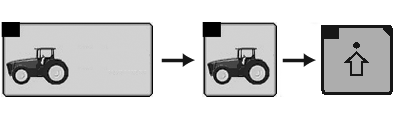
Performance Monitor →Performance Monitor Main Page→Advanced Settings
RXA0106766-UN-02AUG10
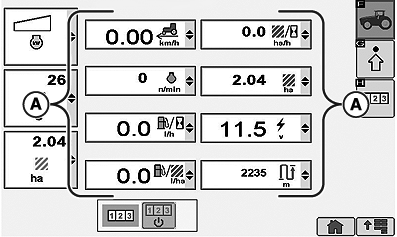
Performance Monitor Main Page
RXA0112771-UN-04JAN11
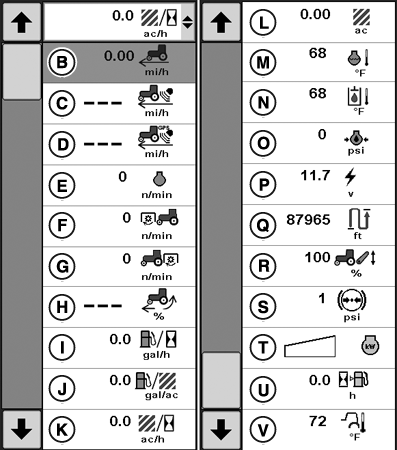
Performance Monitor Settings Options
A - Performance Monitor
B - Travel Speed
C - Radar Speed
D - GPS Speed
E - Engine Speed
F - Front PTO Speed
G - Rear PTO Speed
H - Percent Wheel Slip
I - Fuel Consumption Per Hour
J - Fuel Consumption Per Area
K - Area Covered Per Hour
L - Total Area Covered
M - Coolant Temperature
N - Hydraulic Oil Temperature
O - Engine Oil Pressure
P - System Voltage
Q - Distance Covered
R - Hitch Position
S - Brake System Pressure
T - Engine Power
U - Hours of Fuel Remaining
V - Ambient Temperature
-
Press the menu button.
-
Select Performance Monitor.
-
Press softkey for Performance Monitor main page.
-
When Performance Monitor main page appears, 8 options are displayed (A). Current settings can be monitored at this time.
-
Selecting the drop-down box in any of the 8 displayed options allows operator to select any of the remaining performance monitor options.
|
OULXA64,0002747-19-20120625 |