CommandCenter™ - Accessing GreenStar™ Main Page

RXA0098156-UN-07NOV08
Menu Button
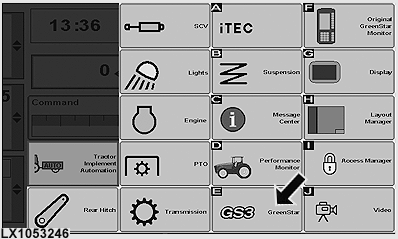
LX1053246-UN-07JUL11
CommandCenter™ - Menu
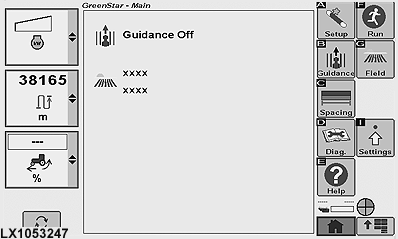
LX1053247-UN-07JUL11
GreenStar™ Main Page
The GreenStar™ main page can be accessed via the GS3 CommandCenter™.
To access the GreenStar™ main page, press the menu button and select GreenStar™.
The GreenStar™ main page is the central location for accessing GreenStar™ functions and displays the currently selected options for client, farm, field and steering system track.
NOTE: Some buttons and softkeys will only appear when hardware/functions related to them are available/connected.
Operation of display and components is described in separate operator's manuals.
|
OULXA64,00027CC-19-20120625 |