Exhaust Filter Cleaning with Tractor Parked

LX1049778-UN-22JUL10
LX1049777-UN-22JUL10
LX1049795-UN-20AUG10
LX1049796-UN-02DEC10
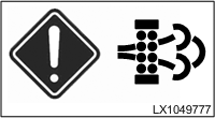
 CAUTION: Comply with Clean Exhaust Filter
Safely in Section 05.
CAUTION: Comply with Clean Exhaust Filter
Safely in Section 05.
IMPORTANT: Select a suitable space to park the tractor and lower any implements all the way down to the ground.
No other tractor functions may be used while exhaust filter cleaning is taking place with the tractor parked. Excluded from this are functions that may be required for an emergency shut-down of the tractor.
Do not start exhaust filter cleaning if the fuel gauge has been showing a low fuel level for a long time.
NOTE: During exhaust filter cleaning, the engine control unit assumes control of the engine functions. It is therefore normal for engine speed to change during the cleaning process. Duration of cleaning depends on severity of soot level.
-
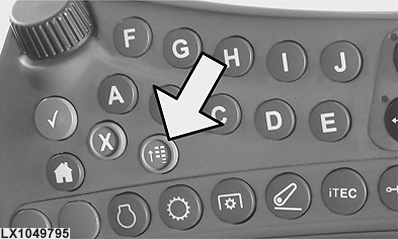
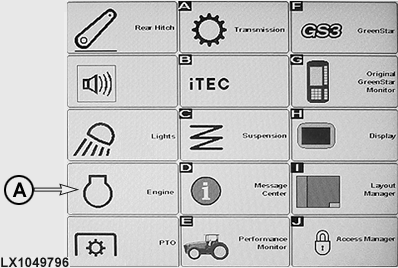
Initiate exhaust filter cleaning with tractor parked: Press menu button (see arrow). Then press engine icon (A) to access the engine menu.
NOTE: If an automatic exhaust filter cleaning is currently performed, it must be canceled. See Automatic Exhaust Filter Cleaning in this Section.
-
Press icon (A) to change to the menu for exhaust filter cleaning. The icon does not appear unless a message has instructed the operator to perform exhaust filter cleaning with tractor parked.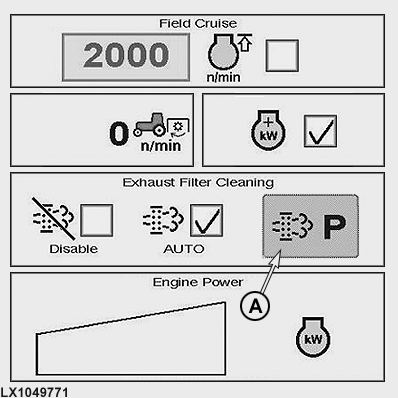
LX1049771-UN-22JUL10 -
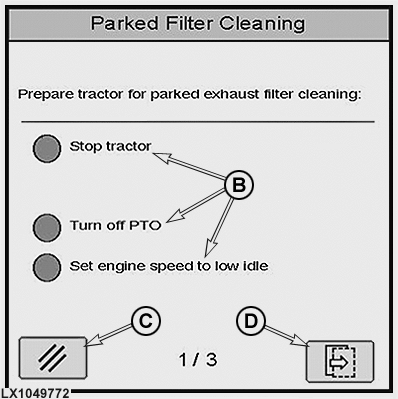
LX1049772-UN-22JUL10B - Status Displays (Tractor Movement, PTO and Engine Speed)
C - Cancel Button
D - Next Button
Check whether all three conditions (B) have been met. All three circles must be solid green.- Stop the tractor (engage park lock).
- Switch off front and rear PTOs.
- Set engine speed to slow idle.
Press button (D) for the next step.
Cancel the exhaust filter cleaning function - The procedure can be cancelled in different ways:
- Pressing button (C).
- Pressing the accelerator pedal.
- Shutting down the engine.
- Switching on the rear PTO.
NOTE: Do not cancel exhaust filter cleaning unless there is an important reason to do so.
-
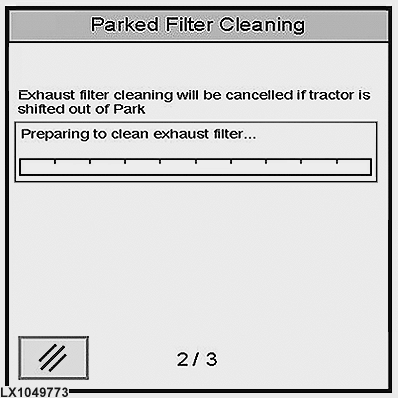
LX1049773-UN-22JUL10
Preparation phase begins. A status bar appears on the display showing how much time remains before exhaust filter cleaning starts.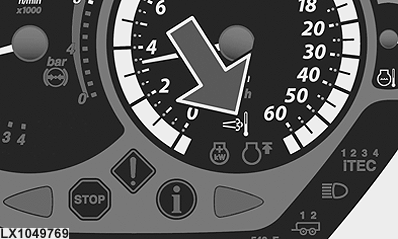
LX1049769-UN-19AUG10At the same time, an indicator light comes on (see arrow) to indicate exhaust filter cleaning.
-
After the preparation phase, the cleaning phase begins. A second status bar appears, showing how far exhaust filter cleaning has progressed.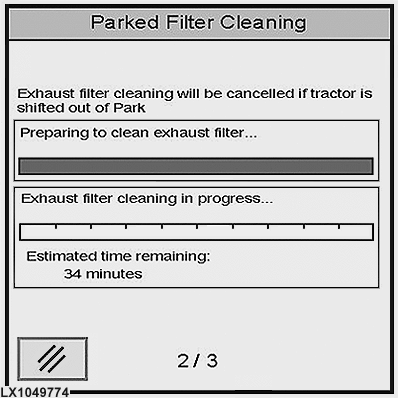
LX1049774-UN-22JUL10 -
When exhaust filter cleaning is completed, a message to this effect appears on the display. Exit the menu by clicking button (E).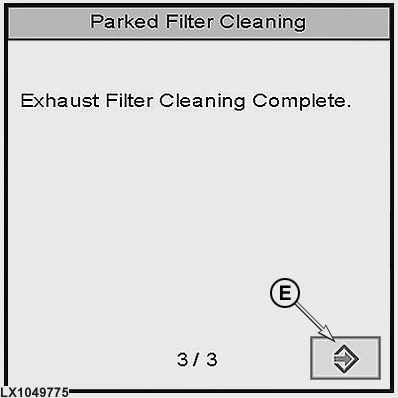
LX1049775-UN-22JUL10After approx. 30 seconds, the exhaust temperature indicator light goes out and the tractor can be operated again.
IMPORTANT: Do not shut off the engine immediately after exhaust filter cleaning. Run the engine for a few minutes at low idle to allow the exhaust system to cool down sufficiently. This is not necessary if it is intended to operate the tractor immediately after exhaust filter cleaning.
|
OULXBER,0001946-19-20120625 |