Access the Engine Menu in CommandCenter™
Entering via the menu button
-
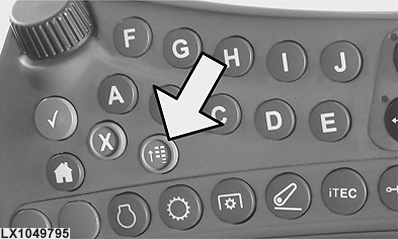
LX1049795-UN-20AUG10Access the Menu
Press the menu button. -
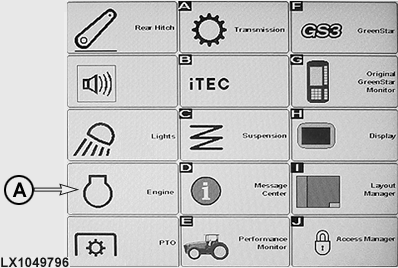
LX1049796-UN-02DEC10Menu
In menu, press the engine icon (A). -
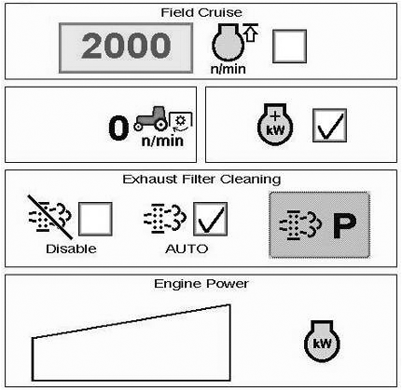
LX1049800-UN-20AUG10Complete Menu for Engine
The engine menu appears on the display.
Entering via the hotkey
-
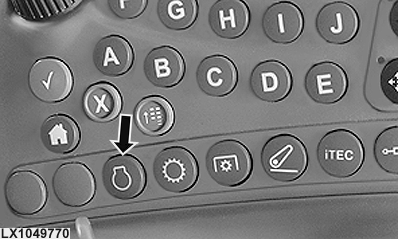
LX1049770-UN-21JUL10Hotkey, Menu for Engine
Press the hotkey (see arrow) to open the engine menu. -
NOTE:
LX1049800-UN-20AUG10Complete Menu for Engine
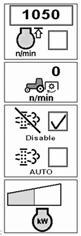
LX1049801-UN-20AUG10Restricted Menu for Engine
If at this step no engine menu appears, access must be made via the menu button.Depending on which CommandCenter functions are being performed at the time, one of the displays shown opposite appears. If pressing the hotkey results in only the restricted engine menu appearing, access can be made via the main menu if necessary, in order to change to the complete engine menu.
|
CommandCenter is a trademark of Deere & Company |
OULXBER,0001961-19-20120625 |