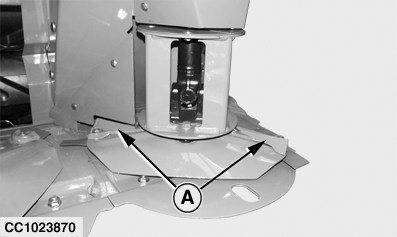
Replacing Crop AcceleratorsIMPORTANT: Accelerators must operate in direction of arrow on the part. NOTE: Crop accelerators (A) are located on end disks equipped with converging drums. 1. Remove converging drum and disk. (See "Removing Disks" or "Replacing Left-Hand End or Right-Hand End Converging Disk Drive" in this section.)2. Put disk in a vise.
|
|
OUCC006,0000A43 -19-28NOV03-1/2 |
|
3.
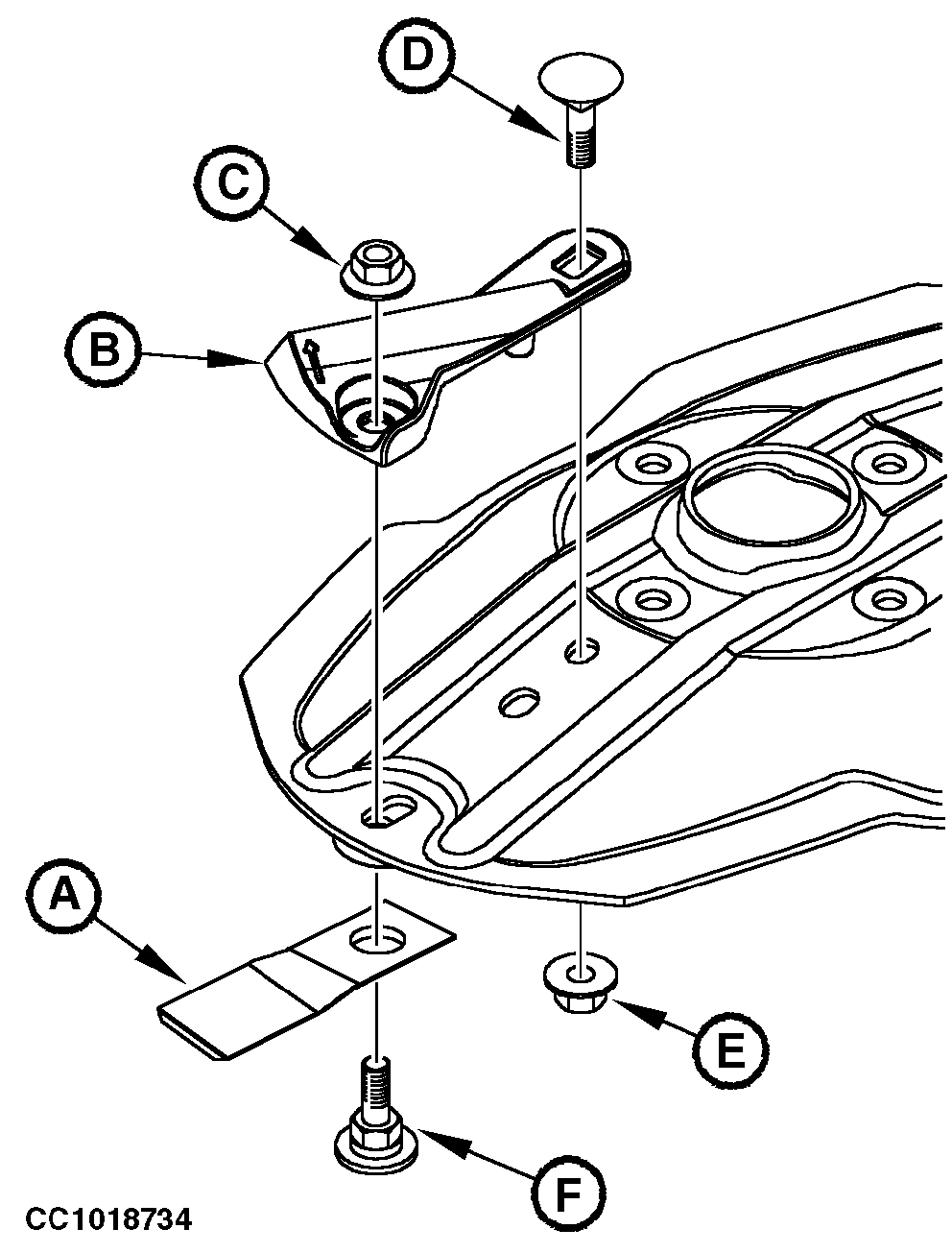
Remove nuts (C and E), screws (D and F) and knife (A).
4. Remove crop accelerator (B) using a brass drift or wood block and hammer. 5. Check disk, knife, special screw and lock nut before installing new crop accelerator. Replace as necessary (See "Checking Knives", "Checking knife Bolt Wear and "Checking Knife Lock Nut Wear" in his Section). 6. Install new crop accelerator. 7. Install knife (A) (See "Installing Knives" in this Section). Fasten with knife screw (F) and lock nut (C). Make sure knife bolt is correctly seated in disk hex. 8. Install screw (D) and nut (E). 9. Tighten lock nut (C) to specifications. Specification
10. Make sure knife rotates freely on the bolt. 11. Install converging drum and disk (See "Installing and Synchronizing Disks" in this Section). |
|
OUCC006,0000A43 -19-28NOV03-2/2 |