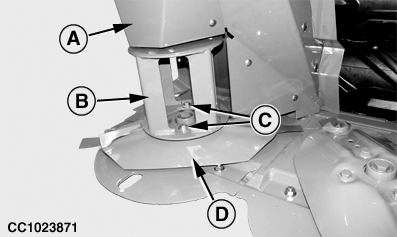
Replacing Right-Hand End Converging Disk Driver1. Raise curtain to access disk drivers (see "Raising Curtains" in "Operating the Mower-Conditioner" section).2. Remove shield (A). 3. Put a wood block between two disks. 4. Remove cap screws (C), converging drum (B) and disk (D). |
|
OUO6085,00002B4 -19-30NOV04-1/7 |
|
5.
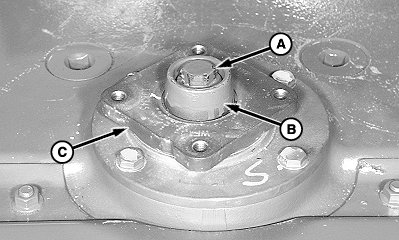
Remove cap screw (A) and special washer (B).
6. Remove disk driver (C). 7. If spline has been sheared, remove loose pieces of spline.
|
|
OUO6085,00002B4 -19-30NOV04-2/7 |
|
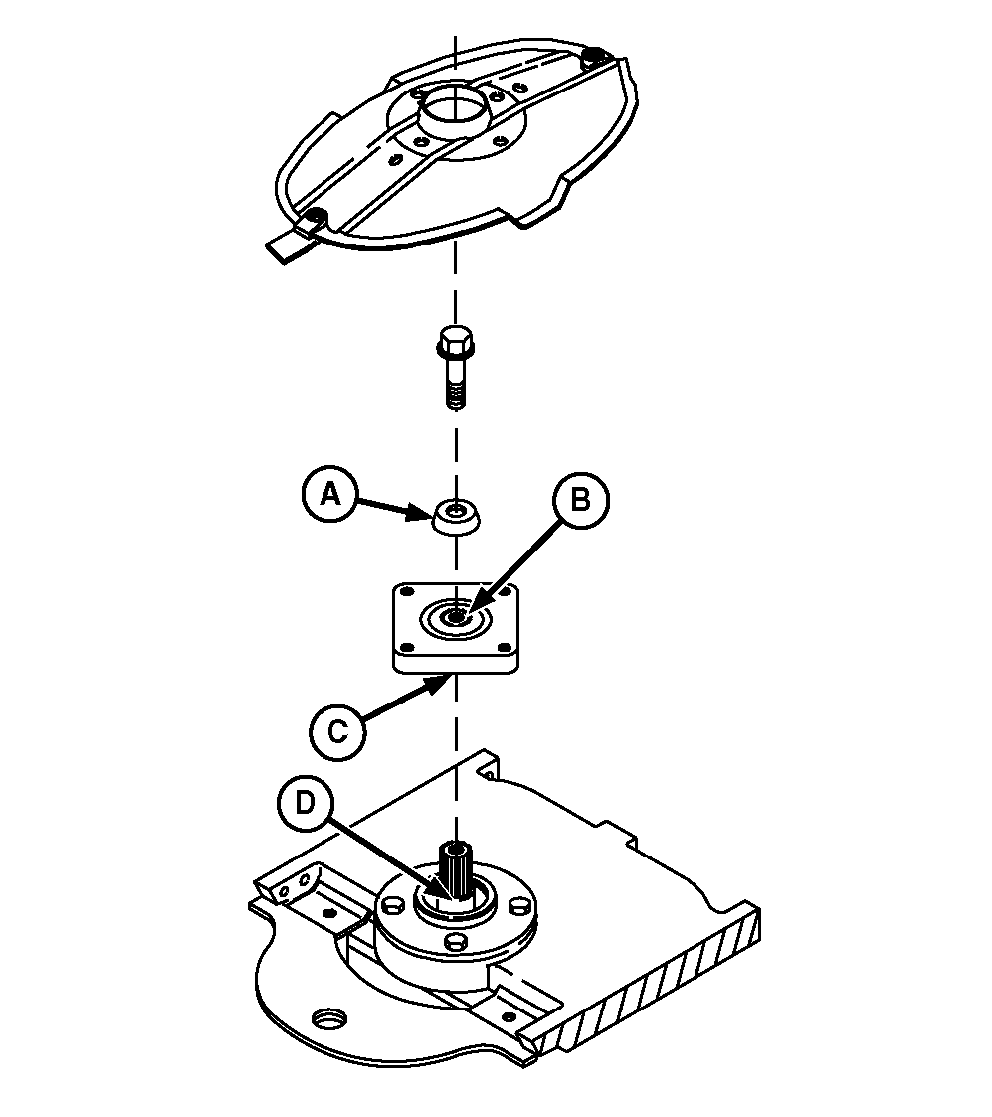
IMPORTANT: It is critical that mating surfaces of the bearing, driver, yoke, and hardened washer be free of dirt and crop before installing cap screw. If these areas are not thoroughly cleaned, the cap screw can come loose and cause cutterbar failure. 8. Clean the following areas when replacing disk driver (other than left-hand end):
|
|
OUO6085,00002B4 -19-30NOV04-3/7 |
|
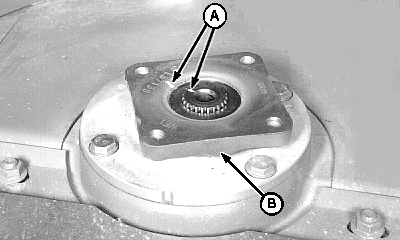
9.
Align timing marks (A) and install new driver (B) on pinion shaft.
|
|
OUO6085,00002B4 -19-30NOV04-4/7 |
|
10.
Align timing mark on special washer (A) with mark on driver (C). Install washer.
IMPORTANT: To avoid machine damage, use new center cap screw treated with thread-locking compound. Replace the special hardened cap screw with genuine John Deere part specified for this application. Lubricate cap screw with light oil before installation. Failure to lubricate could allow cap screw to come loose and cause machine damage. 11. Lubricate cap screw (A) with a light oil. Install and tighten to specifications. Specification
|
|
OUO6085,00002B4 -19-30NOV04-5/7 |
|
12.
Place disk (D) on driver in original position. (See "Installing and Synchronizing Disks" in this section.)
IMPORTANT: Disk-to-driver cap screws are treated with thread-locking compound and can be used up to five times. Replace with the John Deere cap screw specified for this application. 13. Place converging drum (B) on disk, align mounting holes and install four locking cap screws (C). Tighten cap screws to specifications. Specification
|
|
OUO6085,00002B4 -19-30NOV04-6/7 |
|
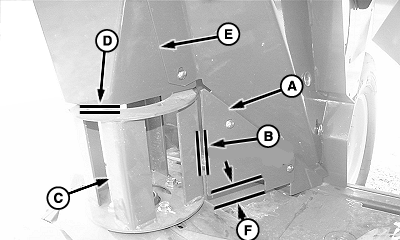
14.
Install upper shield (E). Make sure that the clearance (D) between shield and top of converging drum is within specification.
Specification
15. Remove wood block. 16. Rotate disks by hand until highest point is in line with stripper plate (A). Make sure that clearance (B) and clearance between crop accelerators and bottom of stripper (F) are within specification.
Specification
Specification
17. Rotate disks several times by hand to check synchronization. Make sure that there is no interference between knives. 18. Lower curtains. |
|
OUO6085,00002B4 -19-30NOV04-7/7 |