Installing and Synchronizing Disks
-
IMPORTANT: Each disk must be installed 90° to the adjacent disk. If disks are not 90° to each other, damage to machine will result.
NOTE: Disk life can be extended by moving disk to a location of opposite rotation. If this is done, the knives must be interchanged for proper cutting direction. (See INSTALLING KNIVES in this section.)
If installing left-hand end disk, refer to REPLACING LEFT-HAND END DISK DRIVER in this section. If installing right-hand end disk, refer to REPLACING RIGHT-HAND END DISK DRIVER in this section.
Intermediate disks next to both left and right-hand end disks are equipped with short converging drums. Converging drum is located on top of disk. Disk installation procedures are the same for all disks.
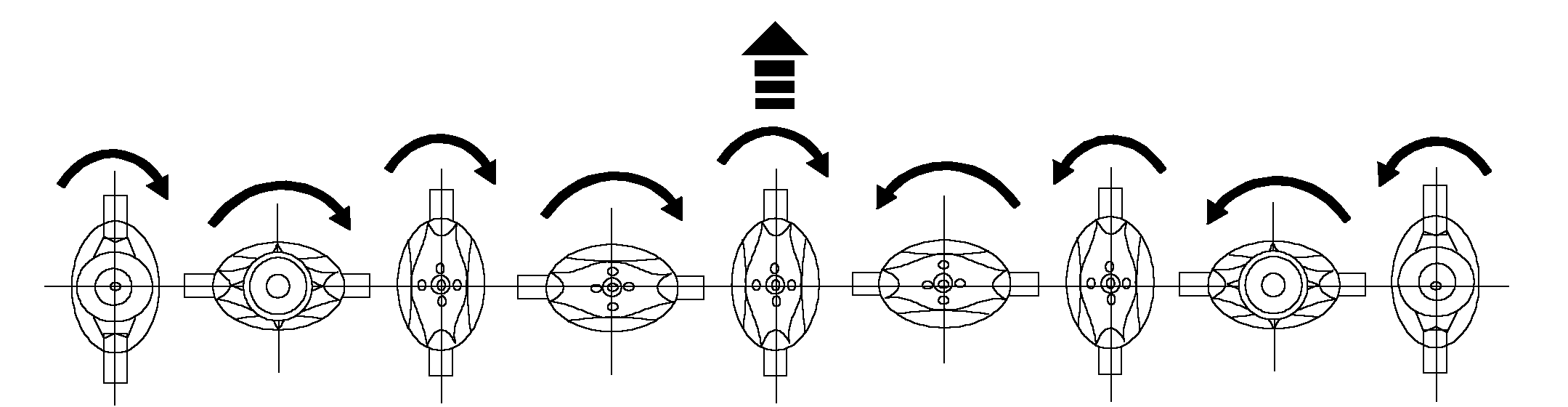
E44400-UN-01FEB00Disks Rotate Towards Center (Factory Setting)
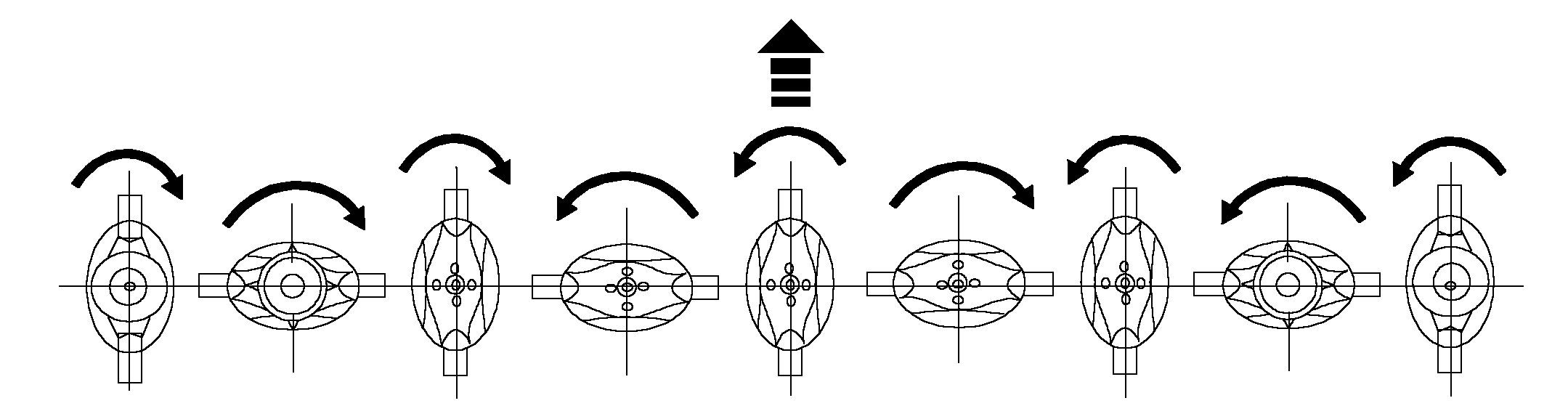
E47647-UN-01FEB00Alternating Disk Rotation
Clean mounting surface of foreign material. Install disk and short converging drum in its original position. -
IMPORTANT: Disk-to-driver cap screws are treated with thread-locking compound and can be used up to five times. Replace with the John Deere cap screw specified for this application.
Fasten with four locking cap screws. Tighten cap screws to specification.
Item Measurement Specification Disk-to-Driver Cap Screws Torque 150 N˙m (110 lb-ft) -
Remove wood block.
-
Rotate disks several times by hand to check synchronization. Make sure there is no interference between knives.
-
Lower front doors.
|
AG,OUMX005,1207-19-20000216 |