Checking Knife Wear
-
Remove knife. (See REMOVING KNIVES in this section.)
-
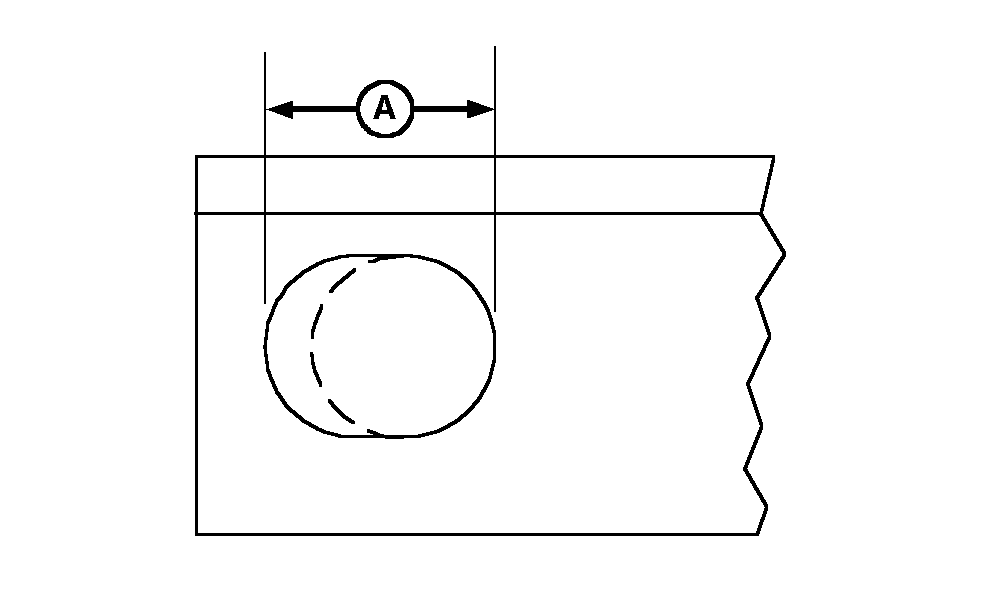
E48378-UN-17JUL00A - Elongated Hole
Check knife pivot hole for excessive wear. Replace according to specification if knife hole has become elongated (A) over initial hole diameter.Item Measurement Specification Max Hole Length 20.2 mm (0.795 in.) -
 CAUTION: Excessive wear at knife mounting area may lead to loss
of bolt and knife during machine operation causing personal injury.
CAUTION: Excessive wear at knife mounting area may lead to loss
of bolt and knife during machine operation causing personal injury.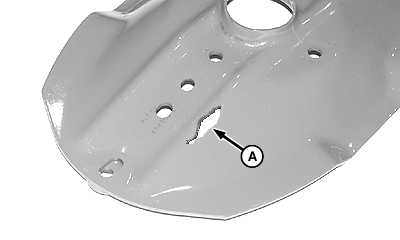
E47855-UN-16FEB00A - Location
Check area under and around knife bolt and nut shield.
-
If disk is worn through at location (A), move disk to a location of opposite rotation to extend disk life. Replace disk if worn area causes functional problems. (See INSTALLING AND SYNCHRONIZING DISKS in this section.)
-
E48379-UN-17JUL00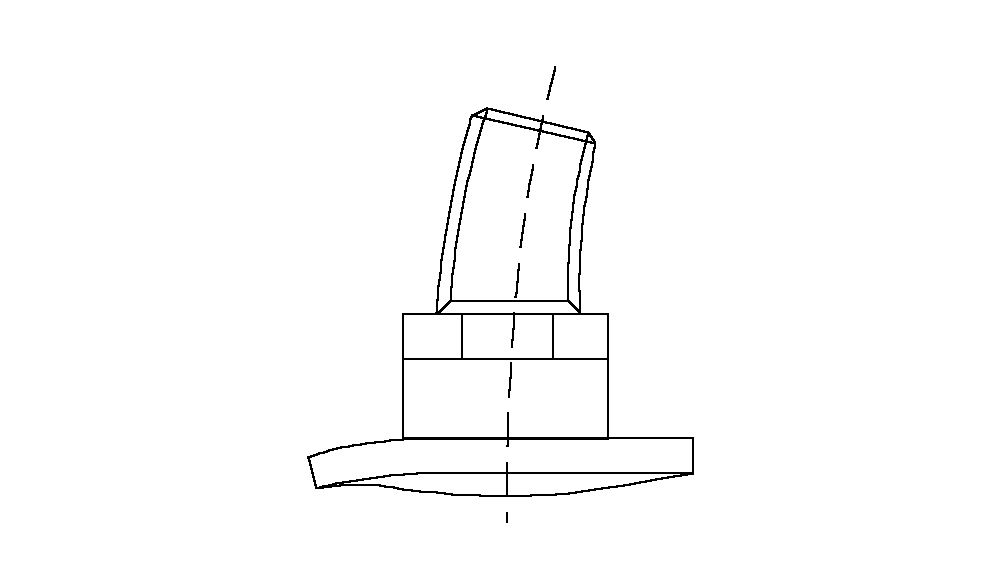
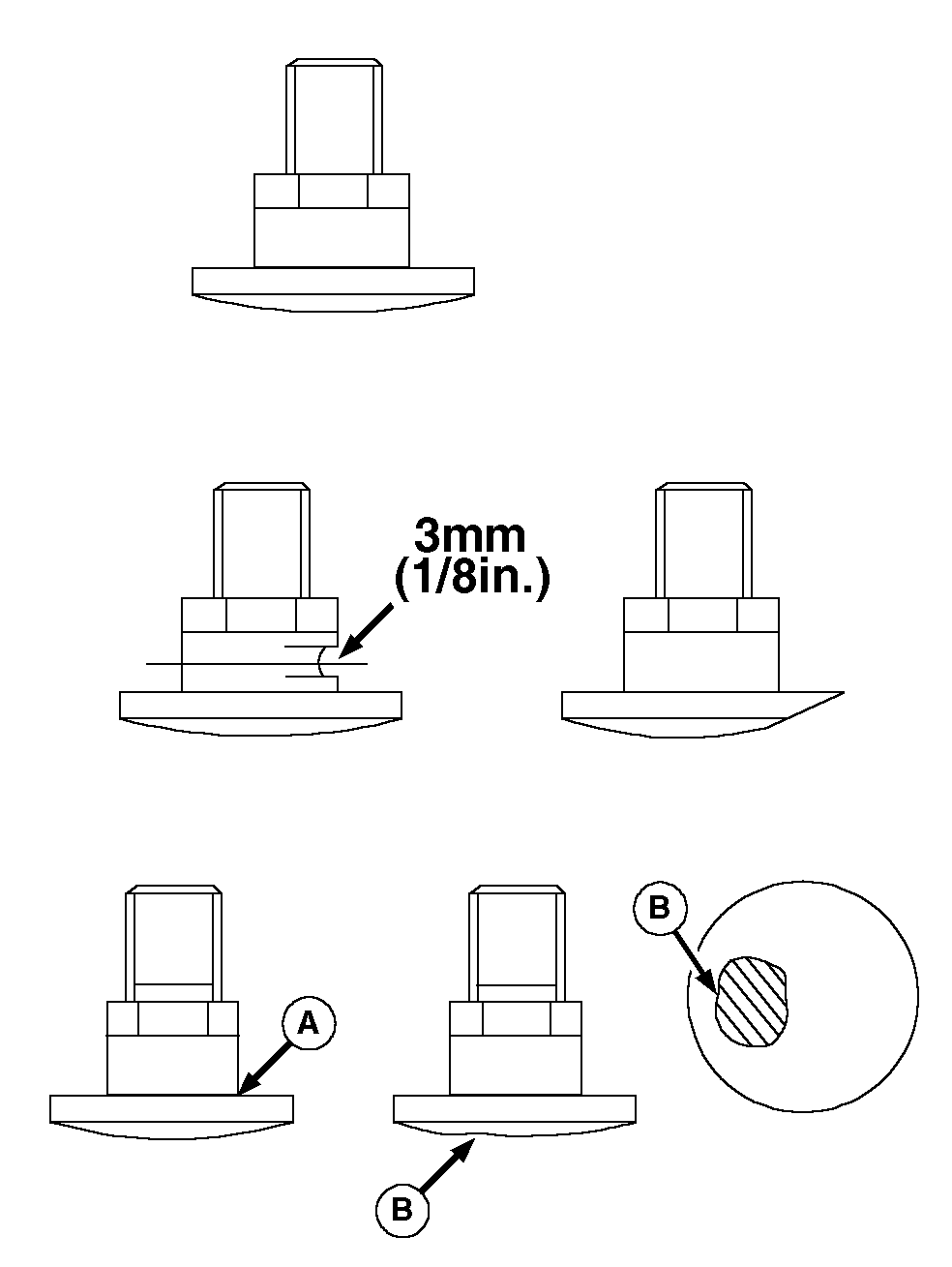
E48380-UN-17JUL00A - Bolt Threads and Head/Shank Interface
B - Interference Damage
Inspect knife bolts for wear or damage. -
Replace knife bolts if:
- Removed and installed five times or if thread locking compound is no longer effective.
- Head has worn flush with bearing surface of knife.
-
Diameter of bolt neck has worn out of specification.
Item Measurement Specification Knife Bolt “Neck” Diameter Diameter 3 mm (1/8 in.) under initial diameter - Cracked. Examine bolt threads and head/shank interface (A).
- Damaged (B) due to interference. Correct interference problem.
- Bolts are visibly distorted.
-
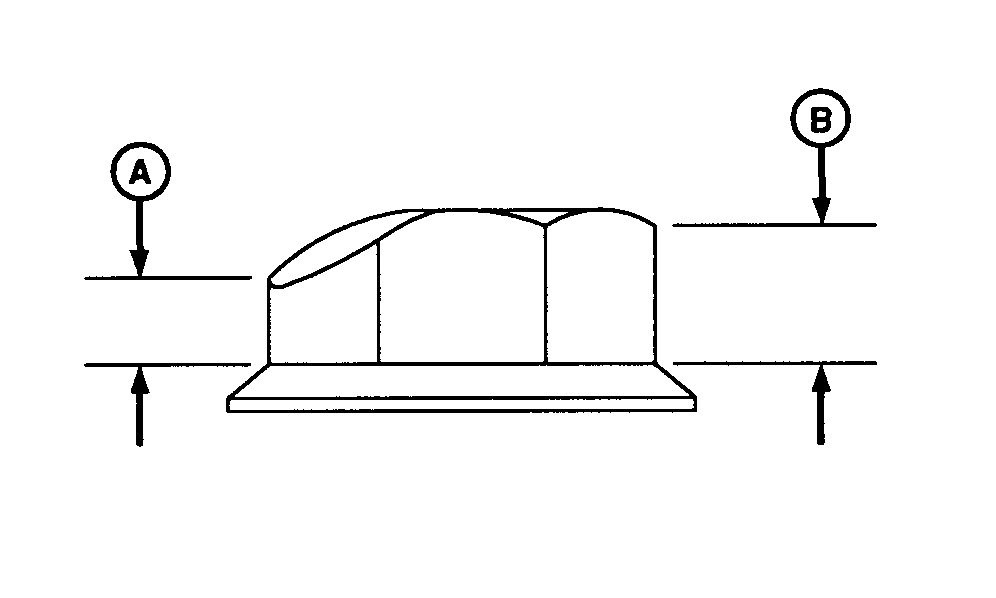
E37814-UN-13MAY94A - Worn Height
B - Total Height
Inspect knife nuts for wear or damage. -
Replace nuts if:
- Worn height (A) is less than half the total height (B).
- Removed and installed five times.
- Cracked.
|
AG,OUO6039,797-19-20000714 |