Calibrate Slip Clutch Alert PTO and Pickup RPM Sensors
|
PP98408,0000090 -19-11SEP09-1/4 |
|
To Calibrate PTO RPM Sensor:
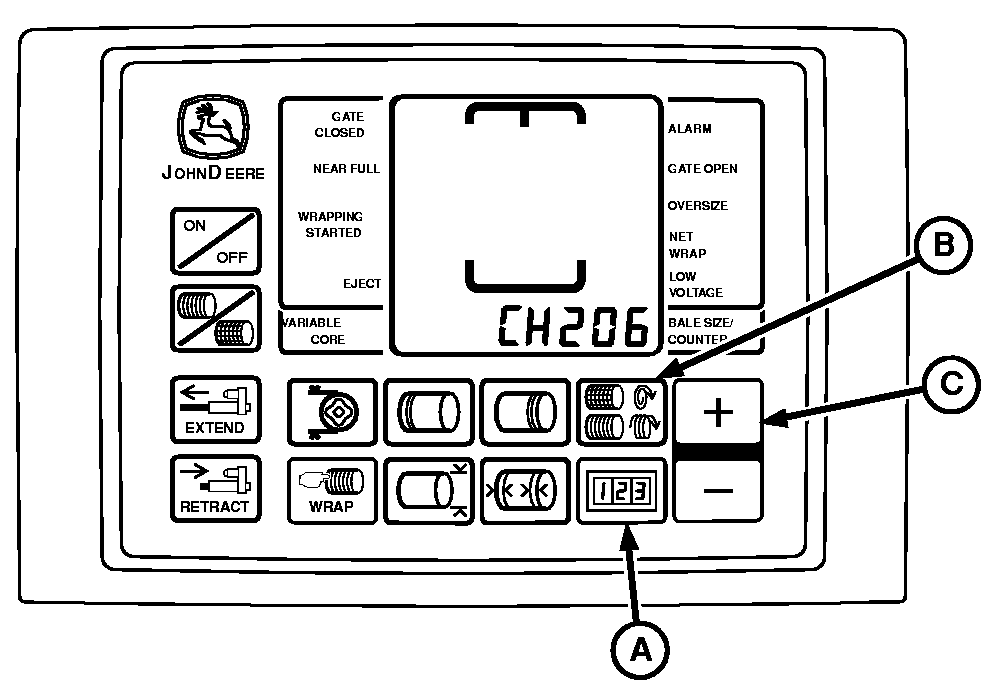
1. Turn tractor key to ON position. Do not start tractor. 2. Press and hold both COUNTER key (A) and NUMBER OF WRAPS key (B) while turning monitor-controller to ON. CH201 should be displayed. 3. Release both keys. Baler model is displayed. 4. Press and hold COUNTER key (A) and press the PLUS key (C) until CH206 is displayed. 5. Release COUNTER key (A). 6. Press the PLUS key (C) until desired value 24 is shown in display. 7. Release PLUS key (C). 8. Turn monitor-controller OFF to enter setting into memory. 9. Turn monitor-controller ON to verify baler model number. Model number is displayed approximately 2 seconds. If displayed baler model number is incorrect, see BALER MODEL PROGRAM (CHANNEL 201) in this section. 10. Turn tractor key to OFF position and remove key. |
|
PP98408,0000090 -19-11SEP09-2/4 |
|
To Calibrate Pickup RPM Sensor:
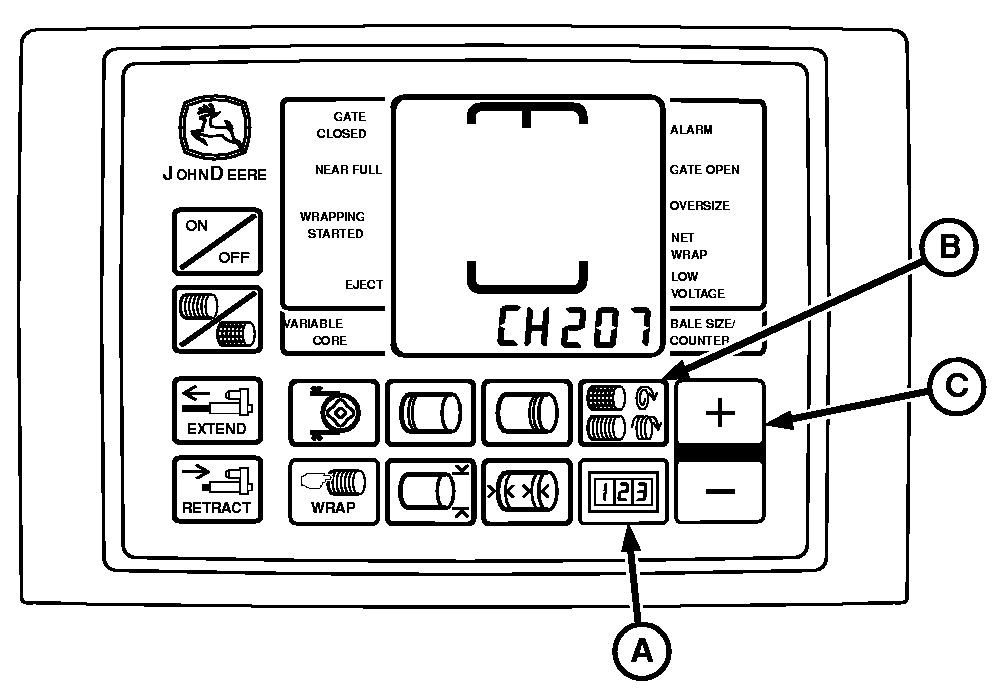
1. Turn tractor key to ON position. Do not start tractor. 2. Press and hold both COUNTER key (A) and NUMBER OF WRAPS key (B) while turning monitor-controller to ON. CH201 should be displayed. 3. Release both keys. Baler model is displayed. 4. Press and hold COUNTER key (A) and press the PLUS key (C) until CH207 is displayed. 5. Release COUNTER key (A). 6. Press the PLUS key (C) until desired value 21 is shown in display. 7. Release PLUS key (C). 8. Turn monitor-controller OFF to enter setting into memory. 9. Turn monitor-controller ON to verify baler model number. Model number is displayed approximately 2 seconds. If displayed baler model number is incorrect, see BALER MODEL PROGRAM (CHANNEL 201) in this section. Check sensor output and verify proper operation using the following procedure. 10. Turn tractor key to OFF position and remove key. |
|
PP98408,0000090 -19-11SEP09-3/4 |
|
Verify Operation and Adjustment of Sensors:
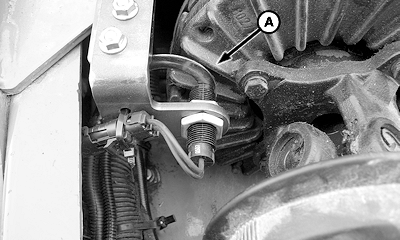
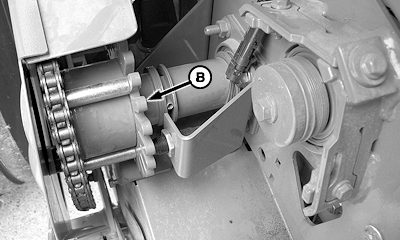
1. Start tractor. Operate tractor engine at low idle and engage PTO. 2. Press and hold COUNTER key while turning monitor-controller ON. 3. Continue to hold COUNTER key and press PLUS key until CH016 appears in digital display. 4. Release COUNTER key and PTO speed is displayed. Speed readout should be stable and not vary by ± 5 rpm. 5. Press and hold COUNTER key and press PLUS key until CH017 appears in digital display. 6. Release COUNTER key and pickup drive speed is displayed. Speed readout should be stable and not vary by ± 5 rpm. 7. If speed variation exceeds ± 5 rpm, shut off tractor engine and remove key. Adjust appropriate sensor closer to clutch fins (A) or wheel (B), but not closer than 1 mm (0.040 in.). |
|
PP98408,0000090 -19-11SEP09-4/4 |