Monitor Display for B-Wrap Baling
-
Monitor display—Bale shape bars, near-full alarm, full-size alarm, and bale eject icons will function as normal.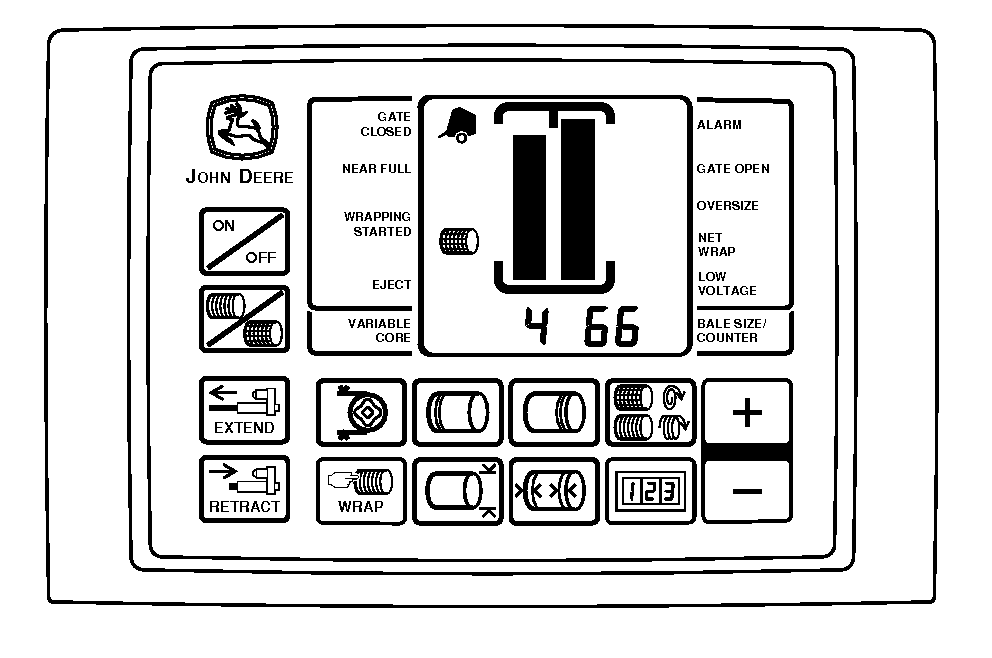
E69425-UN-20FEB13 -
Stop forward movement (baling) when monitor signals full bale (1676 mm [66 in.]).
-
Wrapping cycle is automatic—Monitor will display a series of numbers showing B-Wrap is feeding into baler:
-
1 — B-Wrap actuator starting to extend
(changes quickly). - 2 — B-Wrap feeding.
- 3 — Sensor see start of metal tape (changes quickly).
- 4 — Sensor see the end of metal tape.
- 5 — B-Wrap actuator starting to retract.
- 6 — B-Wrap cut-off.
- 7 — Start of audible alarms for bale ejection.
-
1 — B-Wrap actuator starting to extend
-
After wrapping cycle is complete, monitor-controller will sound a series of 4 audible alarms (beeps).
- 4th alarm or beep will sound a longer tone.
- Disengage PTO during 4th alarm (beep), this will position the bale for ejection.
-
If PTO is not disengaged during the first alarm cycle, the alarm
cycle will start again. Disengage PTO during 4th alarm (beep).
NOTE: The system will eventually time out and show error code
213.
-
Eject bale icon will activate on monitor-controller.
-
Back up baler.
-
Eject bale.
-
Pull forward.
-
Close gate and engage PTO.
-
-
LOnEt will display when last bale of wrap on roll has been used.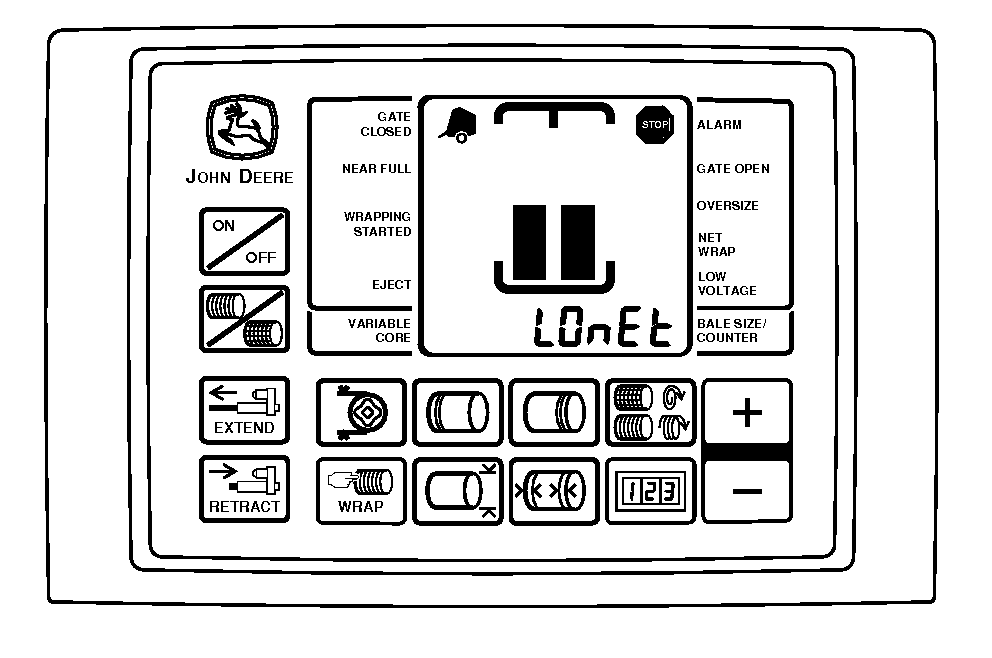
E69426-UN-25FEB13Stop machine and load a new roll of material.
|
PP98408,0000BF8-19-20130225 |