BaleTrak™ Pro Monitor-Controller Customer and Setup Channels
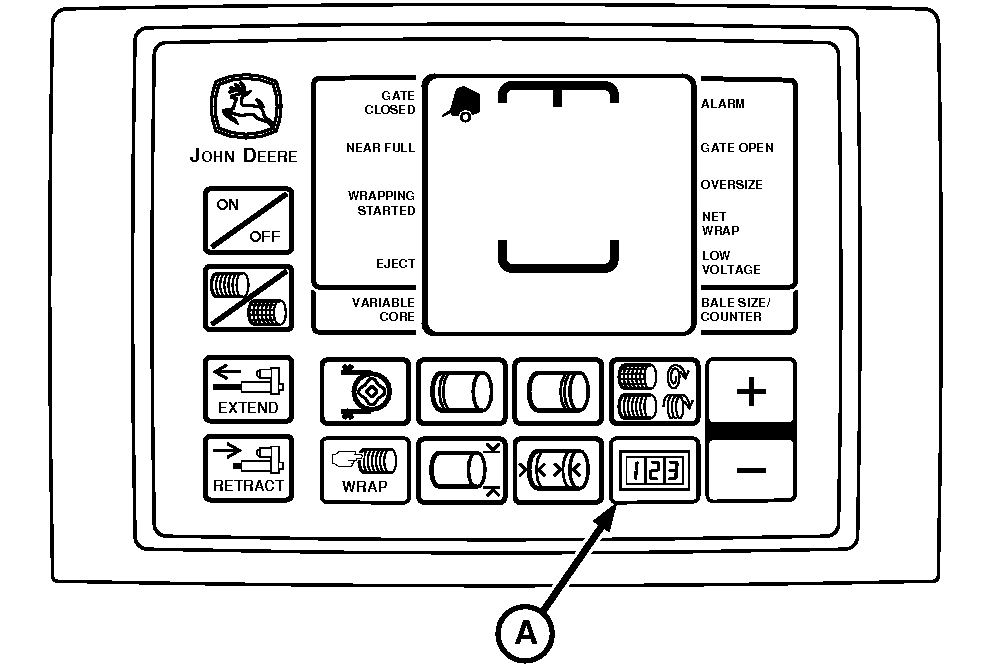
E52441-UN-18JUN03
A - COUNTER Key
There are three types of channeled programs:- Customer Channels (CH001—035)
- Setup Channels (CH201—208)
- Diagnostic Channels (CH301—312) (See your John Deere dealer)
Customer Channels (CH001—035) are used to:
- Adjust bale shape bar display.
- Set near-full indicator set point.
- Reset monitor-controller to initial settings.
- Adjust net wrap delay.
- Set bale shape display sensitivity.
- Access dry straw twine wrap program.
- Adjust bale diameter.
- Adjust twine wrap.
- Activate re-extension and cinch wrap program.
- Check positions of sensors and switches.
- Test twine or net actuators.
- Test LCD display.
- Test tractor voltage.
- Adjust delay of twine eject.
- Determine PTO and pickup drive speed.
- Set net cutoff point for B-Wrap.
- Set bale orientation for B-Wrap.
Setup Channels (CH201—208) are used to:
- Select baler model.
- Activate or deactivate twine arm.
- Activate or deactivate surface wrap.
- Activate or deactivate variable core.
- Setup and calibrate slip clutch alert functions.
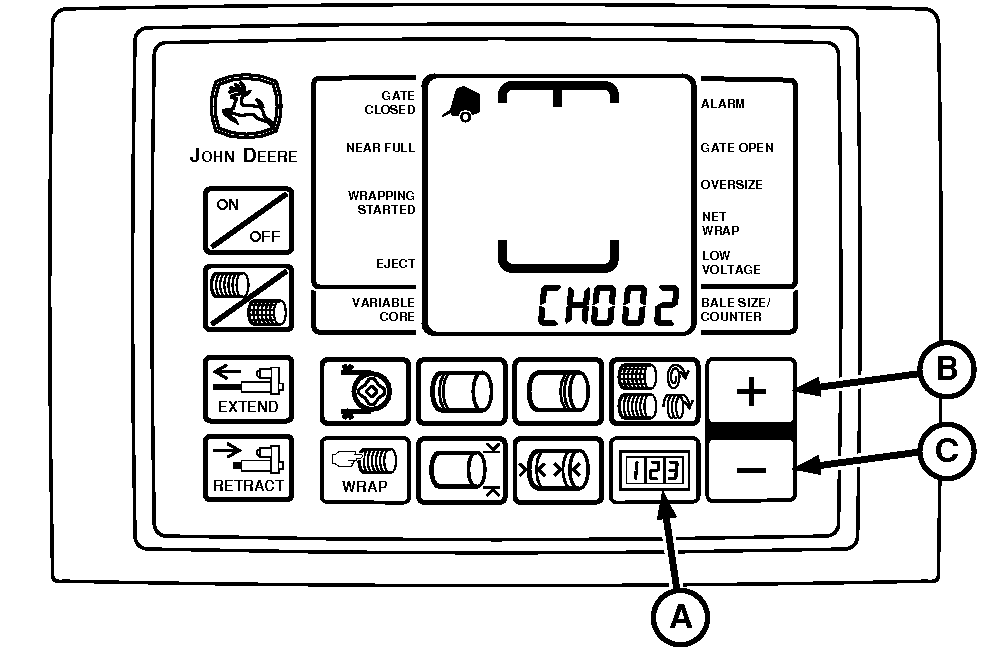
E52451-UN-18JUN03
A - COUNTER Key
B - PLUS Key
C - MINUS Key
To Enter Customer Channels:-
Turn tractor key to ON position. Do not start tractor engine. Press and hold COUNTER key (A), while turning monitor-controller ON.
-
Continue to hold COUNTER key (A) and press PLUS key (B) or MINUS key (C) until desired channel appears in digital display. Release key to see the current value for this channel.
To change channels, press and hold COUNTER key (A) and use the PLUS key (B) and MINUS key (C) to access other channels.
-
Turn monitor-controller OFF to enter setting into memory.
-
Turn tractor key to OFF position and remove key.
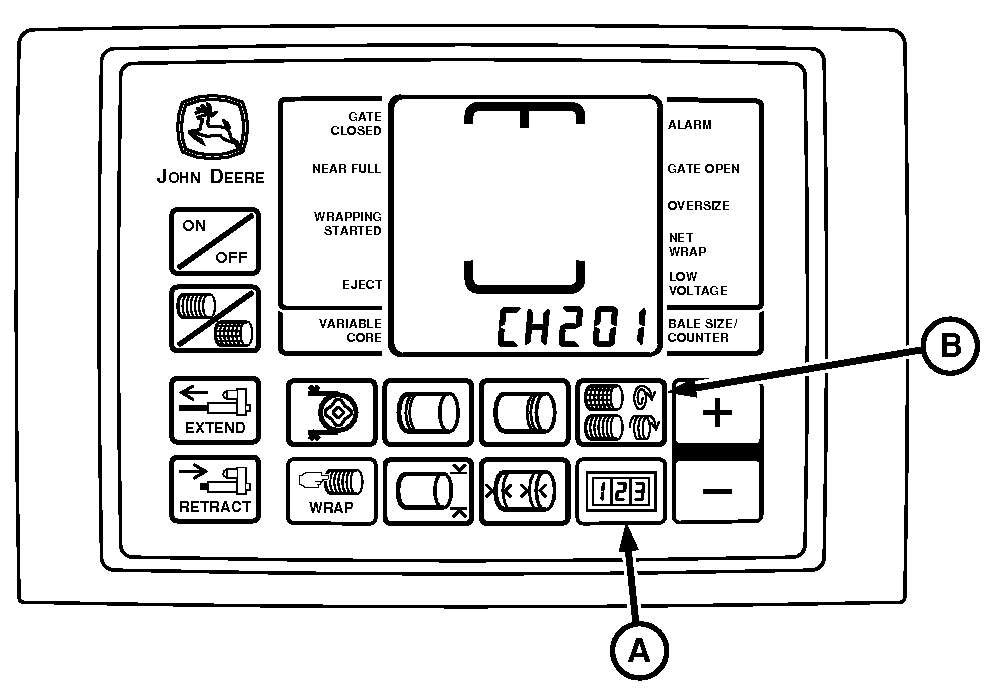
E52456-UN-10JUN08
A - COUNTER Key
B - NUMBER OF WRAPS Key
To Enter Setup Channels:-
Turn tractor key to ON position. Do not start tractor.
-
Press and hold COUNTER key (A) and NUMBER OF WRAPS key (B) while turning monitor-controller ON. CH201 is displayed.
-
Release both keys. Bale model is displayed.
-
Press and hold COUNTER key (A) and press the PLUS key until desired channel is shown in display.
-
Turn monitor-controller OFF to enter setting into memory.
-
Turn monitor-controller ON. Baler model appears for approximately 2 seconds. Verify that model is correct.
-
Turn tractor key to OFF position and remove key.
|
OUO6064,00015D6-19-20150925 |