Adjust Delay of Twine Eject (Channel 033)
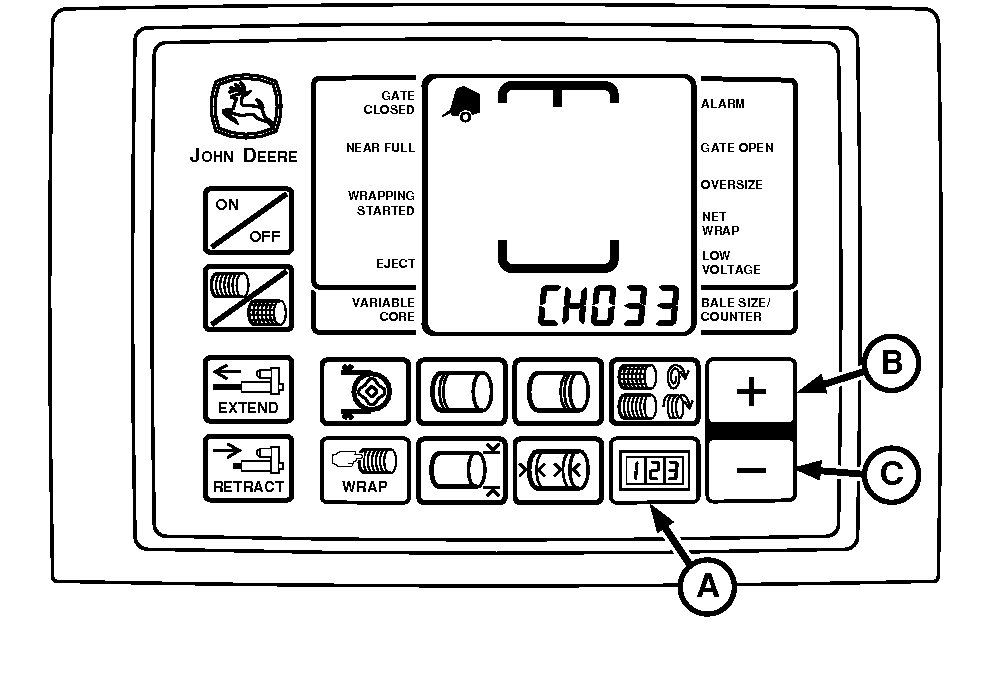
E55146-UN-11MAY07
A - COUNTER Key
B - PLUS Key
C - MINUS Key
The initial setting for time between cut-off of twine and display of the eject icon is zero seconds.In some conditions, twine unrolling can be reduced by delaying bale ejection until bale has rotated to a position where twine ends are just above contact area for the push bar. This time delay value depends on operator reaction time, bale size, and PTO speed. A suggested starting value of 1.5 seconds can be entered, but other values need to be tried to obtain best results, as small changes can have significant impact on twine unrolling. Also, ends of twine can adhere better to a bale, if bale continues to rotate after twine is cut.
To Change Setting:
-
Turn tractor key to ON position. Do not start tractor engine.
-
Press and hold COUNTER key (A) while turning monitor-controller ON.
-
Continue to hold COUNTER key and press PLUS key (B) until CH033 appears in digital display.
-
Release COUNTER key and view current setting.
-
Use PLUS and MINUS keys (B) and (C) to change the delay of twine eject icon to desired setting (0—10 seconds).
-
Turn monitor-controller OFF to enter setting into memory.
-
Turn tractor key to OFF position. Remove key.
|
PP98408,0001044-19-20130211 |