Calibrate Slip Clutch Alert PTO and Drive Roll RPM Sensors
(Channel 206 and 207)
Both the PTO and drive roll rpm sensors must be activated within the baler monitor-controller to enable operation of slip clutch alert feature.
To Calibrate PTO RPM Sensor:
-
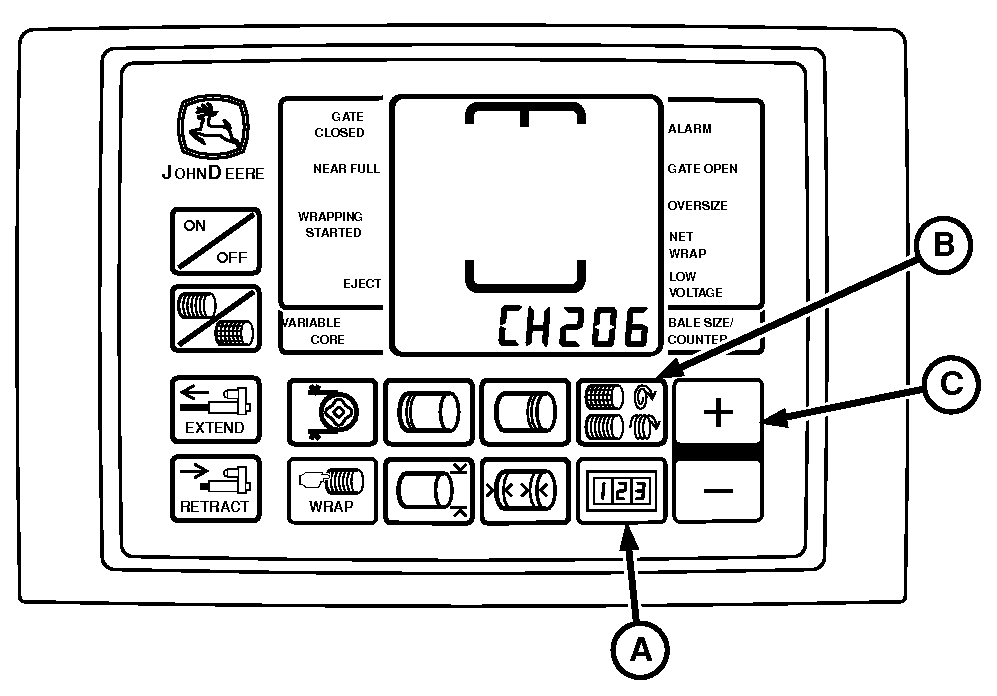
E57098-UN-13MAY09A - COUNTER Key
B - NUMBER OF WRAPS Key
C - PLUS Key
Turn tractor key to ON position. Do not start tractor. -
Press and hold both COUNTER key (A) and NUMBER OF WRAPS key (B) while turning monitor-controller to ON. CH201 must be displayed.
-
Release both keys. Baler model is displayed.
-
Press and hold COUNTER key (A) and press the PLUS key (C) until CH206 is displayed.
-
Release COUNTER key (A).
-
Press the PLUS key (C) until desired value 24 is shown in display.
-
Release PLUS key (C).
-
Turn monitor-controller OFF to enter setting into memory.
-
Turn monitor-controller ON to verify baler model number. Model number is displayed approximately 2 seconds. If displayed baler model number is incorrect, see BALER MODEL PROGRAM (CHANNEL 201) in this section.
-
Turn tractor key to OFF position and remove key.
To Calibrate Drive Roll (Pickup) RPM Sensor:
-
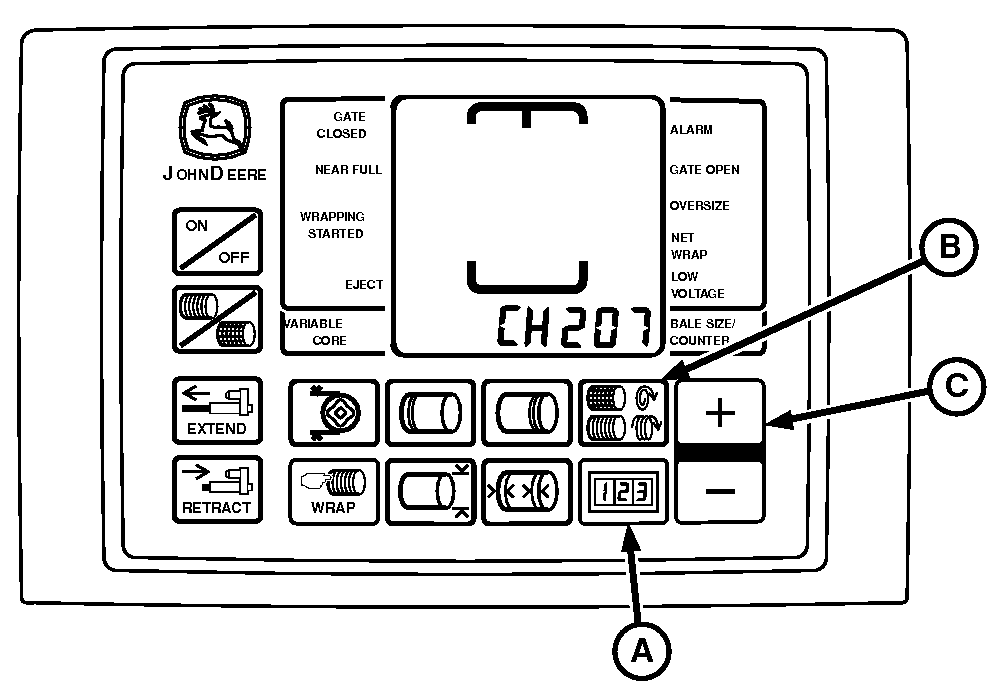
E57099-UN-13MAY09A - COUNTER Key
B - NUMBER OF WRAPS Key
C - PLUS Key
Turn tractor key to ON position. Do not start tractor. -
Press and hold both COUNTER key (A) and NUMBER OF WRAPS key (B) while turning monitor-controller to ON. CH201 must be displayed.
-
Release both keys. Baler model is displayed.
-
Press and hold COUNTER key (A) and press the PLUS key (C) until CH207 is displayed.
-
Release COUNTER key (A).
-
Press the PLUS key (C) until desired value 10 is shown in display.
-
Release PLUS key (C).
-
Turn monitor-controller OFF to enter setting into memory.
-
Turn monitor-controller ON to verify baler model number. Model number is displayed approximately 2 seconds. If displayed baler model number is incorrect, see BALER MODEL PROGRAM (CHANNEL 201) in this section.
Check sensor output and verify proper operation using the following procedure.
-
Turn tractor key to OFF position and remove key.
Verify Operation and Adjustment of Sensors:
-
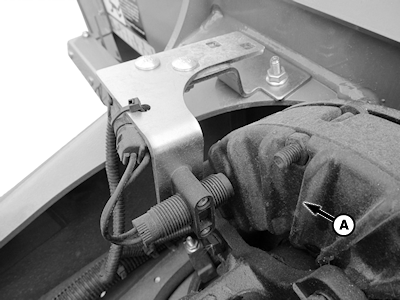
E69394-UN-11FEB13PTO Sensor (540 rpm) Shown
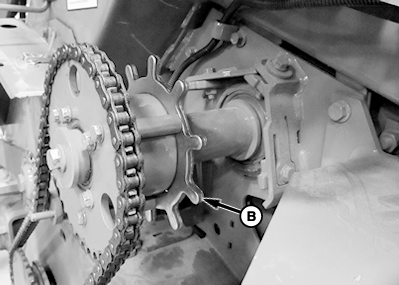
E69395-UN-08FEB13Lower Drive Roll (Pickup) Sensor
A - Clutch Fins
B - Tone Wheel
Start tractor. Operate tractor engine at slow idle and engage PTO. -
Press and hold COUNTER key while turning monitor-controller ON.
-
Continue to hold COUNTER key and press PLUS key until CH016 appears in digital display.
-
Release COUNTER key and PTO speed is displayed. Speed readout must be stable and not vary by ± 5 rpm.
-
Press and hold COUNTER key and press PLUS key until CH017 appears in digital display.
-
Release COUNTER key and drive roll speed is displayed. Speed readout must be stable and not vary by ± 5 rpm.
-
If speed variation exceeds ± 5 rpm, shut off tractor engine and remove key.
Adjust PTO sensor closer to clutch fins (A) but not closer than 1 mm (0.04 in.). Adjust pickup sensor closer to tone wheel (B) but not closer than 3 mm (0.12 in.).
|
PP98408,000104A-19-20130212 |