Adjust Twine Cutter-to-Twine Arm
-
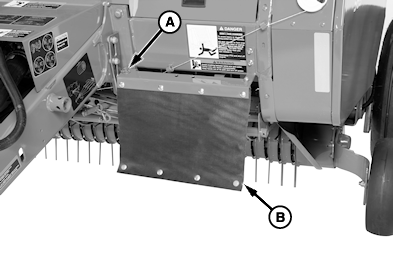
E62491-UN-10APR12569 Shown with MegaTooth™ Pickup
A - Quick-Lock Pin
B - Left-Hand Curtain
If equipped with MegaTooth™ pickup; Remove quick-lock pin (A) and rotate left-hand curtain (B) away from front frame. -
 CAUTION: Twine arms can move unexpectedly. Keep hands out of
twine arm path to avoid crushing. Turn off power BEFORE servicing
or adjusting twine arms or twine cutter mechanism.
CAUTION: Twine arms can move unexpectedly. Keep hands out of
twine arm path to avoid crushing. Turn off power BEFORE servicing
or adjusting twine arms or twine cutter mechanism.Stay out of the path of twine arms at all times when power to twine ares is ON.
CAUTION: Twine knife has two cutting edges. Be careful when
working around the knife. It is sharp.Remove crop material from knife and hex anvil area.
-
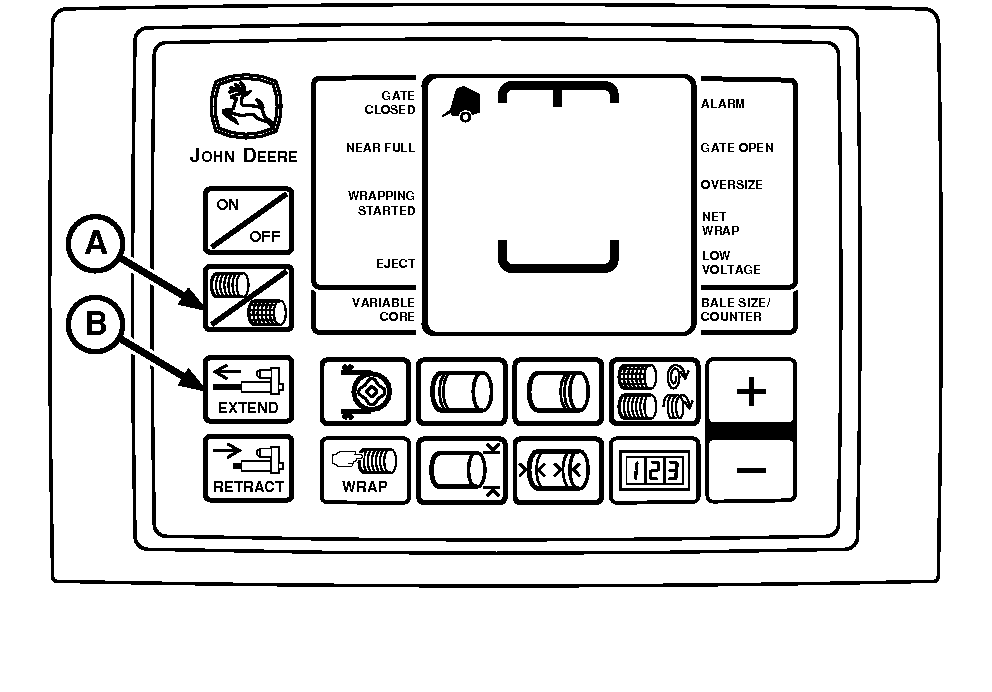
E52523-UN-02JUN08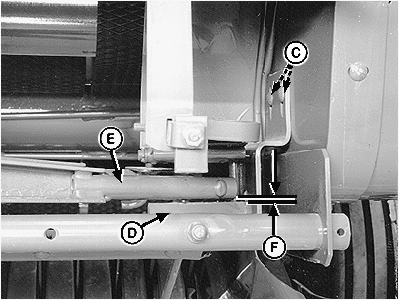
E40624-UN-29JUN96A - Twine Symbol
B - Extend Key
C - Nuts
D - Knife Hex Anvil
E - Twine Arm Tube
F - Clearance
Turn tractor key to ON position. Do not start tractor engine. Press ON or OFF key to turn monitor-controller ON. -
Press and briefly hold TWINE or NET key to select TWINE mode.
-
Press monitor-controller EXTEND key (B) to move front twine arm tube until centered over hex anvil.
-
Turn monitor-controller OFF. Turn tractor key to OFF position. Remove key.
-
Loosen nuts (C).
-
Adjust twine cutter, so clearance (F) between knife hex anvil (D) and front twine arm tube (E) is within specifications. Twine cutter bracket must be level (parallel with bottom edge of frame).
Item Measurement Specification Knife Hex Anvil-to-Front Twine Arm Tube Clearance 0.5—3.5 mm (0.020—0.138 in.) -
Tighten nuts (C).
-
If rear twine arm contacts bottom side of knife support and minimum clearance in Step 7 is obtained, bend twine cutter bracket so hex anvil is parallel to twine arm.
-
Check knife adjustment. (See CHECK AND ADJUST TWINE CUTTER KNIFE in this section.)
-
If equipped with MegaTooth™ pickup; Rotate left-hand curtain toward front frame and secure with quick-lock pin.
|
PP98408,00010CD-19-20130211 |