Test Oversize Bale and Gate Latch Switches—Monitor-Controller Assisted Test (Channel 013, 014, and 015)
-
NOTE: Microswitch position and operation can be checked by using the monitor-controller diagnostic channels.
Start tractor engine.
-
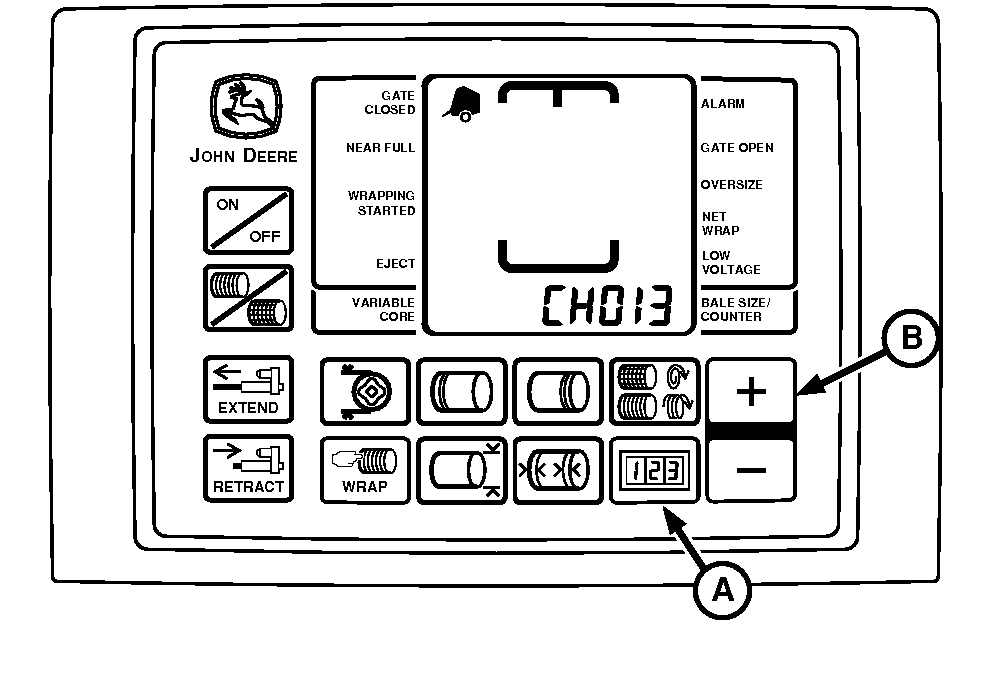
E52528-UN-26JUN03A - COUNTER Key
B - PLUS Key
Press and hold COUNTER key (A) while turning monitor-controller ON. -
Continue to hold COUNTER key (A) and press PLUS key (B) until digital display shows desired channel.
-
Release key and view reading (gate closed).
-
NOTE: Tension arm must be fully raised for oversize bale switch to be depressed.
Open gate and view reading or listen for tone.
-
If readings are not as shown, adjust switch position and test again. (See ADJUST GATE LATCH SWITCHES and ADJUSTING OVERSIZE BALE SWITCHES in this section.)
Diagnostic Channel
Function
Gate Closed Reading
Gate Open Reading
013
Oversize Bale Switch
012 (Switch Released)
00 (Zero) (Switch Depressed) (Tone)
014
Right-Hand Gate Switch
00 (Zero)
012 (Tone)
015
Left-Hand Gate Switch
00 (Zero)
012 (Tone)
-
If switch adjustment does not produce normal readings:
-
Turn monitor-controller OFF. Turn tractor key to OFF position. Remove key.
-
Check for correct wire connections. (See WIRE HARNESS DIAGRAM—BALER in this section.)
-
Check wire harness for cuts and breaks.
-
Check harness connectors for damaged (pushed back) terminals.
-
Replace switch if necessary. (See your John Deere dealer.)
-
|
PP98408,00010DF-19-20130212 |