Operating Mode Page
E81599-UN-05OCT16
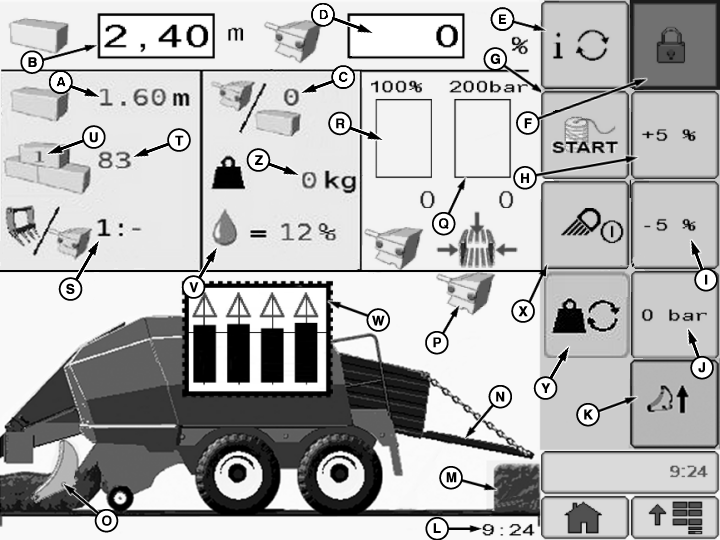
A - Actual Bale Length
B - Set Bale Length
C - Plungerhead Stroke Per Bale or Bale Per Hour1
D - Set Bale Chamber Pressure or Set Machine Load 2
E - Bale Per Hour - Plungerhead Stroke Per Bale Display Toggle Button
F - Basic Display Access Button
G - Electric Binding Start Button—If Equipped
H - Increase Bale Chamber Pressure or Machine Load Button3
I - Decrease Bale Chamber Pressure or Machine Load Button4
J - Set Bale Chamber Pressure or Set Machine Load To 0 Button5
K - Engage - Retract Precutter Knives Button—If Equipped
L - Actual Time
M - Bale Drop Indicator—If Equipped
N - Bale Chute Position Indicator
O - Precutter Knives Engaged Indicator—If Equipped
P - Actual Bale Density Control Mode Indicator6
Q - Actual Bale Chamber Pressure
R - Actual Machine Load
S - Feeder Fork—Plungerhead Ratio
T - Number of Bales Made
U - Active Field Counter
V - Bale Moisture Level Indicator
W - Twine Panel
X - Work Light On-Off Button
Y - Bale Weighing System Button
Z - Bale Weight
To use the monitor and prepare the machine for field operation, see Operating the Baler section.
Set bale chamber pressure is default bale density control mode (P). To toggle between set bale chamber pressure and machine load input field (D) display, refer to User Function Page in this section.
From the Operating Mode Page, the following settings or functions can be performed:
ZX1046078-UN-07JAN12
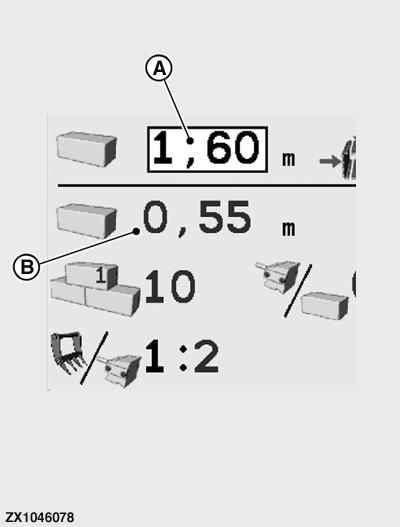
A - Bale Length Input Field
B - Actual Bale Length
Set Bale Length:-
On Baler Without Electric Binding Function:
First, set the bale length manually as described under Adjust Bale Length in Operating The Baler section. Then pressing input field (A), enter the same length value.
Setting range: 0.5—3.0 m (1.64 ft—9.8 ft)
The actual (monitored) bale length (B) is displayed during baler operation.
-
On Baler With Electric Binding Function:
Press input field (A) and enter the desired bale length value.
Setting range: 0.5—3.0 m (1.64 ft—9.8 ft)
Bale length is controlled and monitored by the system, and the actual (monitored) bale length (B) is displayed during baler operation.
ZX1046079-UN-07JAN12
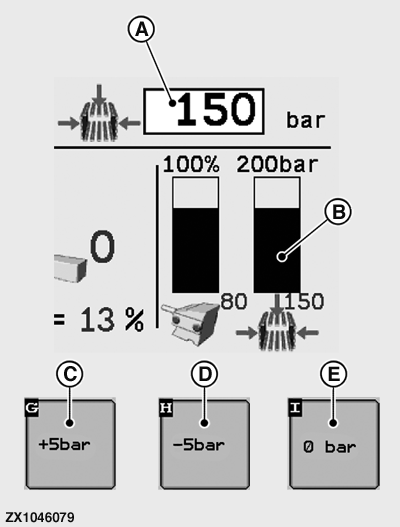
A - Bale Chamber Pressure Input Field
B - Actual Bale Chamber Pressure
C - Increase Pressure Button
D - Decrease Pressure Button
E - Set Pressure to Zero Button
Set Bale Chamber Pressure:Setting the bale chamber pressure is part of the Density Regulation in the Operating the Baler section.
Make sure that set bale chamber pressure input field (A) is displayed. If not, refer to the User Function Page in this section to activate the set bale chamber pressure input field (A).
-
Press input field (A) to enter the desired bale chamber pressure
value.
Setting range: 0—180 bar (0—18 000 kPa) (0—2610 psi).
The desired bale chamber pressure value (A) can be set per + or - 5 bar (50 kPa) (72.5 psi) increments or quickly set to zero.
- Press the button (C) to increase bale chamber pressure value.
- Press the button (D) to decrease bale chamber pressure value.
- Press zero pressure button (E) to set bale chamber pressure value to 0 bar.
Bale chamber preset pressure can be reset from zero using the increase pressure button. Pressing the set pressure to zero button twice sets bale chamber preset pressure to zero.
ZX1046080-UN-07JAN12
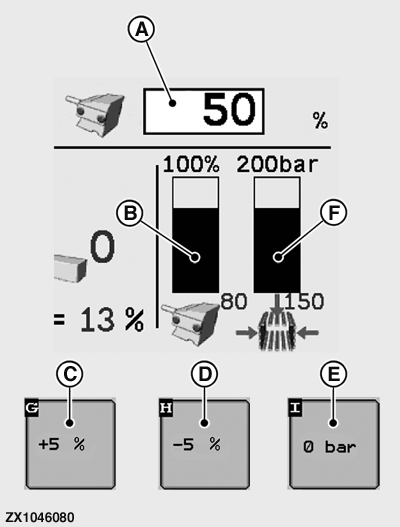
A - Machine Load Input Field
B - Actual Machine Load
C - Increase Load Button
D - Decrease Load Button
E - Set Pressure to Zero Button
F - Actual Bale Chamber Pressure
Set Machine Load:Setting the machine load is part of the Density Regulation described under Operating the Baler section.
Make sure that set machine load input field (A) is displayed. If not, refer to the User Function Page in this section to activate the set machine load input field (A).
Press input field (A) to enter the desired machine load value.
Setting range: 0—100%.
The desired machine load value (A) can be set per + or - 5% increments or quickly set to zero.
- Press the button (C) to increase machine load value.
- Press the button (D) to decrease machine load value.
- Press zero pressure button (E) to set bale chamber pressure value to 0 bar. The bale machine load value (A) is then set to 0% (see Operating the Baler section).
Machine load preset can be reset from zero using the increase load button. Pressing the set pressure to zero button twice sets machine load preset to zero.
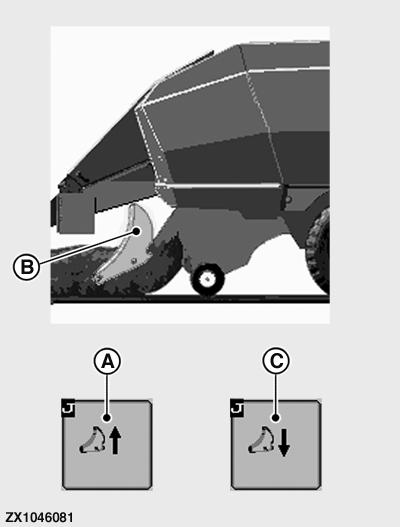
ZX1046081-UN-07JAN12
A - Engage Precutter Knives Button
B - Precutter Knives Engaged Indicator
C - Retract Precutter Knives Button
Engage-Retract Precutter Knives—If Equipped:Set the amount of knives used as described under Remove or Install Precutter Knives (10-, 15-, or 23-Knife Precutter) in Preparing the Baler section.
- Press engage knives button (A) to move the knives in. The precutter knives engaged indicator (B) appears on-screen.
-
Retract knives button (C) appears only if knives have
been previously engaged.
Press retract knives button (C) to move the knives out. The precutter knives engaged indicator disappears.
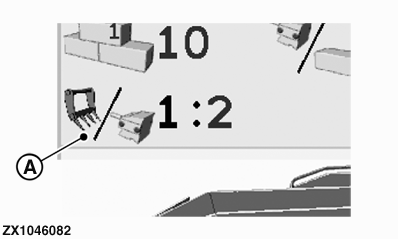
ZX1046082-UN-07JAN12
A - Feeder Fork - Plungerhead Ratio
Feeder Fork - Plungerhead Ratio Display:The Feeder Fork - Plungerhead Ratio (A) indicates the number of plungerhead strokes required for one filling stroke.
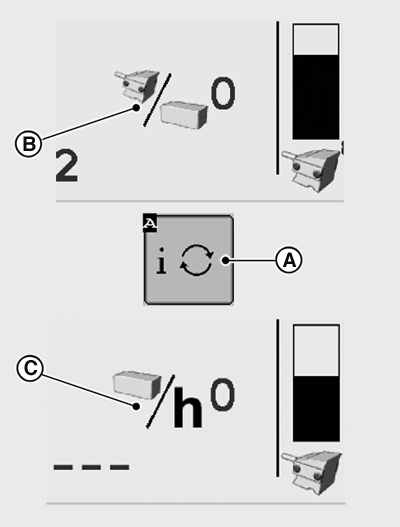
E81732-UN-27OCT16
A - Toggle Button
B - Plungerhead Strokes Per Bale
C - Bales Per Hour
Plungerhead Strokes per Bale or Bales per Hour Display:Press button (A) to toggle between plungerhead strokes per bale (B) and bales per hour (C) display.
|
Plungerhead Strokes per Bale (B) |
||||||
|---|---|---|---|---|---|---|
|
Bale Length |
0.80 m (2 ft 8 in) |
1.20 m (3 ft 11 in) |
1.60 m (5 ft 3 in) |
1.80 m (5 ft 11 in) |
2.20 m (4 ft 4 in) |
2.60 m (8 ft 7 in) |
|
Strokes/Bale |
16 |
24 |
32 |
36 |
44 |
52 |
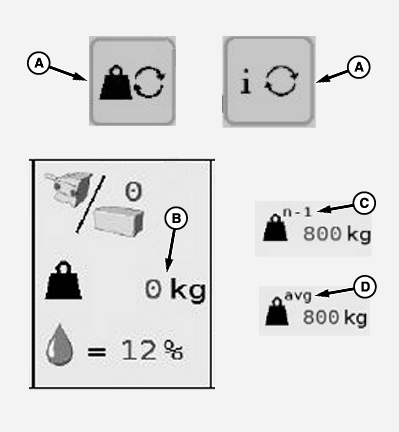
E81600-UN-05OCT16
A - Toggle Buttons
B - Current Bale Weight
C - Last Bale Weight
D - Average Bale Weight
Bale Weighing System Display:Bale Weighing System - Press buttons (A) to toggle between the following bale weighing data options:
- Current Bale Weight—The actual value (B) of the weight is continuously updated and represents the weight currently detected on the weighing platform.
- Last Bale Weight—The weight of the last bale (C), indicated by the n-1 next to the weight symbol.
- Average Bale Weight—The average bale weight (D), indicated by avg next to the weight symbol. The average value is the mean value over the last three bales since powering up. A power-up resets the mean value.
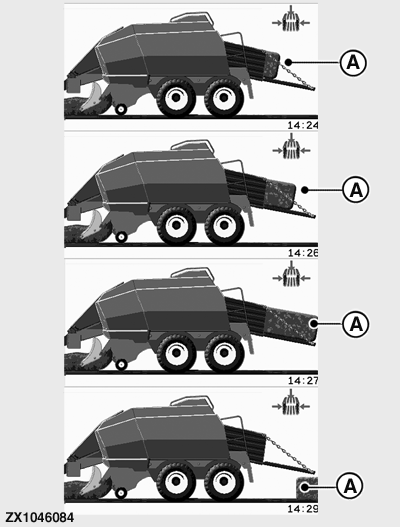
ZX1046084-UN-07JAN12
A - Bale Drop Indicator
Bale Drop Indicator Display—If Equipped:If the bale weighing system is installed on the machine, then the bale drop is detected using the decline of the weight on the weighing platform.
When the bale drop sensor is installed and activated in the Dealer Menu, then the display (A) indicates the position of the bale on the bale chute and when the bale drops off the bale chute.
Refer to Operating the Baler section and to Dealer Menu Page in this section.
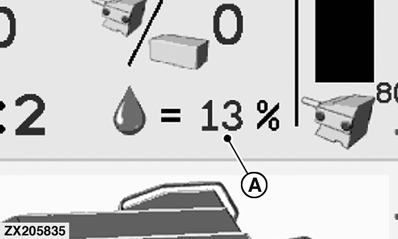
ZX205835-UN-03NOV13
A - Bale Moisture Level Indicator
Bale Moisture Level Indicator Display—If Equipped:When the bale moisture sensor is installed and activated in the Dealer Menu, the display (A) indicates the bale moisture level.
The value (A) displayed is an estimation between 11%—34% of moisture.
When “<11%” is displayed, moisture level is below 11%.
When “>34%” is displayed, moisture level is above 34%.
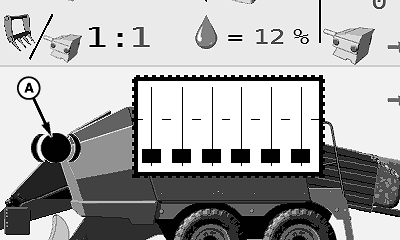
E77590-UN-24NOV14
A - Flywheel Brake Indicator
Flywheel Brake IndicatorDisengage flywheel brake before engaging machine PTO.
Flywheel brake indicator (A) is displayed when the flywheel brake is engaged while using the operating mode page.
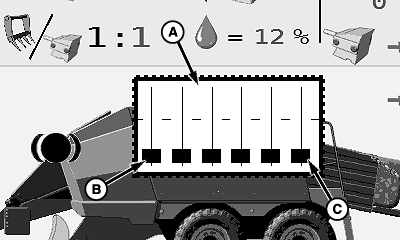
E77591-UN-24NOV14
A - Twine Panel
B - Left-Hand Knotter Indicator
C - Right-Hand Knotter Indicator
Twine PanelTwine panel is not displayed when twine monitoring is disabled in the dealer menu.
The twine panel (A) displays the status of knotting process. Each bar on the panel represents one knotter. The level of the bar indicates the position of the top twine tension arm.
The left-hand bar (B) represents the most left-hand knotter on machine. The right-hand bar (C) represents the most right-hand knotter on machine.
- Bar not shown indicates full twine tension.
- Full bar shown indicates zero twine tension.
E77592-UN-25NOV14
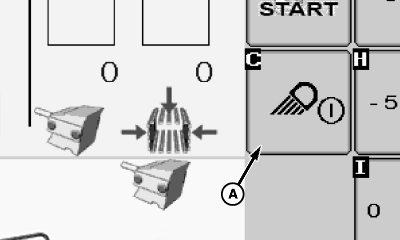
A - Work Light On-Off Button
Turn Work Lights On-OffPress work light on-off button (A) to turn on work lights. Press the button again to turn off the work lights.
|
1 Plungerhead stroke per bale illustrated
|
OUO6064,00018F5-19-20161027 |