Adjust Bale Length

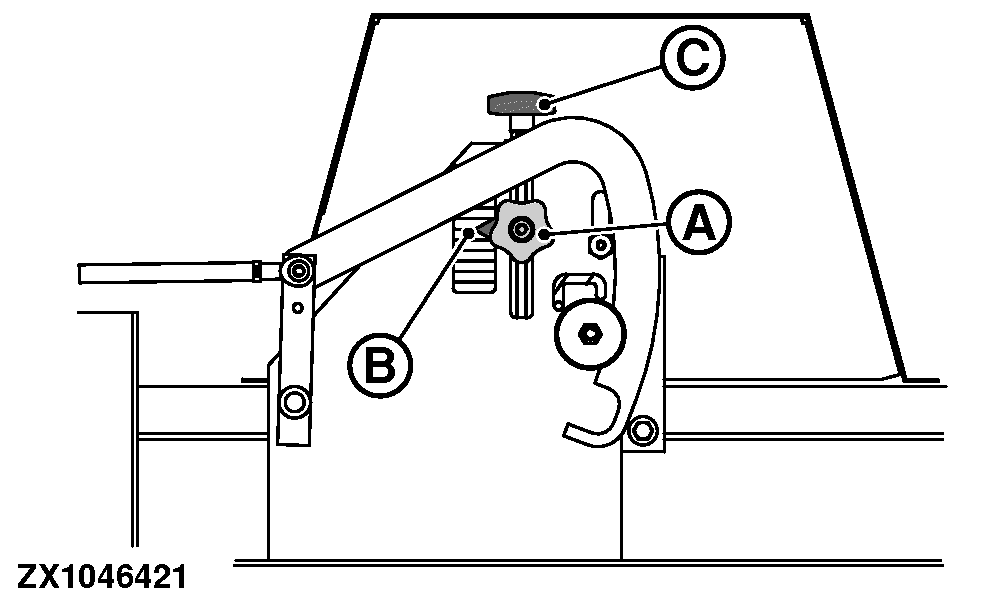
ZX1046421-UN-11JAN12
A - Locking Knob
B - Cursor
C - Adjusting Knob
Disengage PTO, engage parking brake or place transmission in PARK, shut off the tractor engine, remove key and apply flywheel brake before adjusting bale length.Baler Without Electrical Binding Option: The bale length must be set mechanically (on machine) to allow tying cycle monitoring.
Bale length setting range: 60—300 cm (23.6—118.1 in).
Adjust the desired bale length as follows:
- Release the locking knob (A).
- To move the cursor (B), turn the adjusting knob (C) until the required bale length is reached.
- Move the arrow (B) up to decrease the bale length.
- Move the arrow (B) down to increase the bale length.
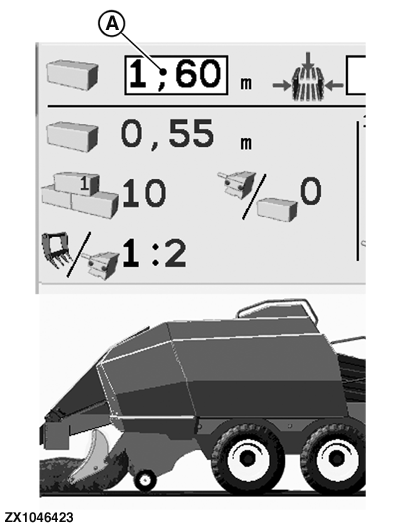
ZX1046423-UN-11JAN12
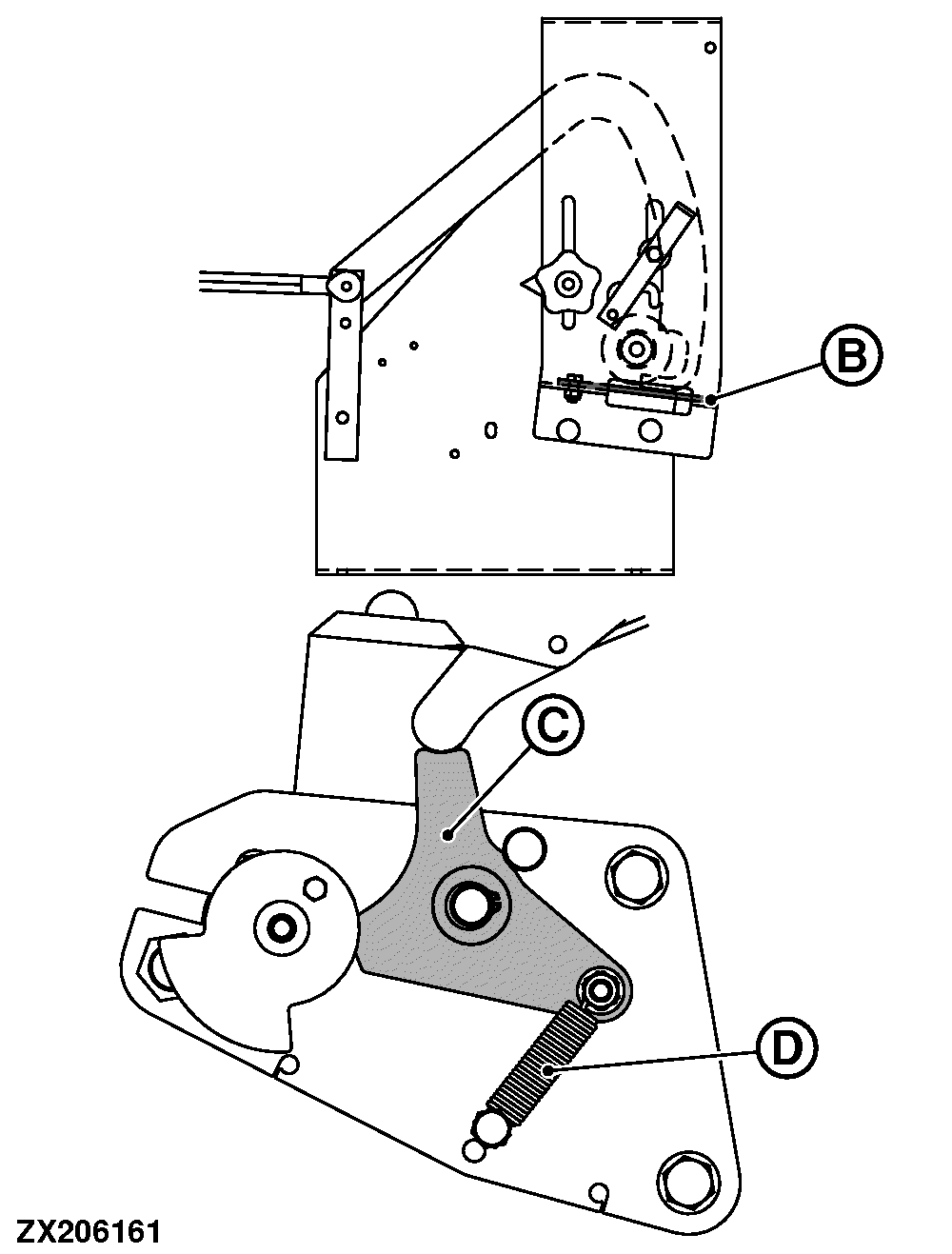
ZX206161-UN-03NOV13
A - Bale Length Input Field
B - Locking Plate
C - Trip Lever
D - Spring
Baler With Electrical Binding Option: The bale length must be set electronically (via the monitor) to allow tying cycle monitoring.Bale length setting range: 60—300 cm (23.6—118.1 in).
Adjust the desired bale length as follows:
-
Put the display under Operating Mode (see Basic Display in Operate Baler Application section).
-
Input the desired bale length into the bale length input field (A). See Operating Mode Page in Operate Baler Application section.
-
Make sure that mechanical binding locking plate (B), trip lever (C), and spring (D) are in their electrical binding positions, as shown.
Mechanical binding trip device must be disabled.
|
OUO6064,0001937-19-20161027 |