Install GreenStar™ 2 2600 or GreenStar™ 3 2630 Display
E83346-UN-05JUN17
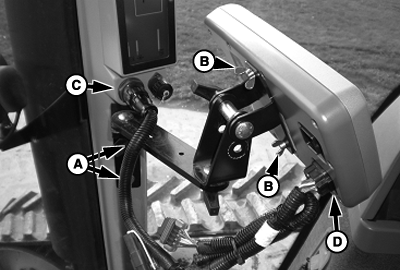
GreenStar™ 3 2630 Display
A - Corner Post Mounts
B - Wing Nut (2 used)
C - Corner Post Connector
D - Connector on Display
-
Bracket and harness are sold separately. See your John Deere dealer for the proper harness.
Attach bracket to corner post mounts (A).
-
Attach the display to the bracket using the wing nuts (B) provided with the display.
-
Attach harness to the corner post connector (C) and the connector (D) on the back of the display.
-
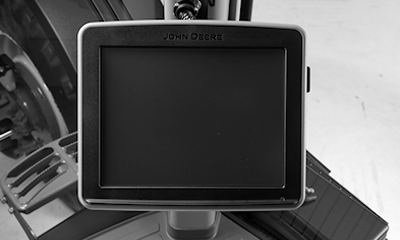
E83347-UN-05JUN17GreenStar™ 3 2630 Display
Position the display so that it is comfortable to reach and does not obstruct your view.Display must be connected to SWITCHED and CONSTANT power. This allows the display to shut down properly and save data. When the key is switched off, a Saving Settings message appears on the screen.
|
DP99999,0000D69-19-20170605 |