Slip Clutch Alert System (MegaWide™ HC2 Feed System)
Slip Clutch Alert System Operation
E83528-UN-10NOV17
PTO Sensor
E83529-UN-10NOV17
Pickup Drive Roll Sensor
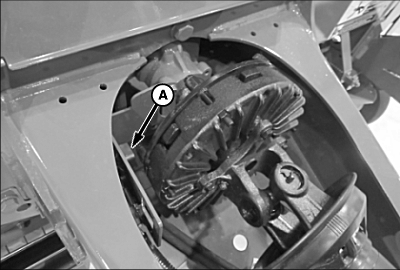
A - PTO Driveline Sensor
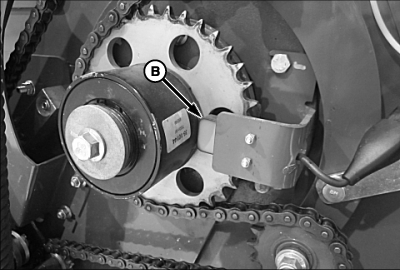
B - Pickup Drive Roll Sensor
The PTO driveline sensor (A) measures the input speed of the PTO driveline. The pickup drive roll sensor (B) measures the output speed of the pickup slip clutch. The monitor compares these speeds and activates the slip alarm if the speed drops below 10 percent of the calculated operating speed for more than 1 second. This system alerts the operator by an audible alarm when either the main drive clutch on the PTO or the pickup drive roll clutch slips. A message also appears on the monitor display.
Speed Compensation of Twine or Net Wrap Application
The speed compensation program applies the desired number of twine or net wraps, regardless of PTO speed.
For example:
- If the monitor is set for 4-inch twine spacing and wrapping is done at less than full PTO speed, 4-inch twine spacing is maintained.
- If the monitor is set for two net wraps and wrapping is done at less than full PTO speed, two net wraps are maintained.
The PTO driveline speed sensor (A) must be activated within the monitor for proper operation of the speed compensation program.
Enable or Disable Speed Compensation and Slip Clutch Alert
By selecting the speed compensation program, the pickup speed sensor is activated, enabling both speed compensation and slip clutch alert. The operator can maintain selected net and twine wrapping settings, even when operating the baler at less than rated PTO speed. This program uses input from the speed sensor on the PTO slip clutch to compensate for reduced rpm.
To engage or disengage the speed compensation program:
-
Turn the tractor ignition key to the ON position. Do not start the tractor engine.
-
From the baler application main page, select the Settings softkey.
E64641-UN-11MAY12 -
E76600-UN-25JUL14A - Speed Compensation Box
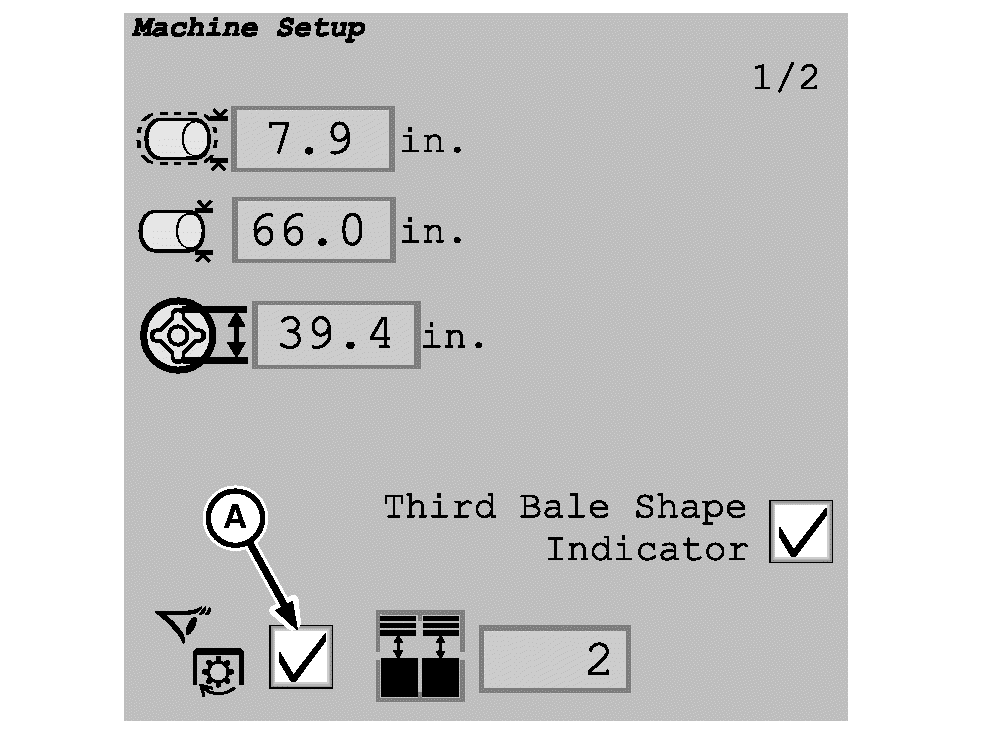
Check the speed compensation box (A) to turn the pickup speed sensor and compensation program ON.Operate the baler with this program on to avoid differences in actual versus desired settings if the baler is operated at reduced PTO speeds.
-
Checking the speed compensation box also enables the slip clutch alert system on the baler to alert the operator when the baler is plugged.
|
DP99999,0000D8F-19-20171110 |