Automatic Start of Wrapping Cycle
-
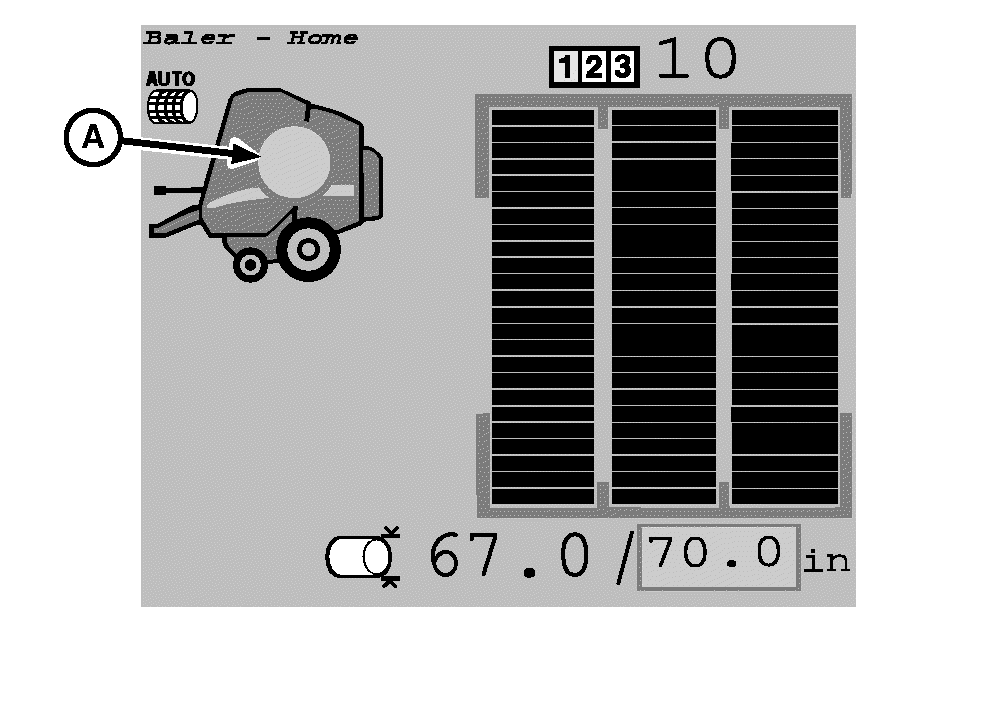
E67044-UN-06AUG12A - Near Full Symbol
Just before the preset target bale diameter is reached, the near full symbol (A) is displayed and the monitor beeps twice. To adjust the near full alarm offset, see Adjust Near Full Alarm Offset in this section. -
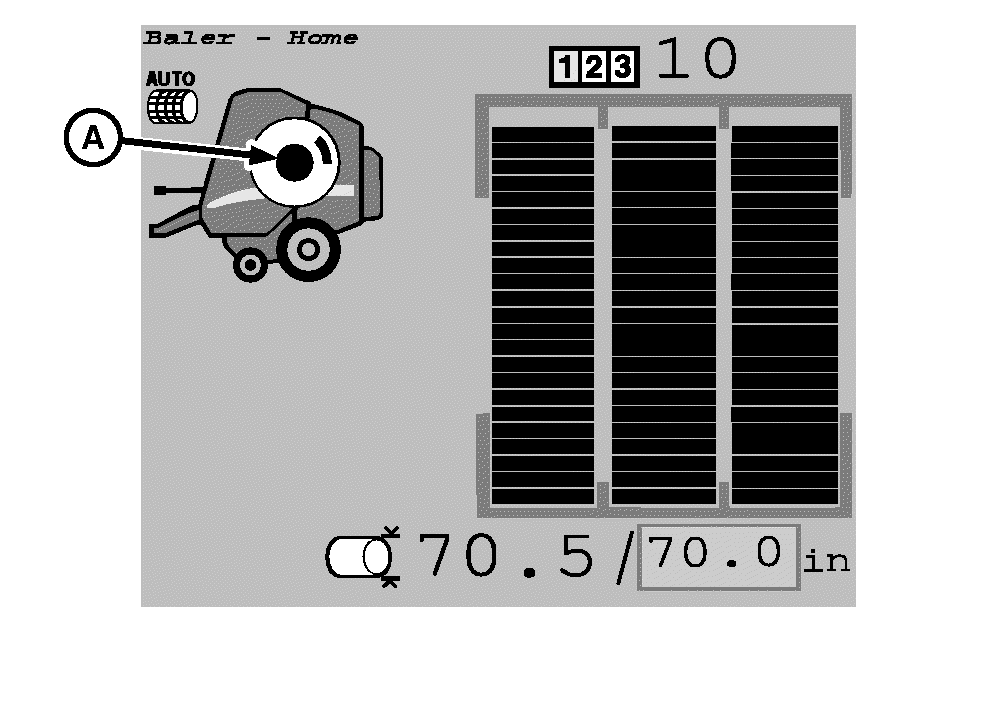
E67043-UN-08AUG12A - Wrap Process Symbol
When the target bale diameter is reached, the monitor beeps continuously for 3 seconds and the wrapping process automatically starts. The wrap process symbol (A) indicates that the net or twine actuator is moving. Immediately stop the tractor. -
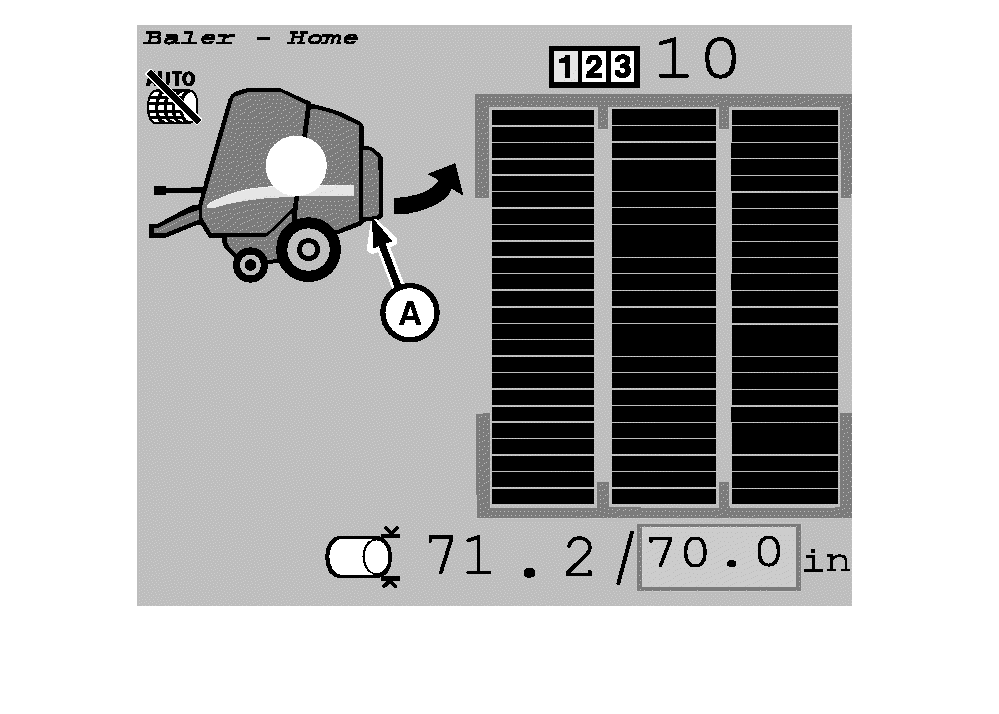
E67045-UN-08AUG12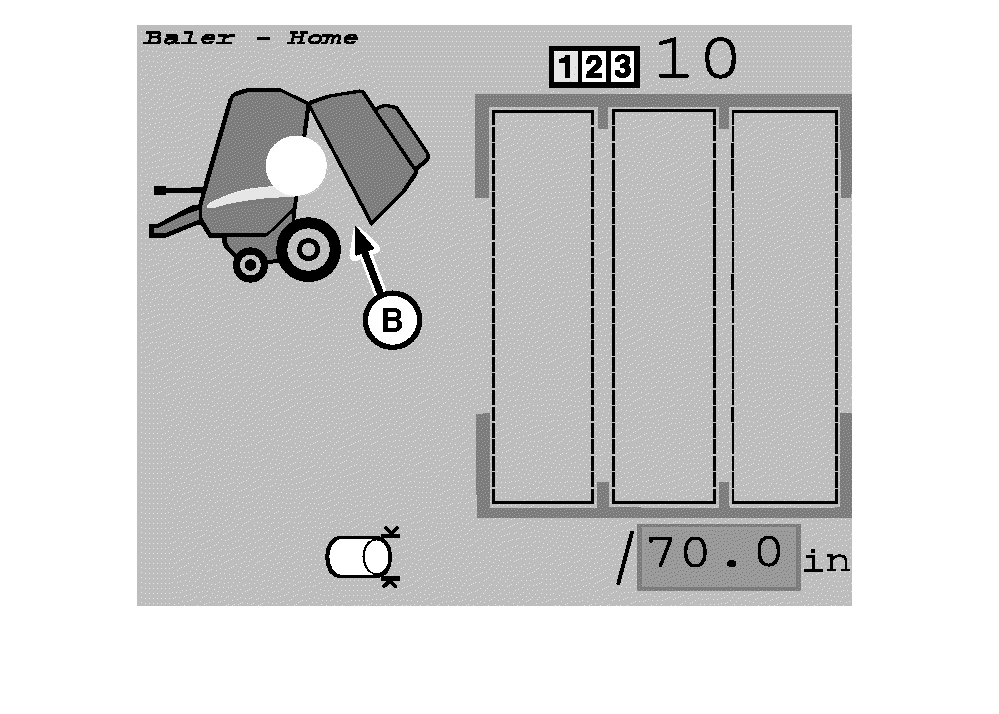
E67046-UN-08AUG12A - Bale Eject Symbol
B - Symbol, Rear Gate Position
When the wrapping cycle is completed, the bale eject symbol (A) is displayed and the monitor beeps three times. -
To eject the bale, open the rear gate of the baler with the tractor selective control valve lever. The symbol (B) indicates the gate position.
-
If a problem occurs during wrapping cycle, select the Stop Wrapping Cycle softkey to interrupt the wrapping cycle and retract the actuator.
E64632-UN-10MAY12
|
DP99999,0000E53-19-20171127 |