Automation State Pie
On the main page, the automation state pie (A) indicates the current automation state. Automation has six different states.
-
The number (1 or 2) displayed inside the automation state pie indicates the automation level selected. (See Select Automation Level in this section.)
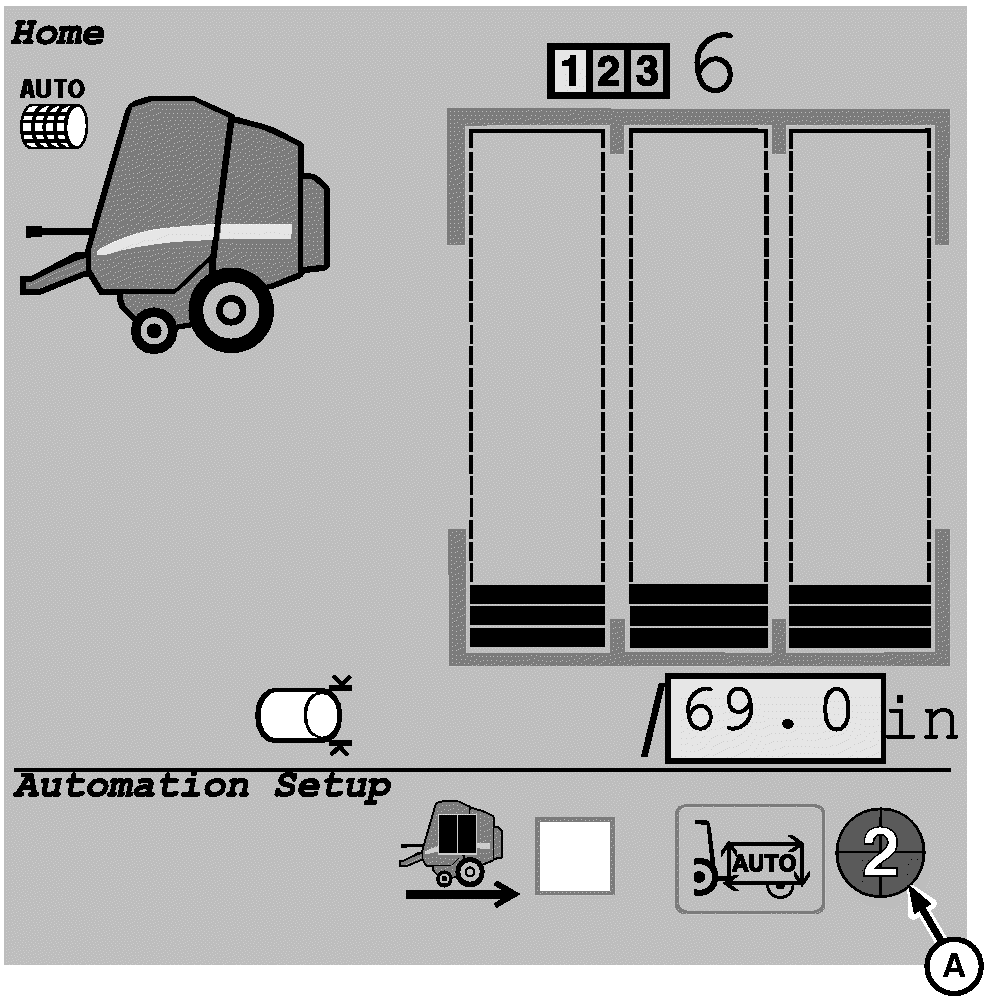
E67313-UN-14AUG12A - Automation State Pie
Unavailable:If the tractor is not Automation Ready, the automation state pie is unavailable and does not appear on the main page. The tractor is not capable to receive commands from the baler.
-

E64905-UN-17MAY12Level 1 Automation

E76704-UN-30JUL14Level 2 Automation
Disabled:If the tractor and baler are Automation Ready, the automation state is Disabled (1/4 of pie). The tractor receives commands from the baler.
-

E64906-UN-17MAY12Level 1 Automation

E76705-UN-30JUL14Level 2 Automation
Ready-to-Enable:The automation state switches automatically to Ready-to-Enable (2/4 of pie) state some time after the ignition key is turned ON. If not, see Automation Diagnostics in this section.
-

E64907-UN-17MAY12Level 1 Automation

E76706-UN-30JUL14Level 2 Automation
Enabled:When the automation state is Ready-to-Enable, select and activate the enable automation icon on the baler application main page to switch the automation state to Enabled (3/4 of pie).
-

E64908-UN-17MAY12Level 1 Automation

E76707-UN-30JUL14Level 2 Automation
Active:When the automation state is Enabled, press the tractor automation resume switch to switch the automation state to Active (4/4 of pie). When the automation state pie shows an active state, the baler commands the tractor. (See TIA—Tractor-Implement Automation section in your tractor operator’s manual.)
The following conditions must be met to switch the automation state from Enabled to Active.
- Tractor reverser lever is in the center park or forward position.
- The baler rear gate is closed and latched.
- The current bale diameter is less than 98% of the target bale diameter.
- The tractor detects an operator on the seat.
- The tractor PTO is engaged.
- No unresolved tractor or baler automation deactivation issues.
-

E64909-UN-17MAY12Level 1 Automation

E76708-UN-30JUL14Level 2 Automation
Paused:The automation state switches automatically from Active (4/4 of pie) to Automation Pause Mode (4/4 of pie flashing) when the manual bale unload function is enabled and the target bale diameter is reached. (See Operate Baler in Hilly Terrain—Automation Pause Function in this section.)
|
DP99999,0000EAA-19-20171127 |