Install and Adjust Net Wrap Brush
-
Turn the tractor ignition key to the ON position. Turn the monitor-controller ON.
-
Ensure that the monitor is in the NET mode. Turn the monitor OFF.
-
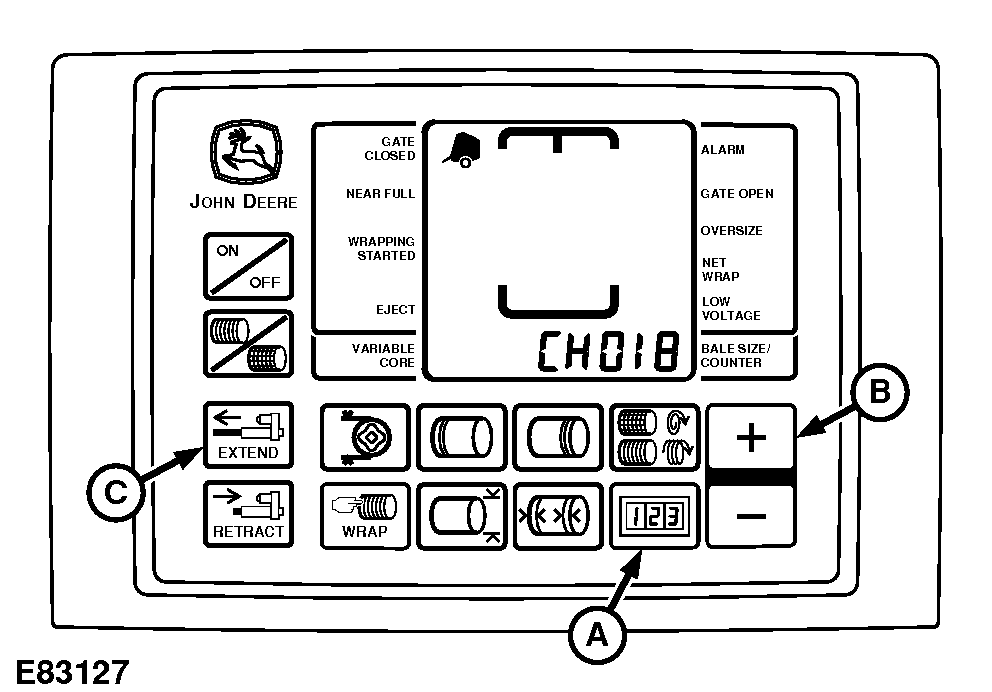
E83127-UN-11MAY17BaleTrak™ Pro Monitor
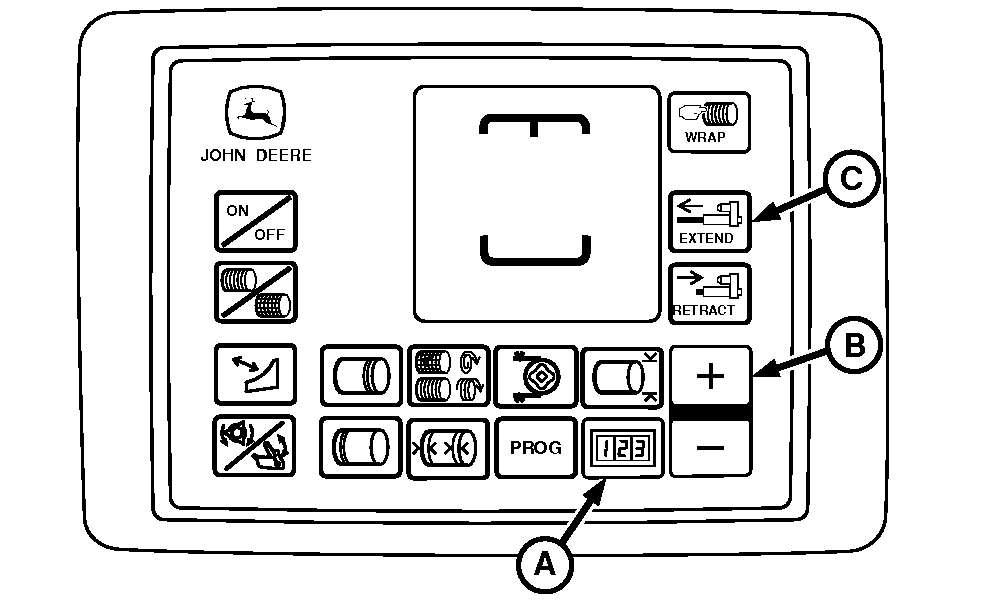
E84425-UN-06SEP17BaleTrak™ Plus Monitor
A - COUNTER Key
B - PLUS Key
C - EXTEND Key
Press and hold the COUNTER key (A) while turning the monitor-controller ON. CH001 appears on the display. -
Continue to hold the COUNTER key and press the PLUS key (B) to advance to CH018. Release the COUNTER key.
-
Press and hold the EXTEND key (C) to move the counterknife to the up position.
-

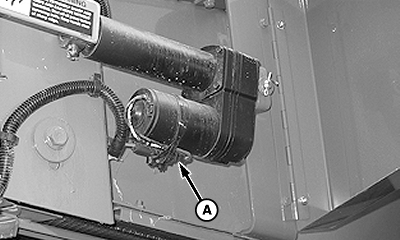
E82724-UN-02MAY17A - Connector
To avoid personal injury from unexpected knife movement, disconnect the net wrap actuator wire connector or power plug when performing adjustment or working in area.Turn the monitor-controller OFF. Turn the tractor ignition key to the OFF position and remove key. Disconnect the monitor-controller power plug from the power source or disconnect the net wrap wire harness connector (A).
-
Open the net wrap cover.
-
If the knife is bowed, bend the brush away from the steel roll between the center bolts to maintain 1—3 mm (0.040—0.12 in) clearance.
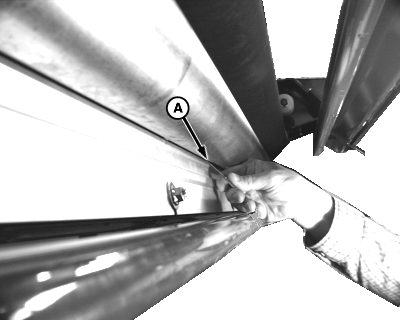
E53030-UN-12JAN04A - Feeler Gauge
Install the brush with the bristle holder offset, towards the plated roll. Using a feeler gauge (A), set the clearance between the steel roll and the aluminum brush holder bracket to specification.Brush-to-Steel Roll Clearance 1—3 mm (0.040—0.12 in) -
Tighten hardware to specification.
Knife-to-Brush Torque 55 N·m (40 lb·ft) -
Rotate the rolls to ensure that the clearance remains within specification.
-
Check the net wrap switch adjustment. (See CHECK AND ADJUST NET WRAP SWITCH in this section.)
-
Connect the net actuator wire connector.
-
Make sure to move the net wrap counterknife fully downward to the home position. If the baler is operated with the counterknife at the up position, net feeds continuously during baling.
Turn the tractor key to the ON position. Turn the monitor-controller ON.
-
Press the WRAP key on the monitor-controller to move the counterknife fully downward to the home position.
-
Turn the tractor key to the OFF position. Turn the monitor-controller OFF.
-
Close the net wrap cover.
|
DP99999,0000D3D-19-20170906 |