Test Net Wrap Switch—Monitor-Controller Assisted Test (Channel 012)
-
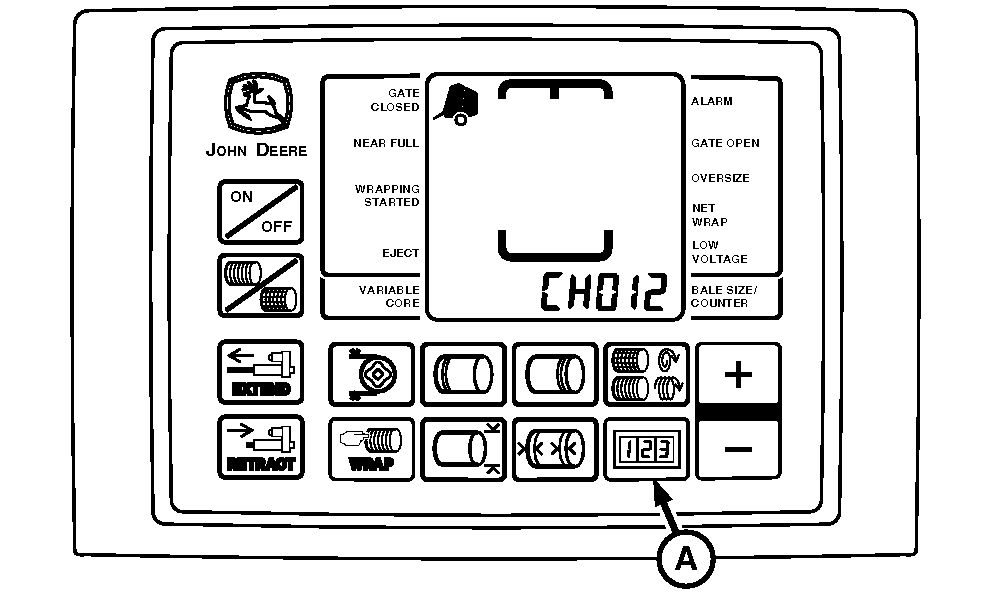
E52494-UN-24JUN03BaleTrak™ Pro Monitor
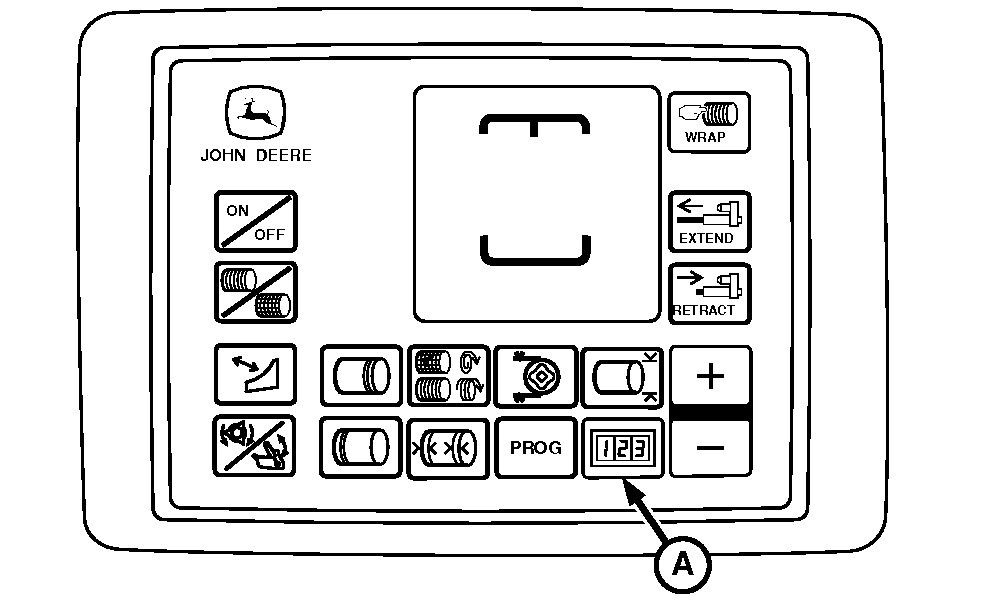
E84252-UN-28AUG17BaleTrak™ Plus Monitor
E85223-UN-24OCT17A - COUNTER Key
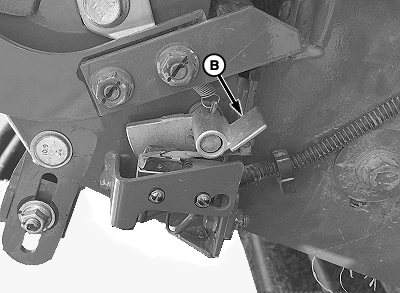
B - Lever
Turn the tractor key to ON position. Do not start engine. -
Press and hold the COUNTER key (A) while turning the monitor-controller ON. Continue to hold the COUNTER key and press the PLUS key until CH012 appears on the display.
-
Release the COUNTER key. Verify the reading on the display and confirm that the tone is on.
Diagnostic Channel
Function
Switch Released Reading
Switch Depressed Reading
012
Net Wrap Switch
12—Net Normal (Tone)
00—Cutting (No Tone)
-
Depress lever (B) to open the switch internally. Verify the second reading and confirm that the tone goes off.
-
If the display readings and tone do not occur as described, check switch operation and adjustment. (See CHECK AND ADJUST NET WRAP SWITCH in this section.)
|
DP99999,0000D40-19-20171024 |