Calibrate Bale Diameter Display
(Channel 005)
-
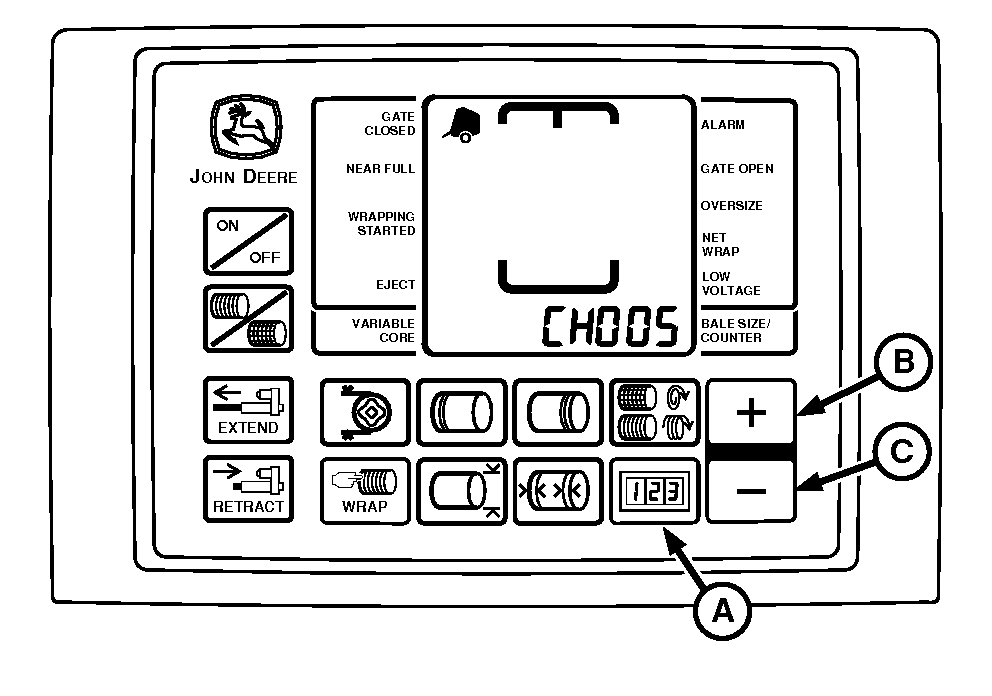
E84413-UN-01SEP17BaleTrak™ Pro Monitor
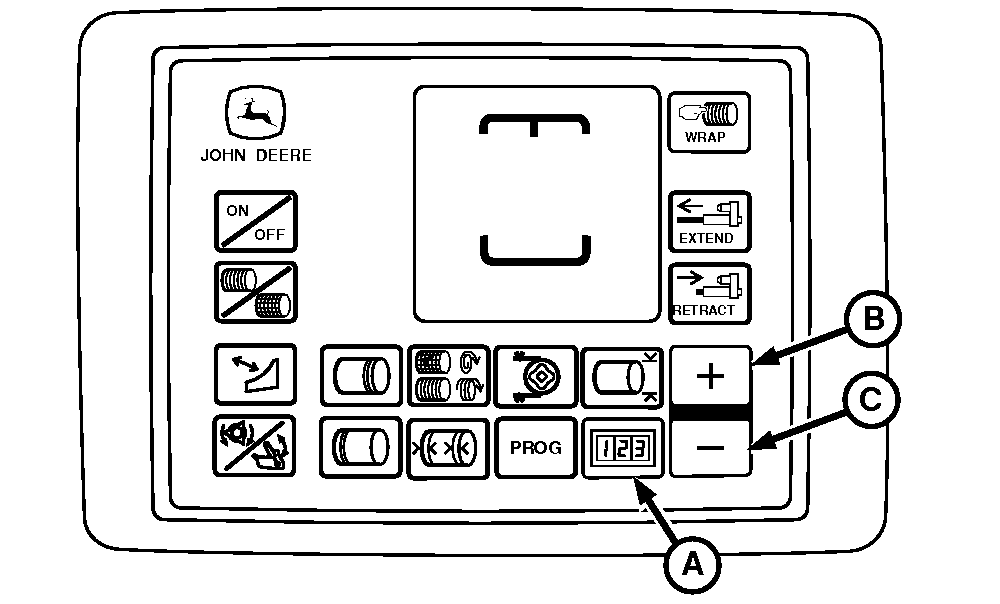
E84047-UN-10AUG17BaleTrak™ Plus Monitor
A - COUNTER Key
B - PLUS Key
C - MINUS Key
Slowly raise the tension arm using the tractor SCV until the tension arm is all the way up and the gate is fully open. -
Press and hold COUNTER key (A) and turn the monitor-controller ON.
-
Continue to hold the COUNTER key and press the PLUS key (B) until CH005 appears in the digital display.
-
Release the COUNTER key. The current bale diameter sensor value is shown.
-
The value displayed when the channel is first entered is the current calibration of the bale diameter sensor. If the tension arm is moved, then the current sensor reading is shown.
Press the PLUS key (B) and the MINUS key (C) simultaneously to calibrate the bale diameter display to the current sensor position. An audible beep is heard to confirm that the calibration has been saved.
-
Lower the tension arm.
-
Check the calibration in the field and fine-tune with CH028 adjustment. (See Adjust Bale Diameter Display [Channel 028] in Operating the Baler section.)
|
DP99999,0000DA7-19-20171127 |