Operate the Drop Floor
-
Only operate the baler with the drop floor in the raised position, unless unplugging.
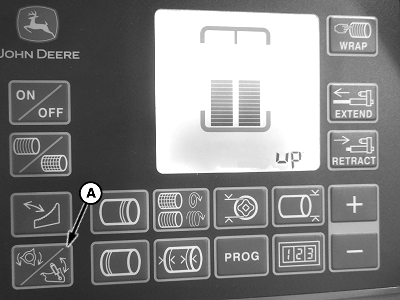
E83327-UN-05JUN17A - UPDN Function Icon
Select the drop floor UPDN function icon (A). -
To raise or lower the drop floor, operate the pickup SCV.
-
E83328-UN-05JUN17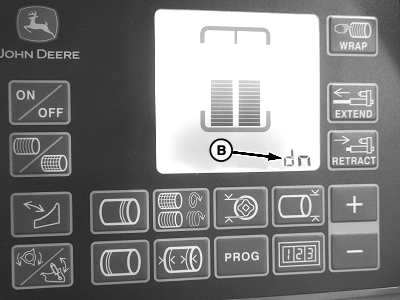
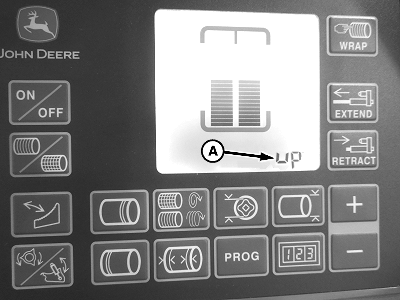
E83329-UN-05JUN17A - “up”—Raised Position
B - “dn”—Lowered Position
When the floor is raised, the display shows “up” (A). -
When the floor is lowered, the display shows “dn” (B).
-
To return to the main baling screen, press the UPDN function key.
If the drop floor is in the lowered position and the operator returns to the home screen, a “d” is displayed next to the bale diameter indicating that the floor is lowered. If the PTO is engaged an alarm sounds.
After raising the drop floor and returning to the main baling screen, the pickup can raise slightly. This raising is normal; monitor the position frequently and lower the pickup when necessary. To help the pickup follow the field terrain, it is recommended to operate the pickup SCV in the float setting.
|
DP99999,0000DB0-19-20171127 |