Manual Twine Actuator and Wrap Keys
E52450-UN-02JUN08
E84248-UN-29AUG17
BaleTrak™ Plus Monitor
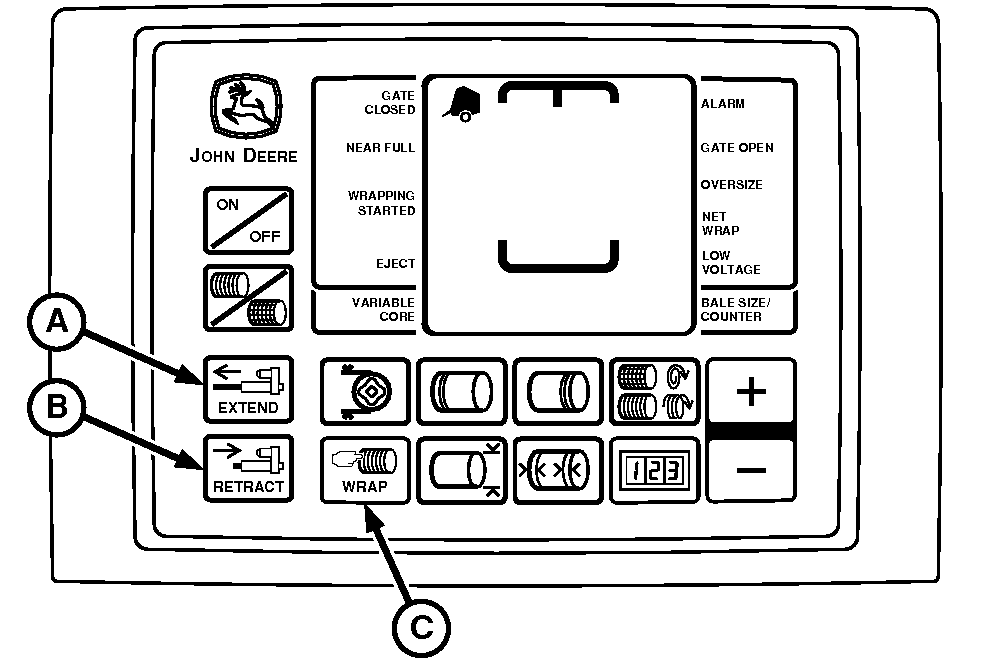
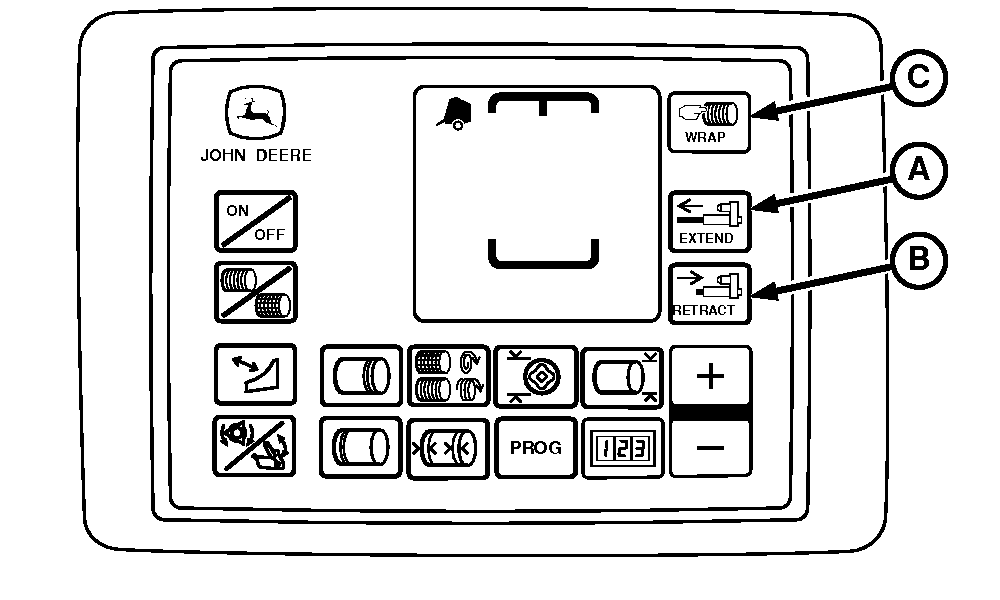
A - EXTEND Key
B - RETRACT Key
C - WRAP Key
Press and release the WRAP key (C) to start a twine application or net wrap cycle manually before the bale reaches the preset diameter.Once started, the bale wrapping cycle uses settings stored in the monitor-controller memory (number of wraps, end wraps, and end wrap distance). This feature is useful to wrap an undersized bale when finishing a field. The monitor-controller resumes fully automatic operation on the next bale.
The EXTEND (A) and RETRACT (B) keys are used only to operate the twine actuator manually. Pressing either key during an automatic wrap cycle cancels the cycle and moves the actuator as desired.
The twine end wrap spacing distance is overridden when the EXTEND or RETRACT keys are used.
For example, if the right-hand end wrap distance is set at 13 cm (5 in) and the EXTEND key is pressed, the twine arm does not stop at the 13 cm (5 in) setting. It either contacts the right-hand side sheet, or the actuator is fully extended.
When using the EXTEND and RETRACT keys, the bale counter does not register additional bales.
|
DP99999,0000DBE-19-20170918 |