Adjust Variable Core Diameter
(If Equipped)
E52467-UN-19JUN03
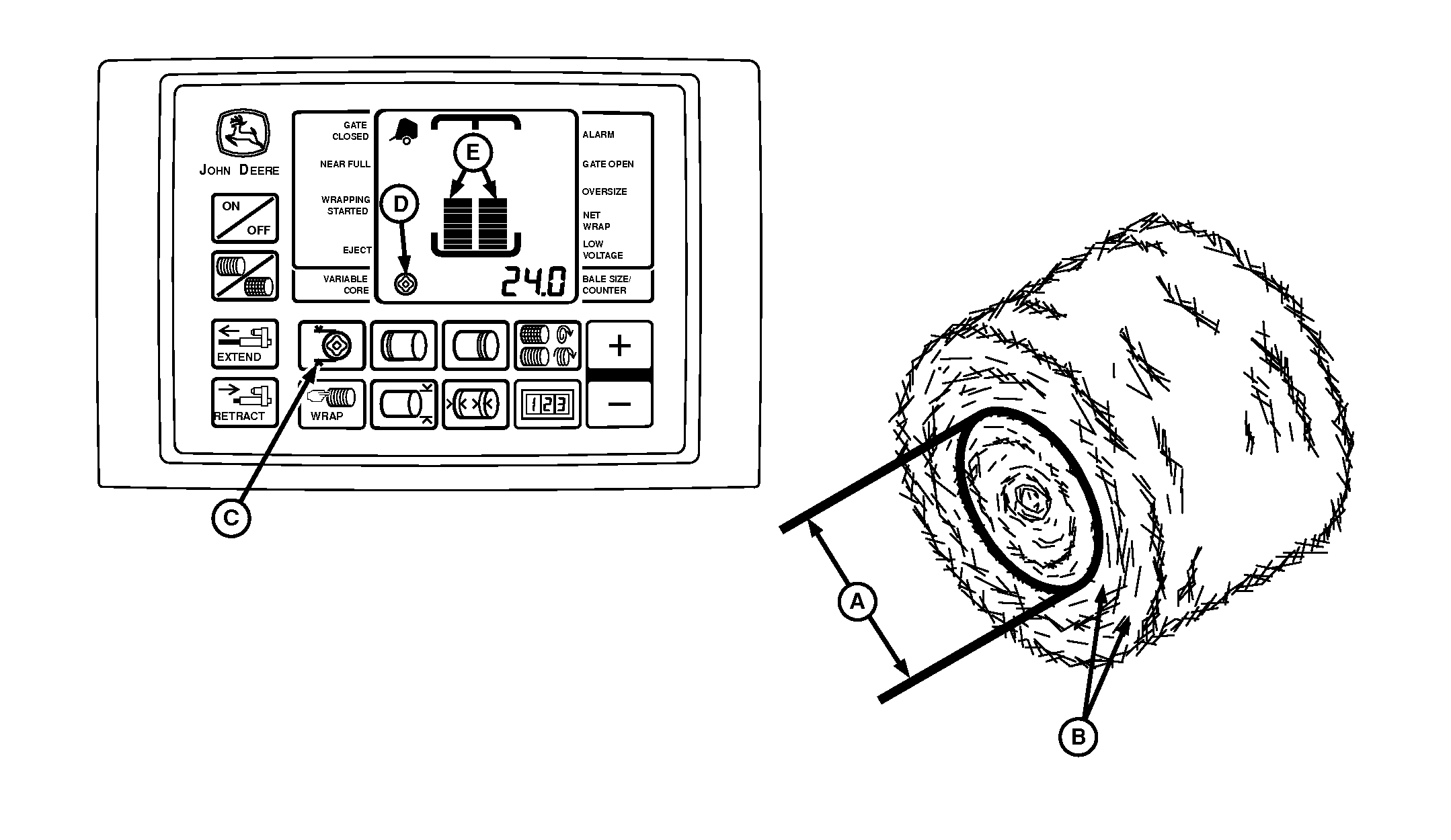
A - Variable Core Diameter
B - High Density Outer Layers
C - VARIABLE CORE Key
D - Core ON Indicator
E - Bale Shape Bars
The variable core diameter (A) can be adjusted from 61 cm (24 in) up to 10 cm (4 in) less than the bale diameter setting in 1 cm (0.5 in) increments.The initial setting for the variable core diameter is 91 cm (36 in).
The variable core diameter (A) can only be set at least 10 cm (4 in) less than the bale diameter setting so that tight, dense outer layers are formed. High density outer layers (B) helps the bale hold its shape when wrapped and helps repel water.
To set the variable core diameter (A):
- Depress and hold the VARIABLE CORE key (C).
- Press the PLUS or MINUS key until the desired setting appears in the digital display. Release the key to enter the setting into memory. This setting is used whenever the variable core feature is selected.
To use variable core feature:
- Depress the VARIABLE CORE key (C). Core indicator (D) indicates that the variable core feature is ON and stays on throughout the baling process.
-
To check the variable core setting, depress the VARIABLE CORE
key (C) to display the setting.
Release and depress VARIABLE CORE key (C) to activate the variable core feature. Core indicator (D) is displayed on the monitor-controller when the feature is activated.
- To turn the variable core feature OFF, depress the VARIABLE CORE key (C) twice. The core indicator (D) goes off.
- The variable core feature remains in last operation mode when the monitor-controller is turned off and on.
Bale shape bars (E) cannot reach maximum height when a variable core is being formed, due to lower bale forming pressure.
|
DP99999,0000DD4-19-20170809 |