View and Reset Bale Counters
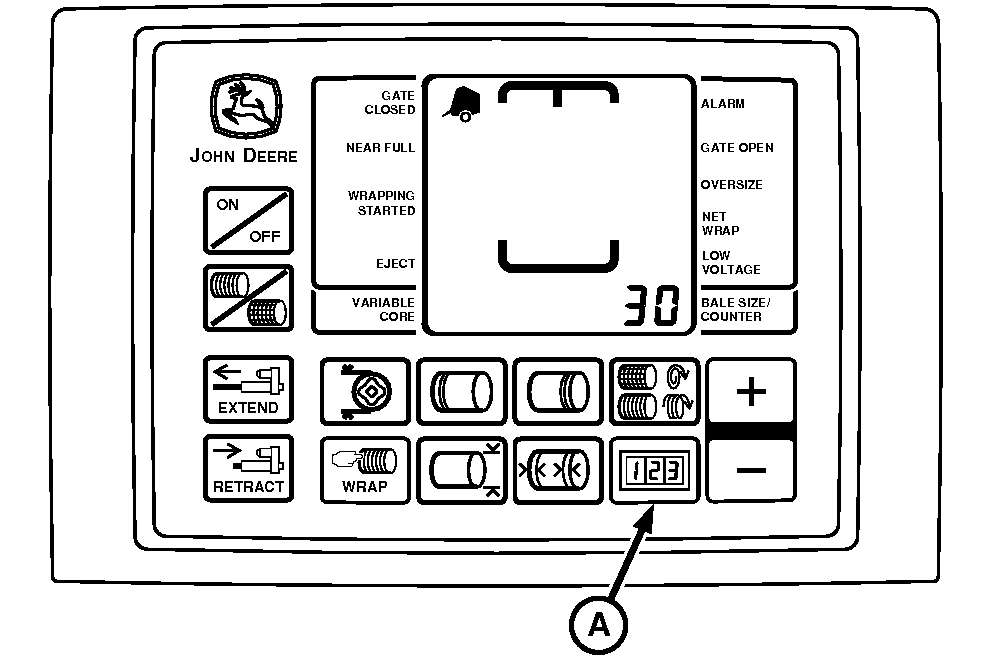
E52449-UN-02JUN08
BaleTrak™ Pro Monitor
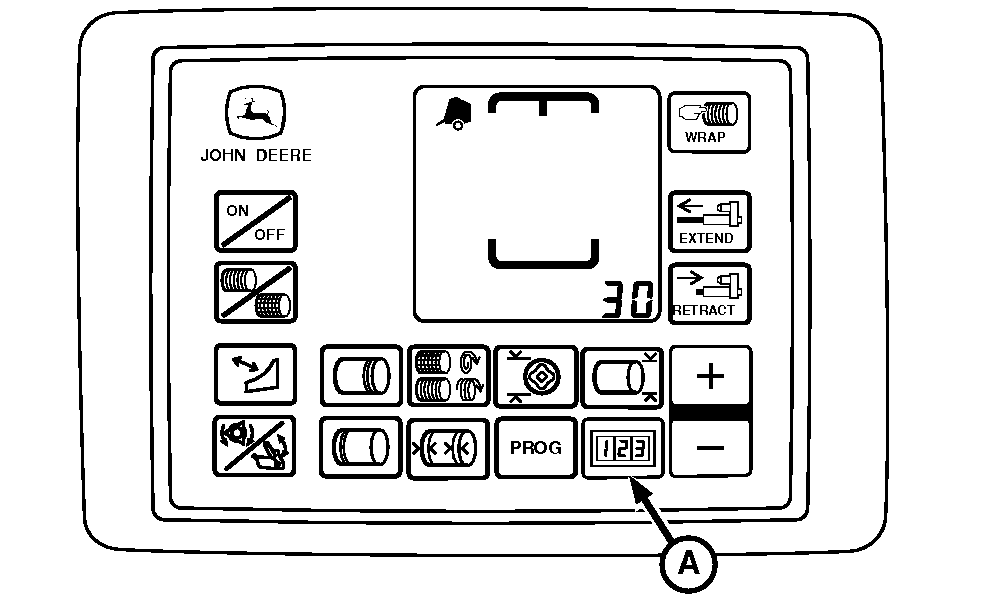
E84247-UN-29AUG17
BaleTrak™ Plus Monitor
A - COUNTER Key
BaleTrak™ monitor-controllers are equipped with two bale counters, RESETTABLE and TOTAL BALES.The RESETTABLE counter can be cleared or modified as desired, while the TOTAL BALES counter cannot be reset or cleared. A wrapping cycle and gate latch open cycle adds one bale to both of the counters.
To view the counter memory:
-
When key (A) is pressed, the display shows the bale count for 6 seconds, then reverts to the regular display.
Press the COUNTER key (A) once to display the RESETTABLE counter.
-
Press the COUNTER key twice to display the TOTAL BALES counter.
To clear the RESETTABLE counter memory:
-
Press the COUNTER key (A) once, then release.
-
While the count is displayed, press and hold the MINUS key until the display shows 0000.
The bale count in the RESETTABLE counter can be increased to add fields together, or decreased to remove aborted bales (such as bales not wrapped correctly). Adding or removing bales from the RESETTABLE counter does not affect the TOTAL BALES counter.
To change the number of bales in the RESETTABLE counter:
-
Press and hold the COUNTER key (A).
-
While holding the COUNTER key, press the PLUS or MINUS key to change the bale count as desired.
|
BaleTrak is a trademark of Deere & Company |
DP99999,0000DD6-19-20170829 |