Enter Customer Channels (Channels 001—037)
Refer to BaleTrak™ Pro and Plus Monitor-Controller Channels in this section for a list and description of the customer channels.
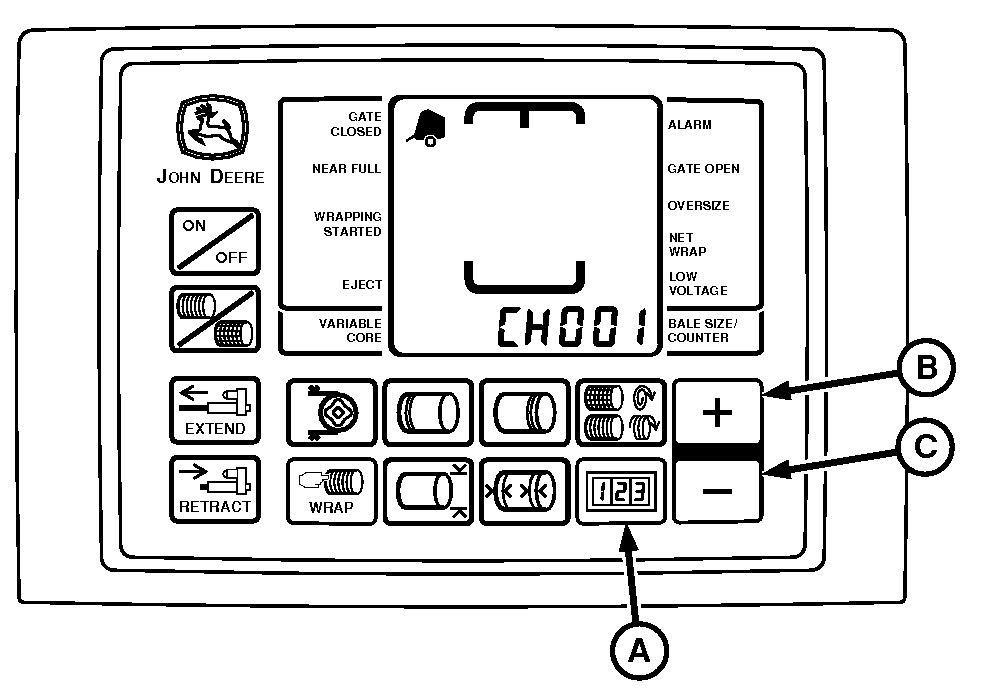
E84401-UN-31AUG17
BaleTrak™ Pro Monitor
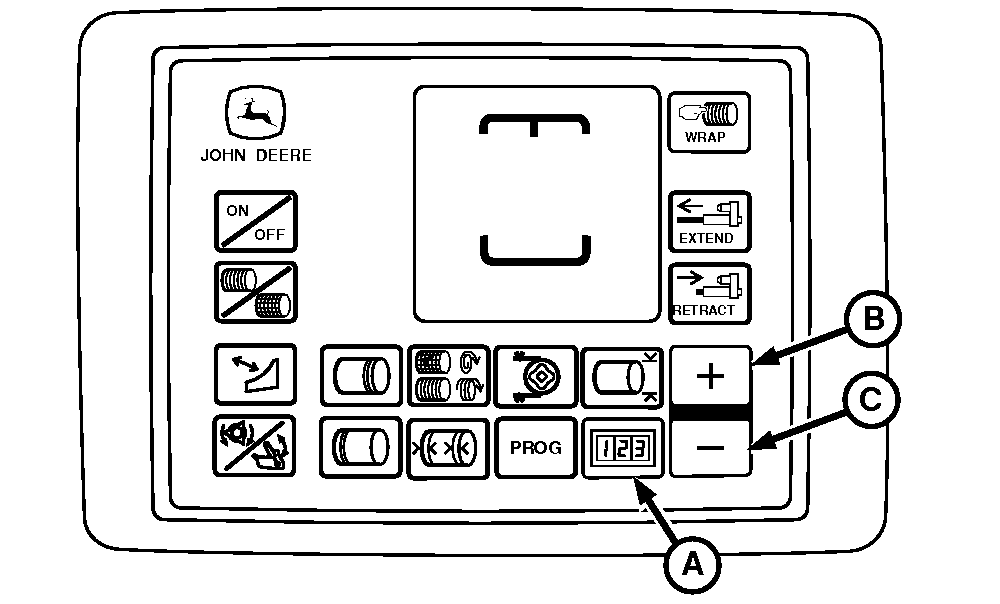
E84047-UN-10AUG17
BaleTrak™ Plus Monitor
A - COUNTER Key
B - PLUS Key
C - MINUS Key
To Enter Customer Channels:-
Turn the tractor ignition key to the ON position. Do not start the tractor engine. Press and hold COUNTER key (A), while turning the monitor-controller ON.
-
Continue to hold COUNTER key (A) and press the PLUS key (B) until the desired channel appears in the digital display. Release the keys to see the current value for this channel.
-
To change the current setting in the selected channel, use the PLUS key (B) or the MINUS key (C).
-
To change channels, press and hold the COUNTER key and use the PLUS key or MINUS key to access other channels.
-
Turn the monitor-controller OFF to enter new settings into memory.
-
Turn the tractor ignition key to the OFF position and remove the key.
|
BaleTrak is a trademark of Deere & Company |
DP99999,0000E0D-19-20170831 |