Adjust Bale Orientation (Channel 035)
E69424-UN-20FEB13
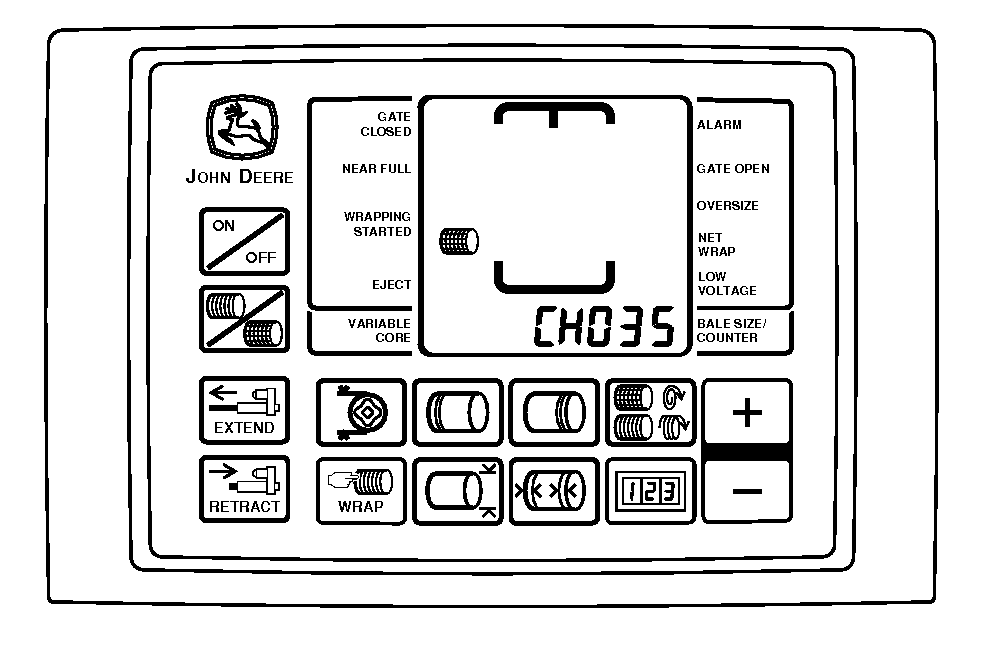
BaleTrak™ Pro Monitor
E69416-UN-13FEB13
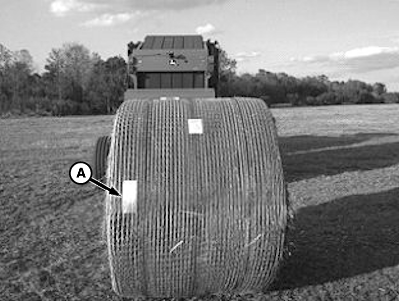
A - Aluminum Tape
This setting adjusts and controls the position of the bale when it is ejected. The bale must be positioned so that the overlap portion of the B-Wrap material and the seam are on the bottom of the bale. This orientation keeps water from running into the bale. The aluminum tape (A) must be on the back, left-hand side of the bale (viewed while facing the rear of the baler).
Set the bale orientation control value as follows:
-
Turn the tractor ignition key to the ON position. Do not start the tractor engine.
-
Press and hold the COUNTER key while turning the monitor-controller ON.
-
Continue to hold the COUNTER key and press the PLUS key until CH035 appears in the display.
-
Use the PLUS and MINUS keys to adjust the setting:
-
BaleTrak™ Pro system: The setting range is 58—240 with a default value of 182.
-
BaleTrak™ Plus system: The setting range is 31—132 with a default value of 101.
The setting increases or decreases by approximately 10 each time the PLUS or MINUS key is pressed.
-
Disengage bale push bar for B-Wrap operation.
The bale push bar affects seam location upon bale ejection and can damage B-Wrap material.
With the B-Wrap sensor tied into the oversize bale sensor, false bale oversize alarms can occur. If a false oversize bale alarm occurs, turn the PTO off and examine the B-Wrap sensor on the bottom of the gate for the following:
- A belt lace is stopped above the sensor. If this has occurred, move the belt lacing past the sensor by turning on the PTO briefly.
- A foreign metal object is caught on or around the sensor. If this has occurred, remove the foreign material and verify that the error does not reoccur.
|
DP99999,0000E10-19-20170918 |