Set Pickup Type (Channel 209)
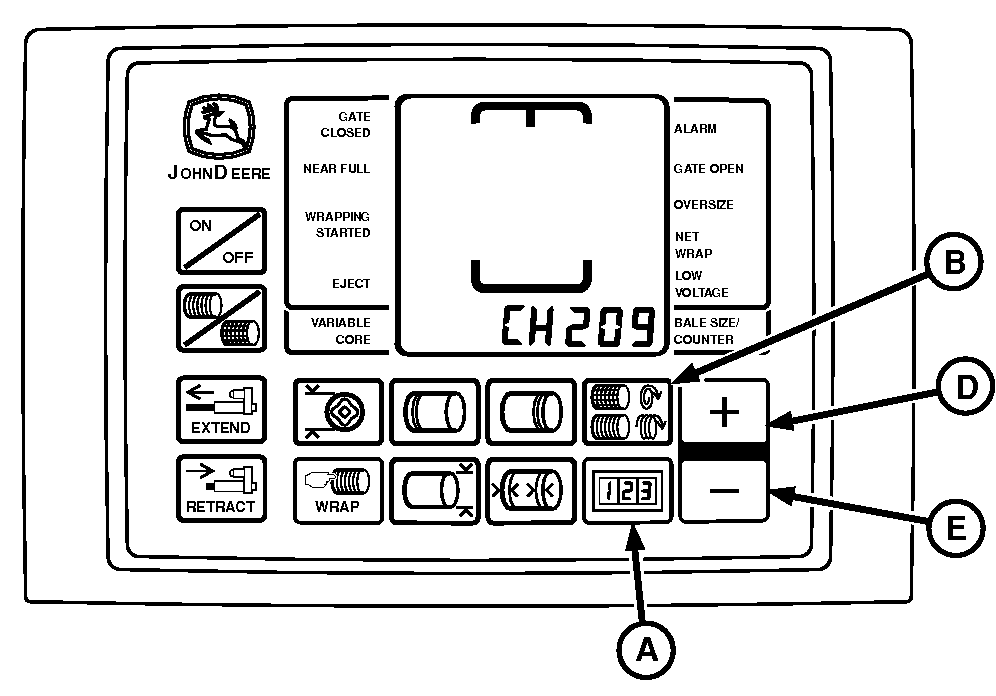
E84592-UN-14SEP17
BaleTrak™ Pro Monitor
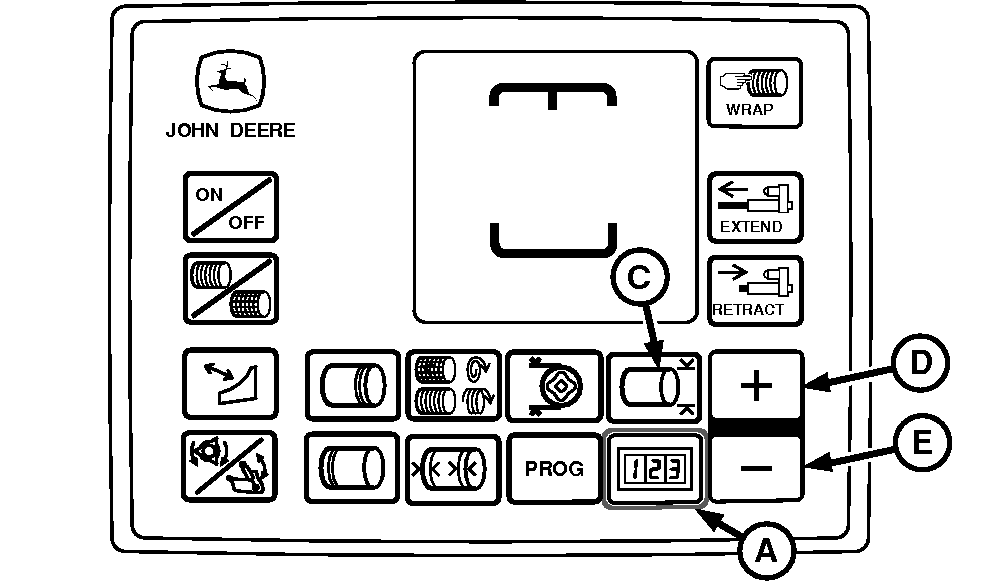
E84594-UN-26SEP17
BaleTrak™ Plus Monitor
A - COUNTER Key
B - NUMBER OF WRAPS Key
C - BALE DIAMETER Key
D - PLUS Key
E - MINUS Key
This channel is used to set the monitor-controller to recognize whether the baler is equipped with a regular pickup or a precutter pickup.
-
Turn the tractor ignition key to the ON position. Do not start the tractor.
-
Access the setup channels as follows:
-
BaleTrak™ Pro Monitor: Press and hold both the COUNTER key (A) and the NUMBER OF WRAPS key (B) while turning the monitor-controller ON.
-
BaleTrak™ Plus Monitor: Press and hold both the COUNTER key (A) and the BALE DIAMETER key (C) while turning the monitor-controller ON.
-
Verify that CH201 is displayed on the monitor.
-
-
Release both keys. The baler model is displayed. Verify that the model number is correct.
-
Press and hold the COUNTER key and press the PLUS key (D) until CH209 is shown in the display.
-
Release the COUNTER key.
-
Check the setting that appears on the monitor. If necessary, press the PLUS key (D) or the MINUS key (E) and change the pickup type setting.
- Set the displayed value to 0 if equipped with a regular pickup.
- Set the displayed value to 1 if equipped with a precutter type pickup.
-
To enter the setting into memory, turn the monitor-controller OFF .
-
Turn the monitor-controller ON and verify the baler model number. The model number is displayed for approximately 2 seconds. If the baler model displayed is incorrect, change the model number. (See BALER MODEL PROGRAM (CHANNEL 201) in this section).
-
Turn the tractor ignition key to the OFF position and remove the key.
|
DP99999,0000E13-19-20170914 |