Replace Gate Latch Proximity Switches
-
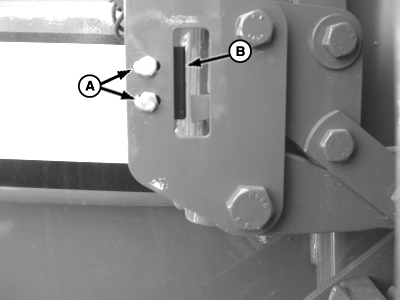
E54647-UN-12JUN06A - Mounting Hardware
B - Proximity Switch
Turn monitor-controller OFF. Turn tractor key to OFF position. Remove key. -
Remove mounting hardware (A) and switch (B).
-
Disconnect wire harness from switch.
-
Remove switch from mounting bracket.
-
Install new switch in reverse order of removal using the following procedure:
- Adjust switch position for proper operation. (See Adjust Gate Latch Proximity Switches) in this section.)
- Confirm switch operation by taking test readings using control monitor. (See Adjust Gate Latch Proximity Switches and Adjust Oversize Bale Switch in this section.)
|
SF04007,00010BE-19-20171127 |