Twine Terms and Settings
E84121-UN-28AUG17
E52468-UN-02JUN08
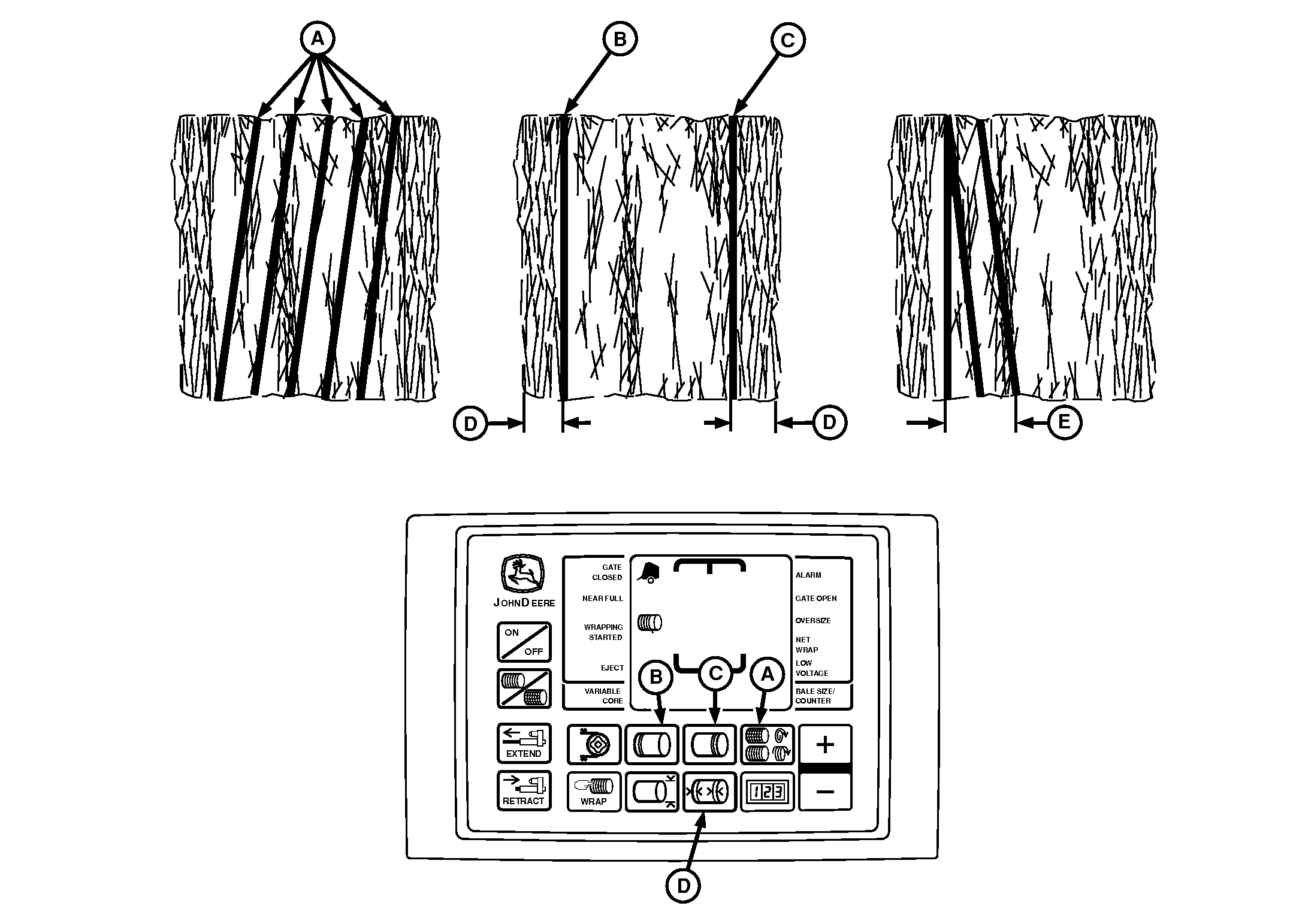
BaleTrak™ Pro Monitor-Controller
E84122-UN-28AUG17
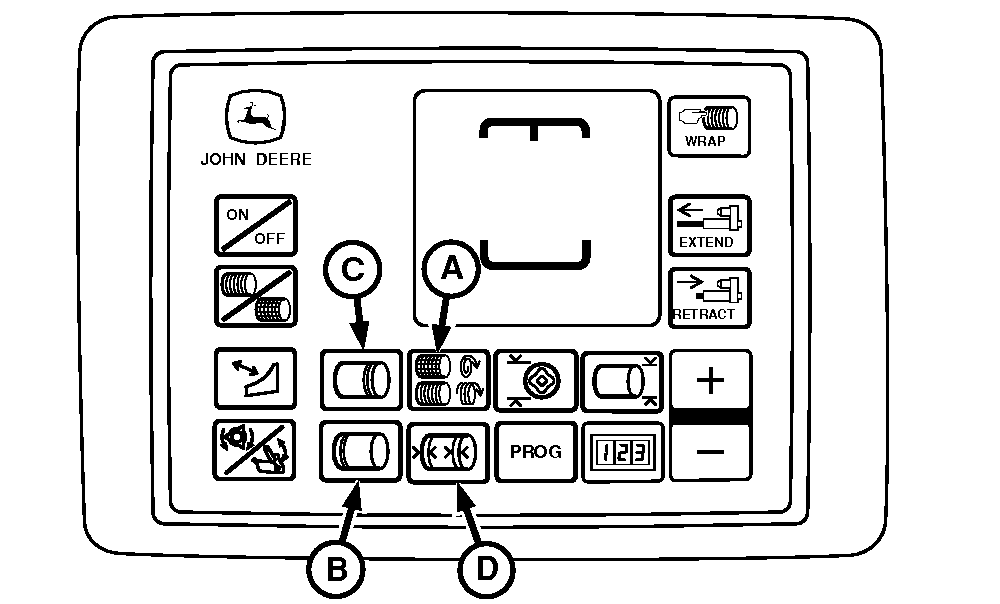
BaleTrak™ Plus Monitor-Controller
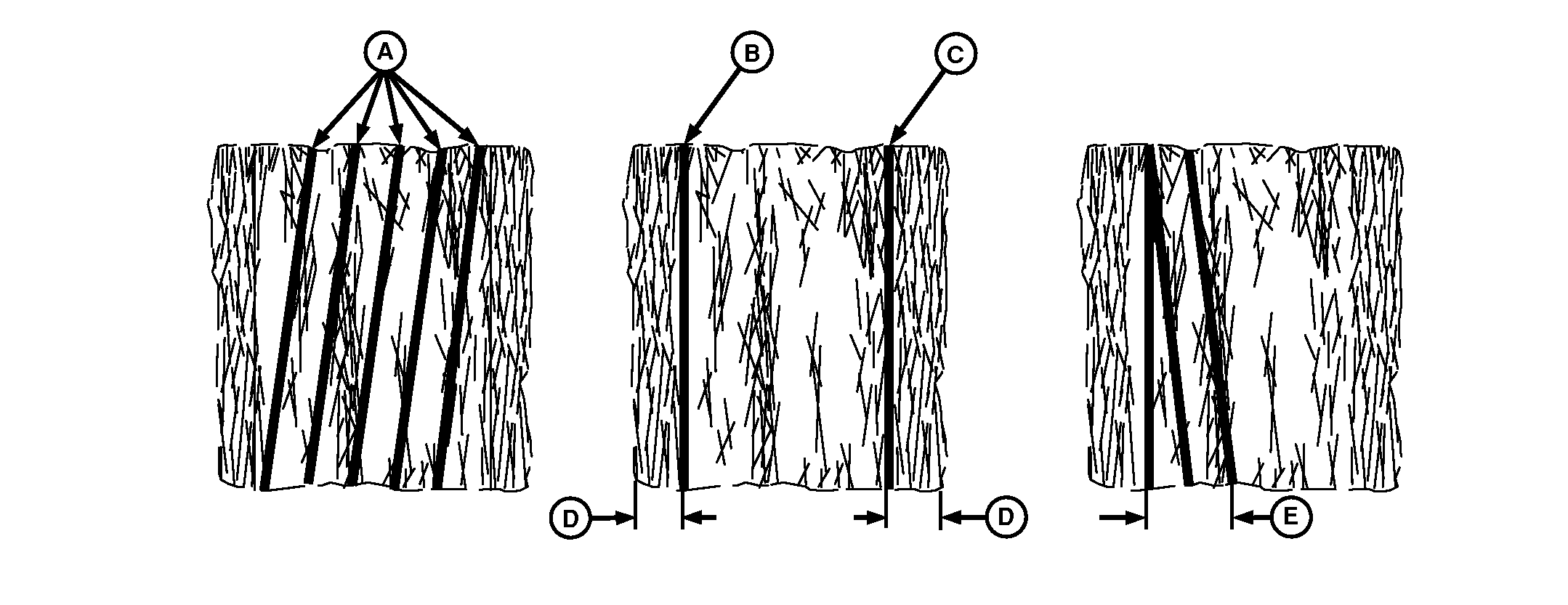
A - Twine Spacing
B - Number of Left-Hand End Wraps
C - Number of Right-Hand End Wraps
D - Left-Hand and Right-Hand End Wrap Distance
E - Re-Extension or Cinch Wrap Distance
There are eight factors involved in properly placing twine on the bale. The factors are:
- Twine Spacing
- Number of Left-Hand End Wraps
- Number of Right-Hand End Wraps
- Left-Hand End Wrap Distance
- Right-Hand End Wrap Distance
- Re-Extension Wrap Distance
- Cinch Wrap
- Dry Straw
The monitor-controller is programmed to apply approximate twine spacing in the center of the bale. Twine spacing decreases toward the ends of bale.
Twine Spacing (A) is the distance between the twine wraps. Spacing is increased or decreased depending on how fast the twine arms move across the bale.
Mechanical twine arm spacing ranges are between 5, 10, 15, and 20 cm (2, 4, 6, and 8 in).
Monitor-controller twine spacing range is between 5—26 cm (2—10 in) at 1 cm (0.5 in) increments. Initial setting is 10 cm (4 in).
To obtain uniform twine spacing on a bale, the setting for twine arm spacing and the monitor-controller setting for twine spacing must be the same.
Number of Left-Hand End Wraps (B) and Right-Hand End Wraps (C) controls how long the twine arms pause at the end of the bale to apply the set number of end wraps for the bale diameter. End wrap setting ranges between 0.5—10 wraps. Initial setting is two wraps.
The setting for the number of end wraps is approximate for each twine arm. With various settings of the adjustable twine guide, the twine from both arms is the same distance from the end of bale. The bale has twice the number of end wraps as indicated on the monitor-controller. (See Set Twine End Wrap Distance in this section.)
Left-Hand or Right-Hand End Wrap Distance (D) limits the twine arm travel to the outer ends of the bale. An initial setting of 10 cm (4 in) has been set for both sides. The settings can be changed in 1 cm (0.5 in) increments.
- End wrap distance settings for the left-hand and right-hand sides range between 8—26 cm (3—10 in).
End wrap distances are an approximate indication where twine is placed on the bale.
To place twine the same distance from the edge on both ends, a slightly different setting can be required for each end.
Check setting of mechanical twine guide when revising monitor-controller settings.
Re-Extension Wrap Distance (E) is a feature that can help prevent twine unrolling. It places a wrap of twine back toward middle of bale from the left-hand end wrap location AFTER the set number of end wraps have been applied. Re-Extension wrap settings are 20, 40, and 60 cm (8, 16 and 24 in). (See Set Twine Re-Extension [Channel 003] in Operating the Baler section.)
Cinch Wrap is a feature that can decrease the loose twine and improve twine spacing on the left-hand end of the bale. It places a wrap of twine approximately 25 cm (10 in) away from the left-hand end wrap location BEFORE applying the set number of end wraps. (See Set Cinch Wrap [Channel 004] in Operating the Baler section.)
Dry Straw Twine Wrap is a feature to place the twine across the full width of the bale to reduce straw from flaking off the bale during the twine application. Twine arms are programmed to move to the right, left, and back to the right side to resume normal twine application cycle. Turn program ON or OFF. (See Dry Straw Twine Wrap Program in this section.)
|
SF04007,0000F51-19-20170914 |