Set Number of Net Wraps (If Equipped)
-
Net wrap settings range between 1.5—10 wraps (in 0.1 wrap increments), with initial setting of two wraps.
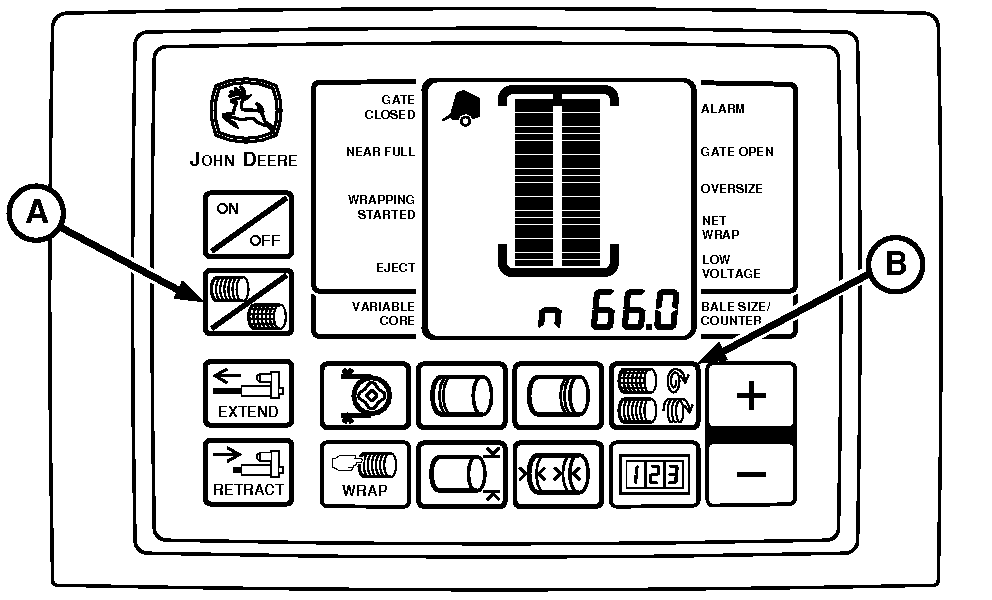
E52448-UN-18JUN03BaleTrak™ Pro Monitor-Controller
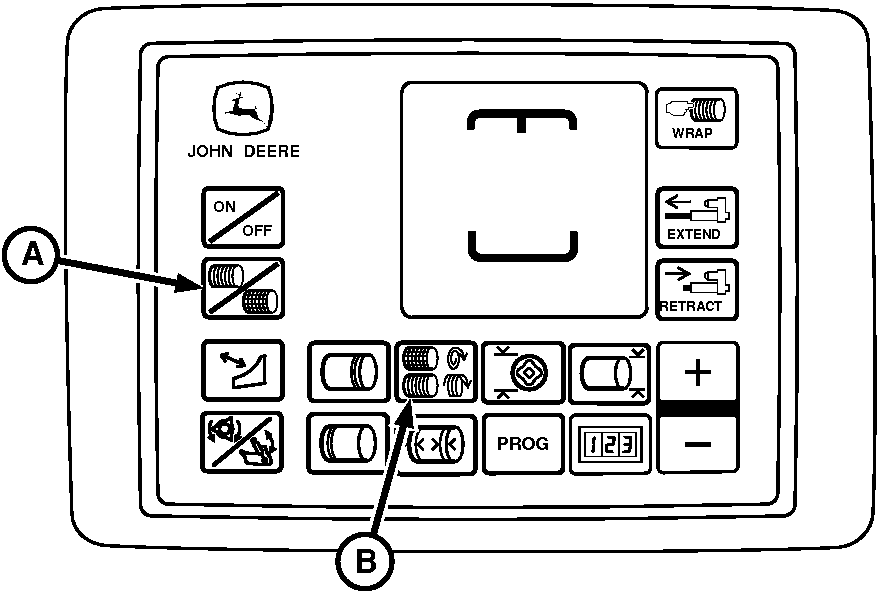
E84244-UN-28AUG17BaleTrak™ Plus Monitor-Controller
A - NET Symbol
B - NET WRAP Key
Turn tractor key to ON position. Do not start tractor engine. Turn monitor-controller ON. -
To ensure the monitor-controller is in the NET mode, briefly press the NET symbol key (A).
-
Press and hold NET WRAP key (B). Press PLUS or MINUS keys until the desired number of wraps (1.5—5.0) appears in digital display.
-
Turn monitor-controller OFF. Turn tractor key to OFF position. Remove key.
-
Recommended Wraps
Bales stored with fewer than two layers of the net wrap can be damaged by handling or weather conditions.
Different crops require a different number of wraps for effective baling.
Minimum recommendations are:
- 2 Wraps for Hay
- 3 Wraps for Straw, Wheat Hay, and Cereal Grains
- 4 Wraps for Corn Stalks, Sudex, Hay Grazer, and Milo Stalks
- An additional wrap of net when the crop is precut.
If machine rpm is less than rated PTO speed, use the following chart as a guideline for desired wraps.
NET WRAP CHART
Engine rpm
Desired No. Of Wraps
Approximate Monitor Setting Needed
Rated PTO
2
2
3
3
1800 rpm
2
2.4
3
3.6
1500 rpm
2
2.9
3
4.3
1300 rpm
2
3.3
3
5.0
Slip clutch alert, if turned on, supplies the desired number of the net wrap layers regardless of PTO speed.
|
SF04007,0000F9C-19-20170829 |