Set Twine Spacing
E38438-UN-19JUN96
E52444-UN-02JUN08
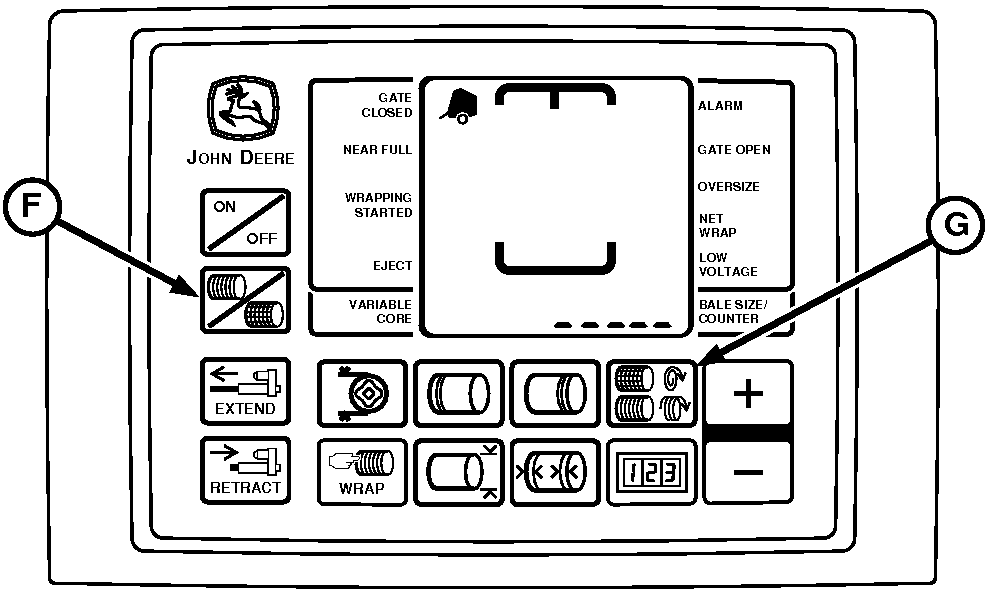
BaleTrak™ Pro Monitor-Controller
E84123-UN-28AUG17
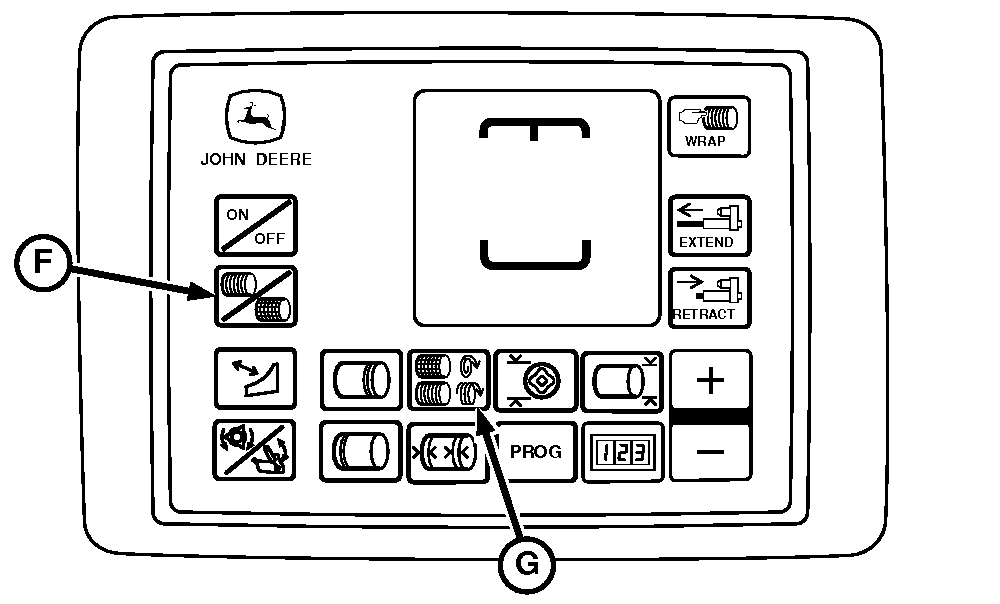
BaleTrak™ Plus Monitor-Controller
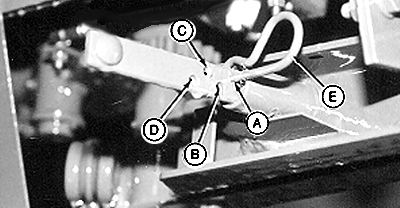
A - 5 cm (2.0 in) Twine Arm Spacing
B - 10 cm (4.0 in) Twine Arm Spacing
C - 15 cm (6.0 in) Twine Arm Spacing
D - 20 cm (8.0 in) Twine Arm Spacing
E - Spring Pin
F - Twine Symbol
G - Twine Spacing Key
Set Mechanical Twine Arm Spacing:The monitor-controller maintains twine spacing for various bale diameters at rated PTO speed.
-
Set distance between the twine arms by installing spring pin (E) in the desired position:
Hole ID
Twine Arm Spacing
A
5 cm (2.0 in)
B
10 cm (4.0 in)
C
15 cm (6.0 in)
D
20 cm (8.0 in)
-
When operating at rated PTO speed, the monitor-controller twine spacing setting must be the same as the mechanical twine arm spacing.
-
When operating less than rated PTO speed, set monitor-controller twine spacing setting less than mechanical twine arm spacing. This number varies with different PTO speeds. Check twine spacing on bale and adjust the monitor-controller setting to get desired twine spacing.
Set Monitor-Controller Twine Spacing:
-
Turn tractor key to ON position. Do not start tractor engine. Turn monitor-controller ON.
-
Press TWINE SPACING key (G). Press PLUS or MINUS keys until the desired twine spacing, 2—26 cm (1.0—10.0 in), appears in digital display.
Use the following chart as a guideline. Monitor-controller settings can vary with crop conditions and between balers.
Engine rpm
Mechanical Setting
Monitor-Controller Setting
Rated Speed
10 cm (4.0 in)
10 cm (4.0 in)
1800 rpm
10 cm (4.0 in)
9 cm (3.5 in)
1500 rpm
10 cm (4.0 in)
8 cm (3.0 in)
1300 rpm
10 cm (4.0 in)
6 cm (2.5 in)
-
Slip clutch alert, if turned on, applies desired number of twine wraps regardless of PTO speed.
Six seconds after last adjustment, setting is entered into memory. Be sure the monitor-controller twine spacing setting and mechanical twine arm spacing setting agree with each other.
-
Turn monitor-controller OFF. Turn tractor key to OFF position. Remove key.
|
SF04007,0000FC0-19-20170829 |