Set Number of Twine End Wraps
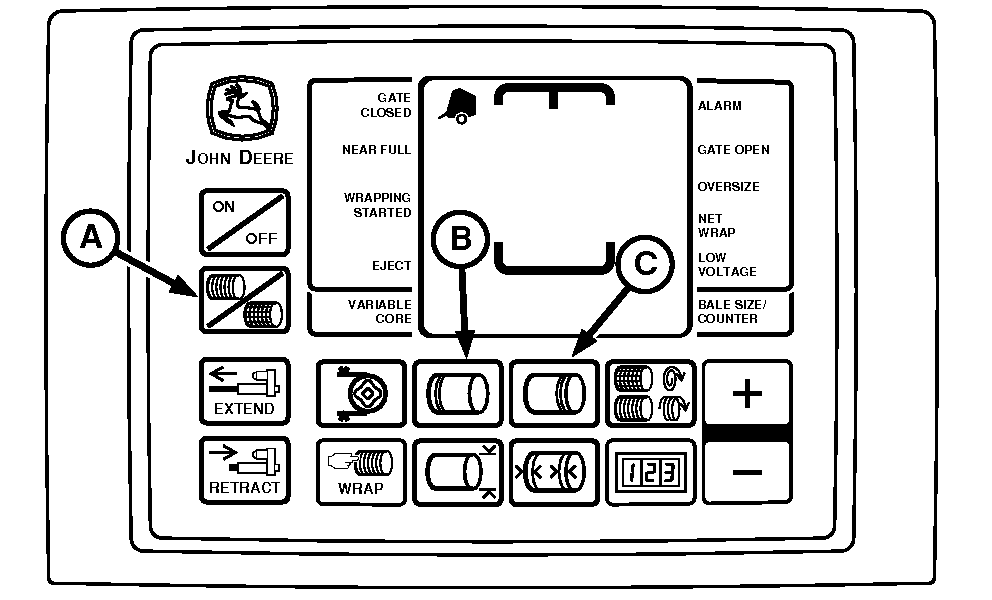
E52445-UN-02JUN08
BaleTrak™ Pro Monitor-Controller
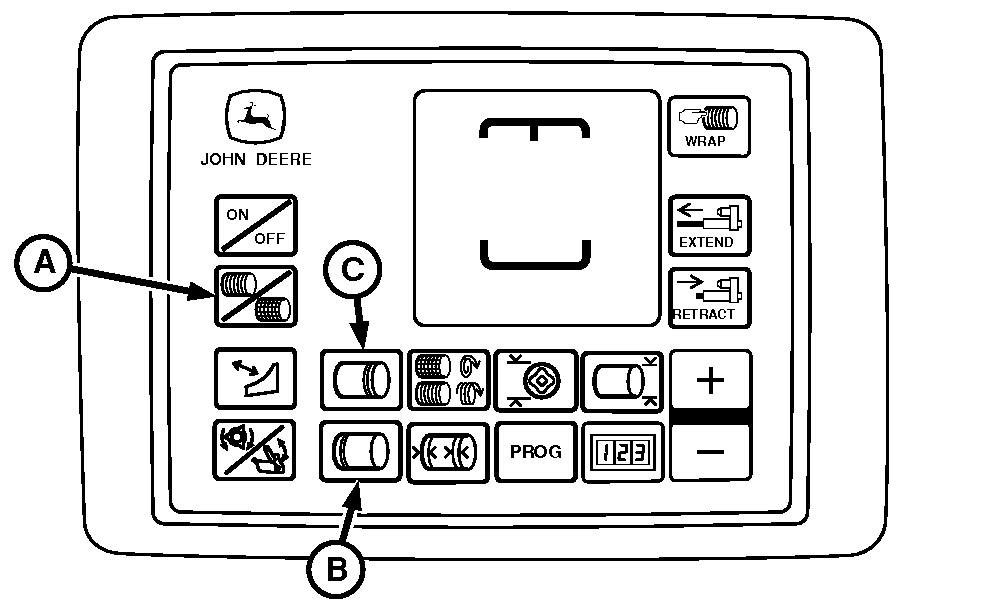
E84124-UN-28AUG17
BaleTrak™ Plus Monitor-Controller
A - Twine Symbol
B - Left-Hand End Wrap Key
C - Right-Hand End Wrap Key
Set Number of Right-Hand and Left-Hand End Wraps:-
The bale has twice the number of left-hand end wraps, as indicated on the monitor-controller, when the twine contacts the twine guide. (See Set Twine End Wrap Distance in this section.) The setting for the number of end wraps is approximate for each twine arm.
If more end wraps are needed, increase the number on the monitor.
If fewer end wraps are needed, decrease the number on the monitor.
Turn tractor key to ON position. Do not start tractor engine. Turn monitor-controller ON.
The reference numbers (0.5—5) displayed on the monitor for the desired number of end wraps, is not the actual number of wraps on end of bale.
-
Press left-hand END WRAP key (B) or right-hand END WRAP key (C). Press the PLUS or MINUS keys until the desired number of end wraps (0.5—5 for the right-hand side) and (0.0—5 on the left-hand side), appears in digital display.
-
After six seconds, setting will be entered into memory.
-
Turn monitor-controller OFF. Turn tractor key to OFF position. Remove key.
Slip clutch alert, if turned on, supplies desired number of net wraps regardless of PTO speed.
|
SF04007,0000FC1-19-20170829 |