BaleTrak™ Pro Monitor-Controller Customer, Setup, and Diagnostic Modes
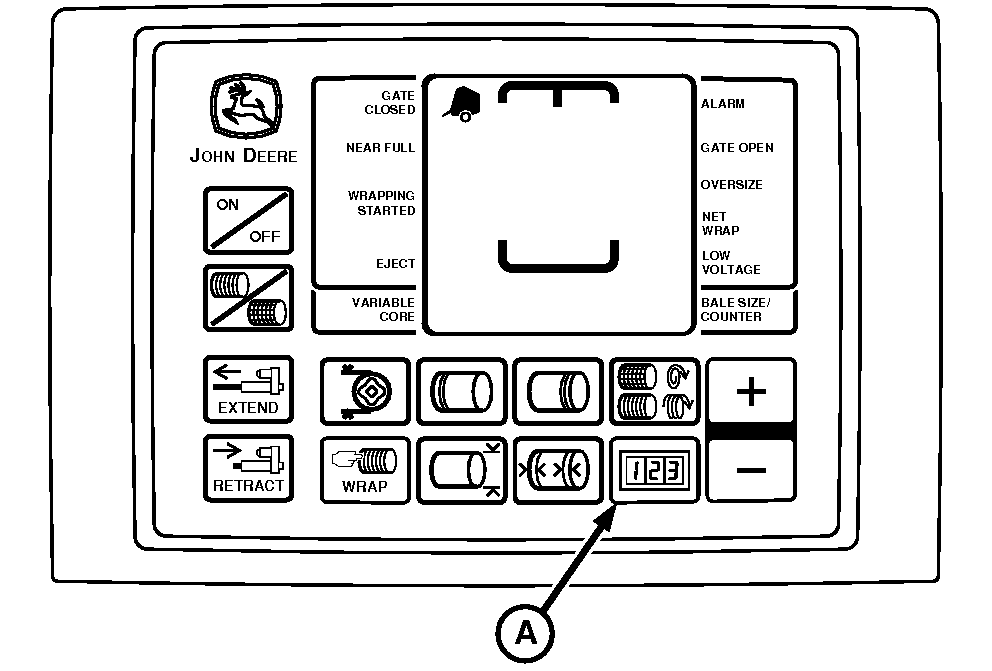
E52441-UN-18JUN03
A - COUNTER Key
There are three types of channelled programs:- Customer Channels (CH001—033)
- Setup Channels (CH201 and 202)
- Diagnostic Channels (CH301—312) (See your John Deere dealer)
Customer Channels (CH001—033) are used to:
- Set near-full indicator set point.
- Reset monitor-controller to initial settings.
- Adjust net wrap delay.
- Access dry straw twine wrap program.
- Adjust bale diameter.
- Adjust twine wrap.
- Activate re-extension and cinch wrap program.
- Check positions of sensors and switches.
- Test twine actuators.
- Test LCD display.
- Test tractor voltage.
- Adjust delay of twine eject.
Setup Channels (CH201 and 202) are used to:
- Select baler model.
- Activate/deactivate twine arm.
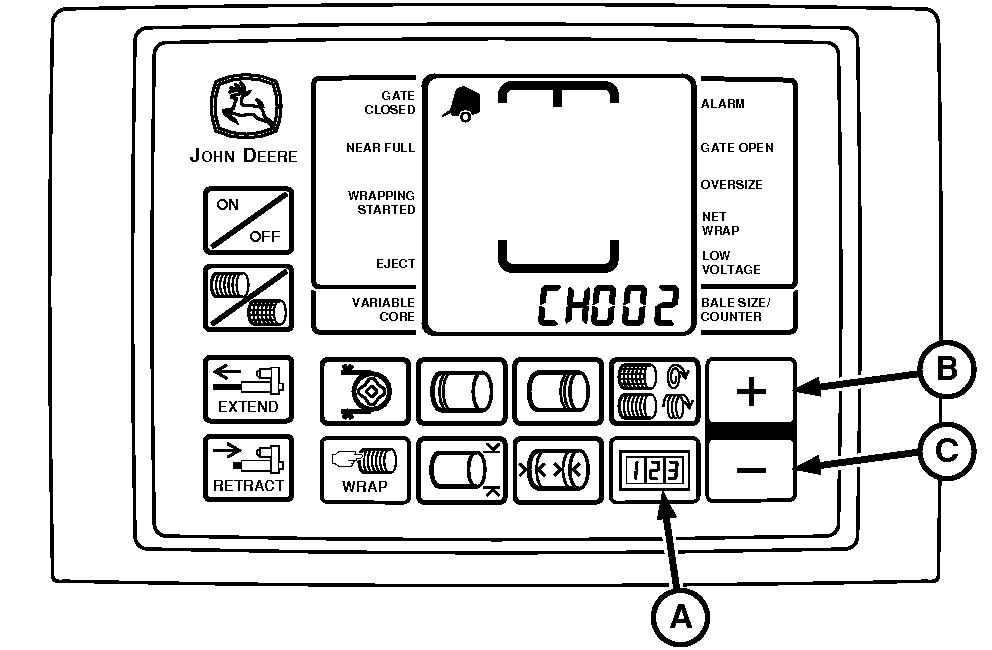
E52451-UN-18JUN03
A - COUNTER Key
B - PLUS Key
C - MINUS Key
To Enter Customer Channels:-
Turn tractor key to ON position. Do not start tractor engine. Press and hold COUNTER key (A), while turning monitor-controller ON.
-
Continue to hold COUNTER key (A) and press PLUS key (B) or MINUS key (C) until desired channel appears in digital display. Release key to see the current value for this channel.
To change channels, press and hold COUNTER key (A) and use the PLUS key (B) and MINUS key (C) to access other channels.
-
Turn monitor-controller OFF to enter setting into memory.
-
Turn tractor key to OFF position and remove key.
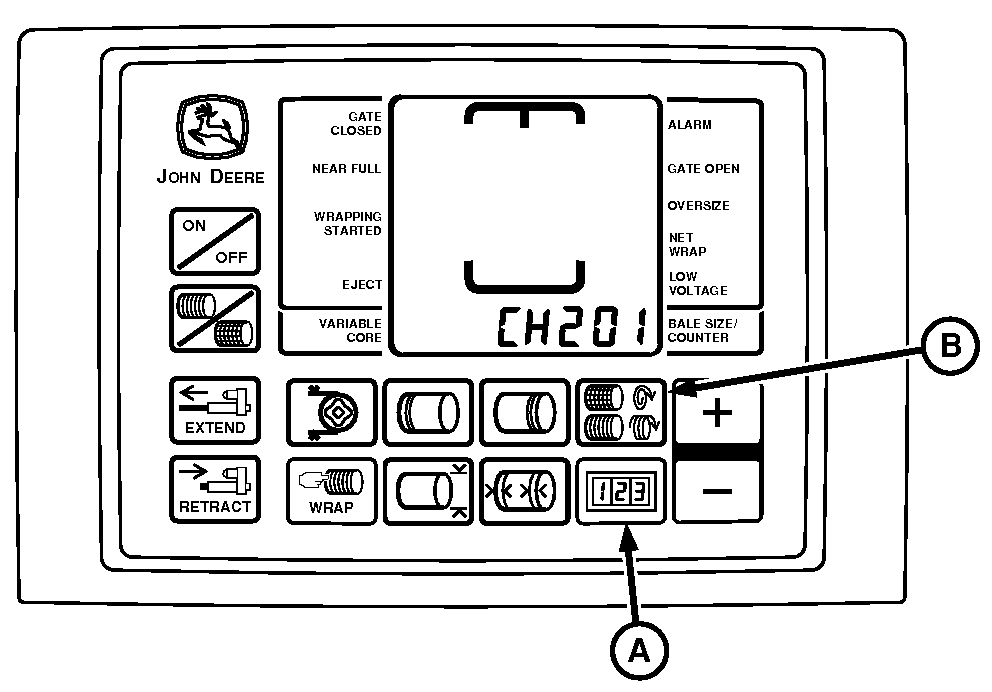
E52456-UN-10JUN08
A - COUNTER Key
B - NUMBER OF WRAPS Key
To Enter Setup Channels:-
Turn tractor key to ON position. Do not start tractor.
-
Press and hold COUNTER key (A) and NUMBER OF WRAPS key (B) while turning monitor-controller ON. CH201 is displayed.
-
Release both keys. Bale model is displayed.
-
Press and hold COUNTER key (A) and press the PLUS key until desired channel is shown in display.
-
Turn monitor-controller OFF to enter setting into memory.
-
Turn monitor-controller ON. Baler model will appear for approximately 2 seconds. Verify model is correct.
-
Turn tractor key to OFF position and remove key.
|
GW44282,00005C3-19-20150914 |