Adjusting Bale Diameter Sensor (Channel 005)
-
E56980-UN-27MAR09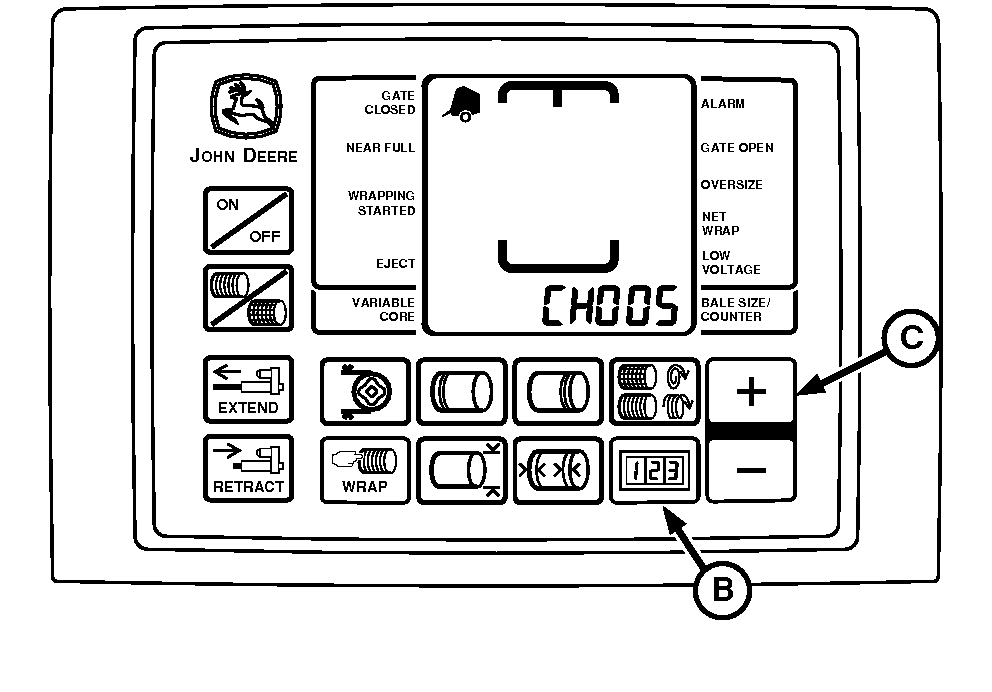
E52526-UN-02JUN08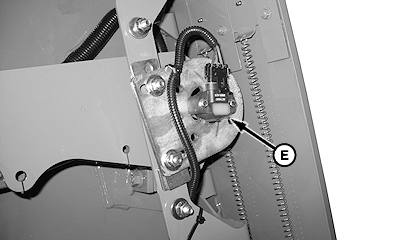
E56987-UN-30MAR09Shield Removed
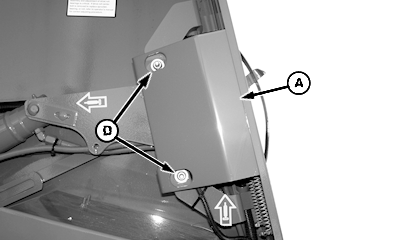
A - Shield
B - COUNTER Key
C - PLUS Key
D - Nuts
E - Sensor
Remove shield (A) by loosening nuts (D). -
Start tractor engine.
-
Using tractor selector valve, raise gate and belt tension arm all the way to the top.
-
Engage tractor parking brake and/or place transmission in “Park”.
-
Lock gate in open position.
-
Shut off tractor engine.
-
Turn tractor key to ON position. Do not start tractor engine.
-
Press and hold COUNTER key (B) while turning monitor-controller ON.
-
Continue to hold COUNTER key (B) and press PLUS key (C) until CH005 appears in digital display.
-
Loosen mounting hardware and rotate sensor (E) fully clockwise. Rotate sensor counterclockwise until 173 is displayed and a steady tone sounds.
-
If 173 is exceeded while rotating sensor counterclockwise or while tightening screws, rotate sensor clockwise and repeat Steps 9 and 10 as necessary.
Tighten sensor mounting screws.
-
Turn monitor-controller OFF. Turn tractor key to OFF position.
-
Lower gate and belt tension arm using tractor selector valve.
-
Install shield (A):
- Make sure front edge of shield is behind door band flange.
- Make sure front edge of shield is against door band.
- Tighten nuts (D).
|
PP98408,00001F5-19-20090831 |